What is a ChatGPT secret code?
It is a short prompt that starts with a slash, like
/campaignposter. You may have seen them in reels about
"hidden ChatGPT tricks".
Here is the honest part: they are not hidden. ChatGPT has no list of secret commands. It reads the words inside the code and works out the rest from your photo. So a code works when its words paint a clear picture.
How to use a code
- Open ChatGPT.
- Upload one photo of your product.
- Type the code, for example
/campaignposter, and send it. Nothing else. - Not what you wanted? Generate again, or paste the longer prompt under the code.
How we tested them
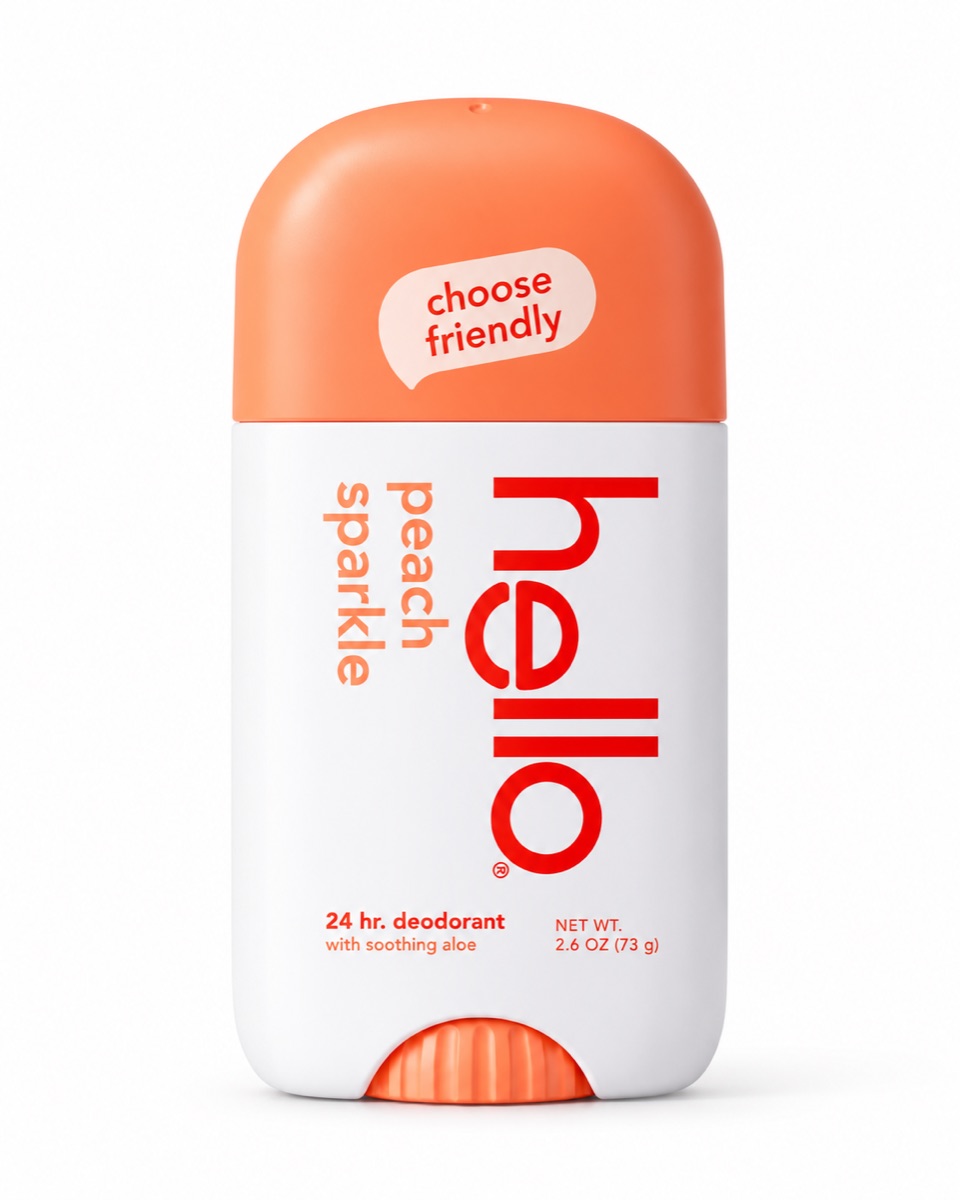
We used one photo and sent it to ChatGPT with each code on its own. No other words. The images below are what came back. We did not edit them.
Under each code there is also a longer prompt. We did not use it for the examples. It is a back-up in case the code alone gives you something else.
Campaign poster
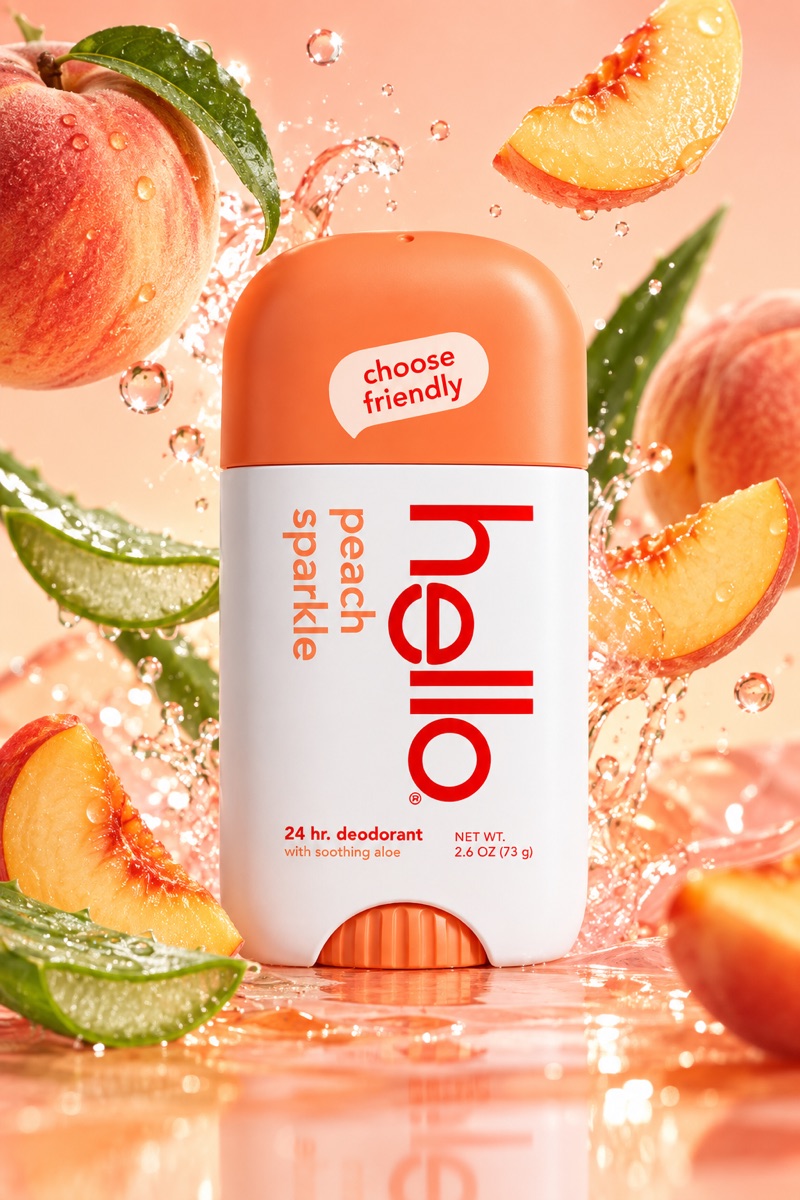
Code #1A full ad poster. ChatGPT picks the props from your label: here, peaches and aloe.
Turn the uploaded product into a finished ad campaign poster. Keep the product and its label exactly the same. Surround it with the ingredients named on the label, a splash of water and a background in the colour of the pack. Bright studio light, sharp product, premium beauty ad style.
Fruit splash ad
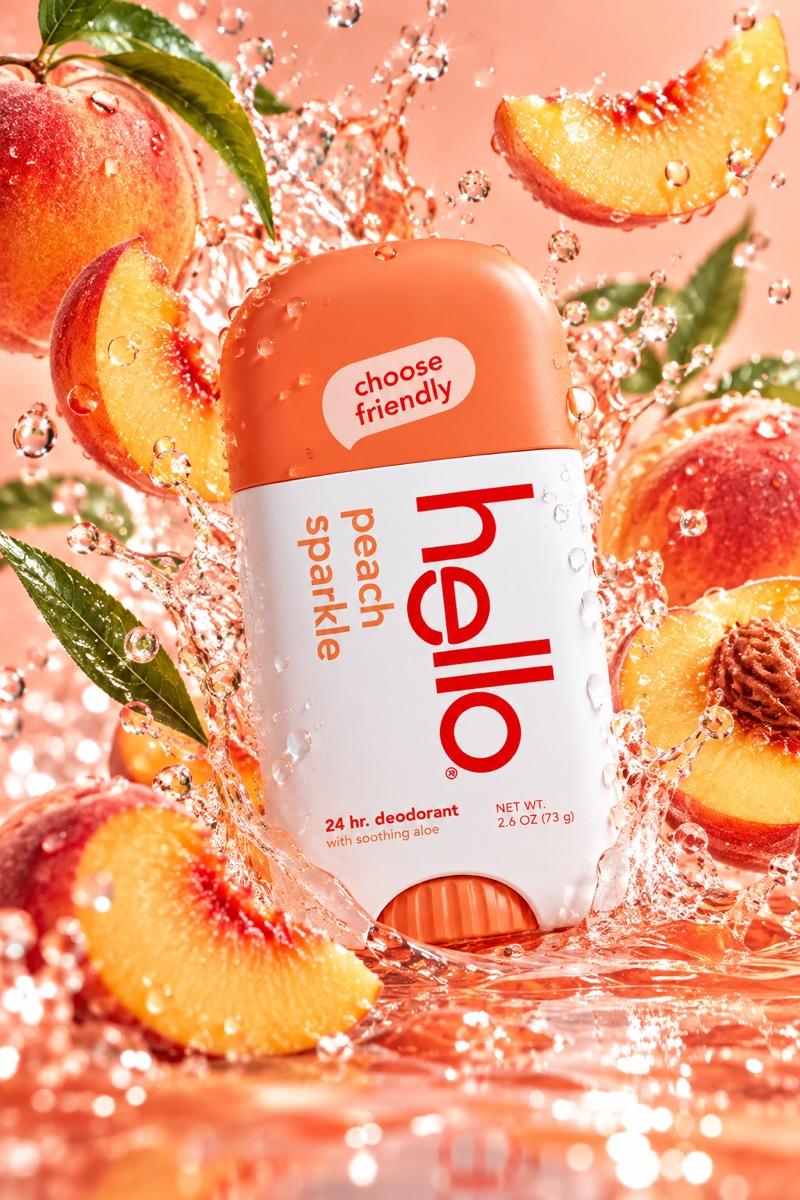
Code #2The product in the middle of a frozen splash of water and fruit slices.
Product ad: the uploaded product in the center, its key ingredients and fruit slices flying around it, frozen water splash and droplets, soft background in the product's colour, high-speed studio photo.
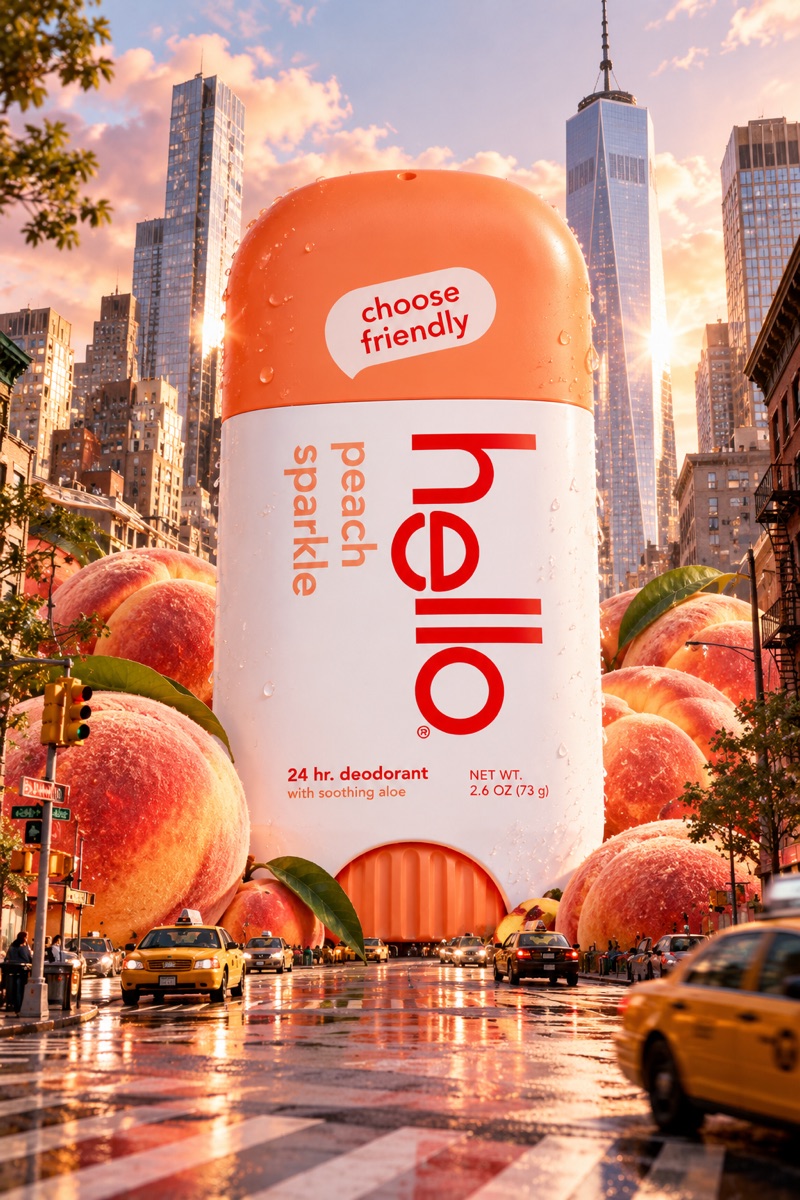
Giant product in the city
Code #3Your product as a building-sized object in a busy street, with taxis and people below.
The uploaded product as a giant 30-metre object standing in a busy city street, tiny people walking around it, realistic daylight, wide-angle street photo.
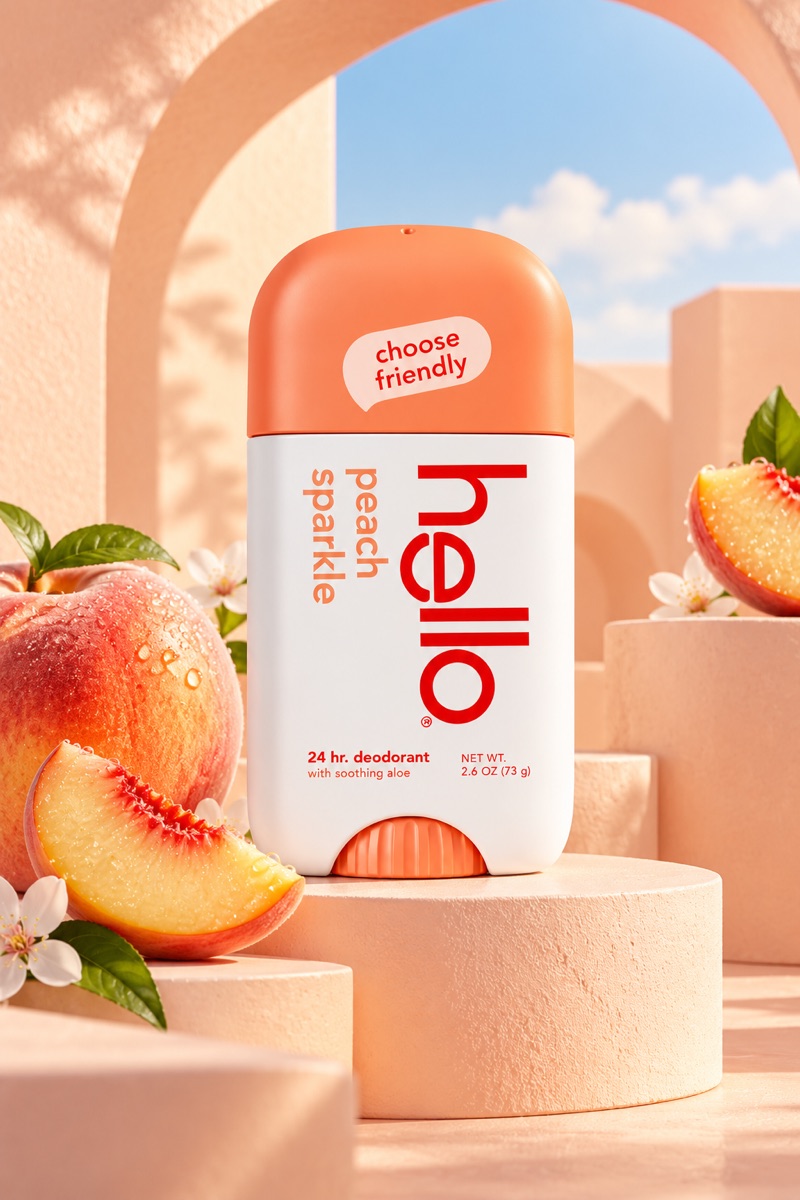
Pastel podium
Code #4A clean studio shot on round podiums, in the colours of your pack.
The uploaded product on a pastel geometric podium, matching colour background, soft hard-edged shadows, clean minimal e-commerce studio photo.
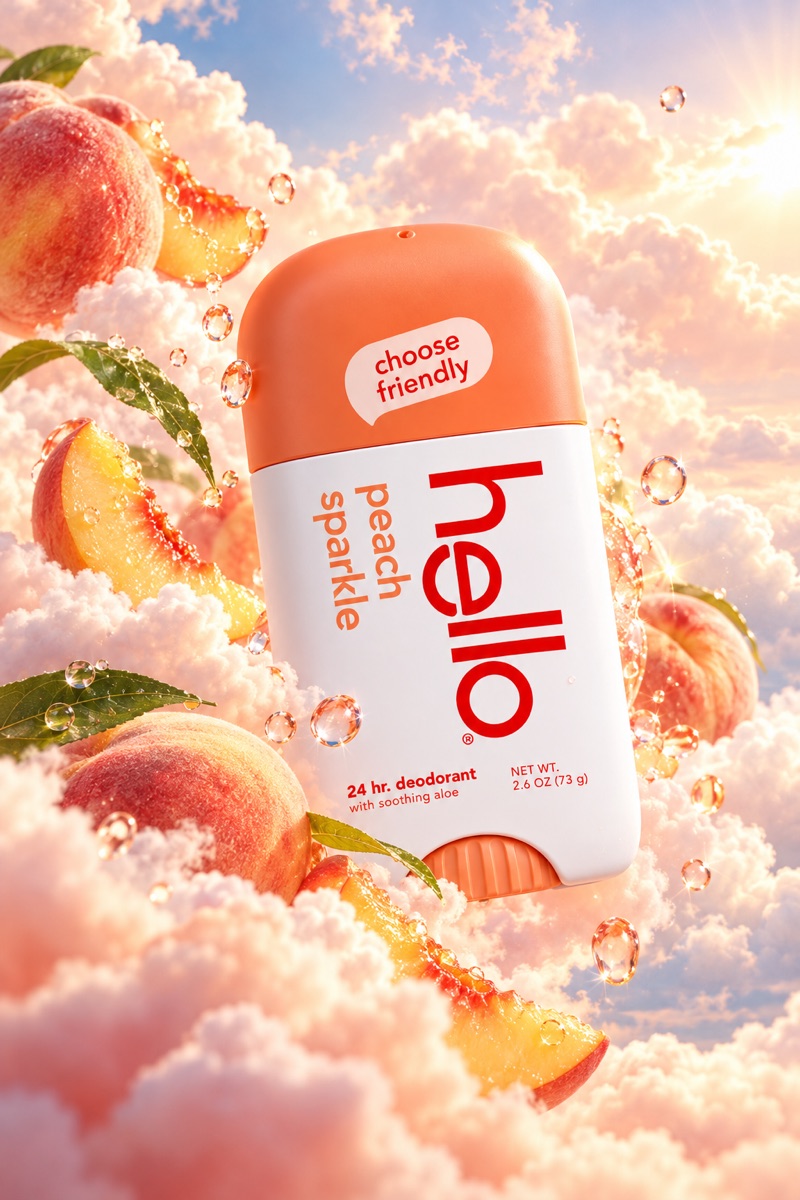
Dreamy clouds
Code #5The product floating in soft pink clouds at sunset.
The uploaded product floating among soft pink and peach clouds at sunset, dreamy pastel sky, gentle glow around the product, fantasy ad style.
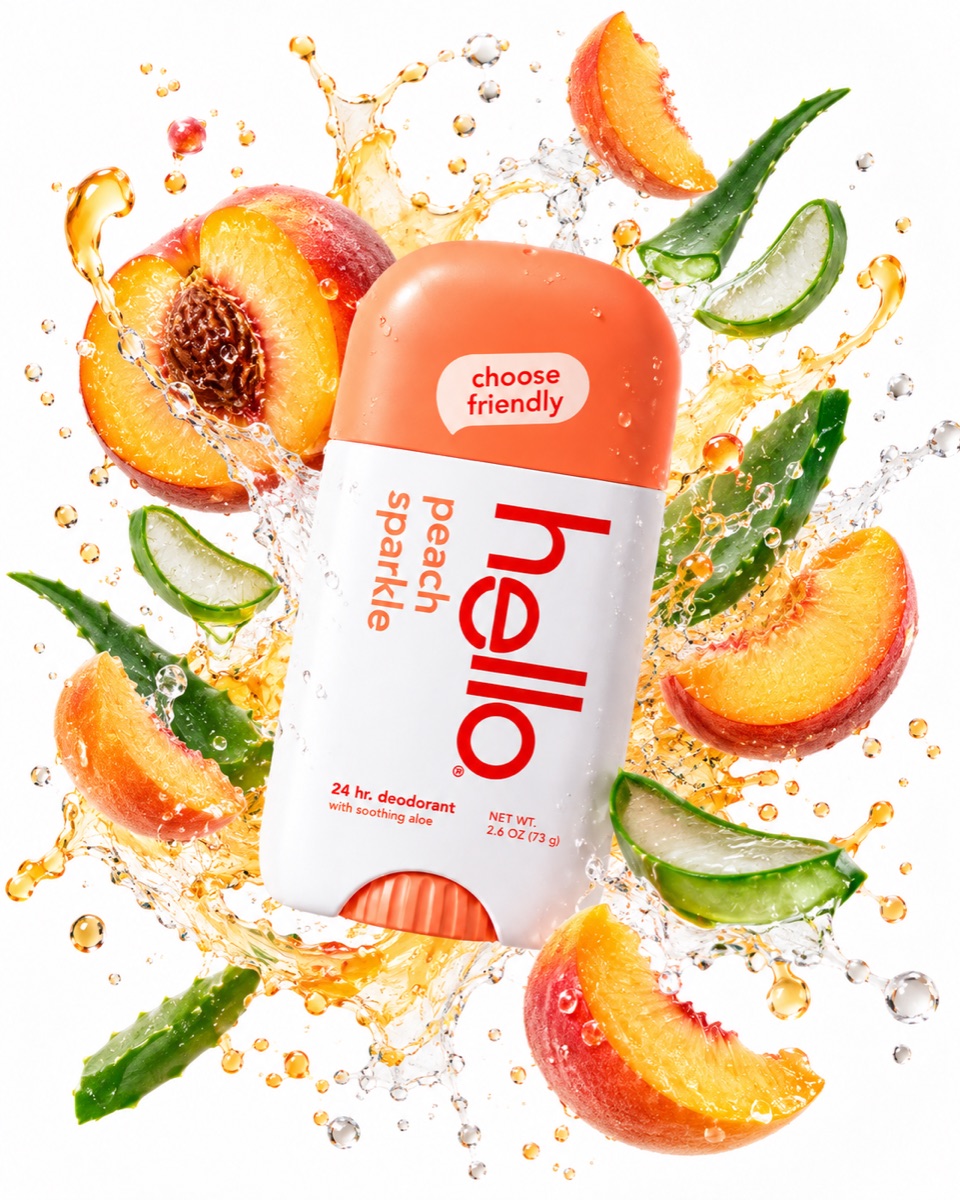
Ingredient explosion
Code #6Every ingredient from the label bursting out around the product, on white.
Exploded view: the uploaded product in the center, every ingredient from its label floating around it in a neat circle, clean light background, premium ad style.
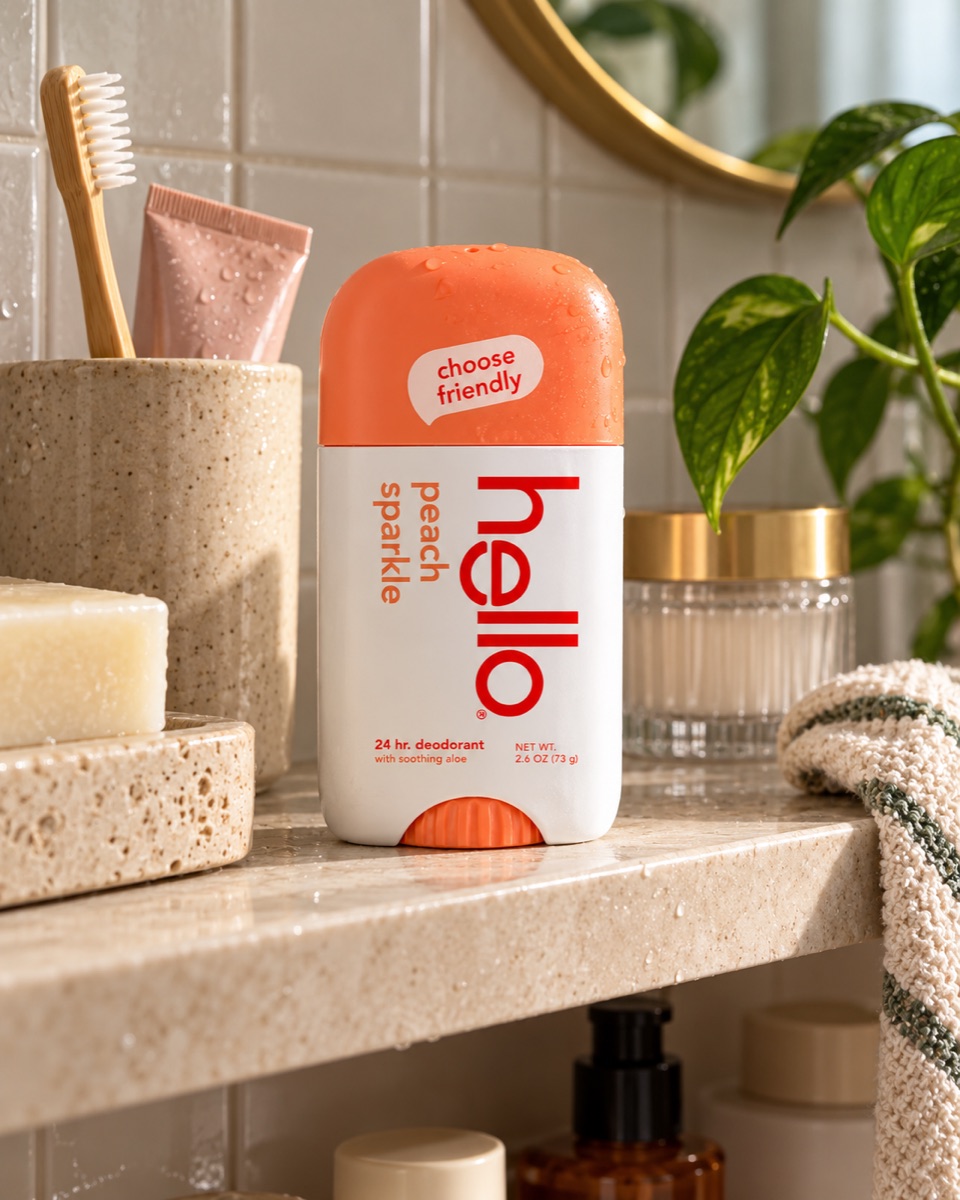
Bathroom shelf (UGC)
Code #7A casual phone photo of the product on a real bathroom shelf.
Casual iPhone photo of the uploaded product on a bathroom shelf next to a towel and a plant, soft morning window light, slightly imperfect, real UGC look.
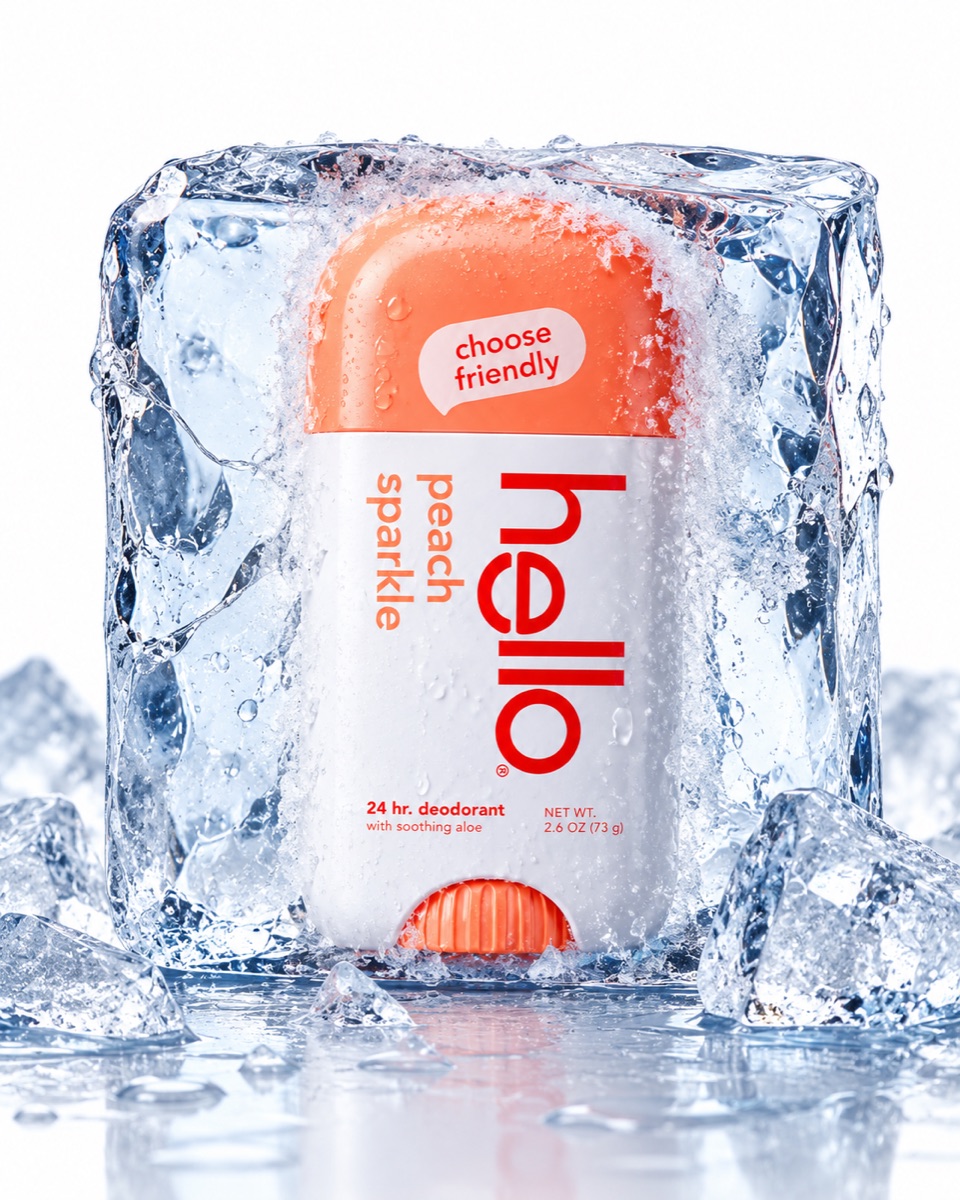
Frozen in ice
Code #8The product locked inside a clear block of ice.
The uploaded product frozen inside a clear block of ice, frost and cold mist, blue-white light, fresh and cool mood, macro studio photo.
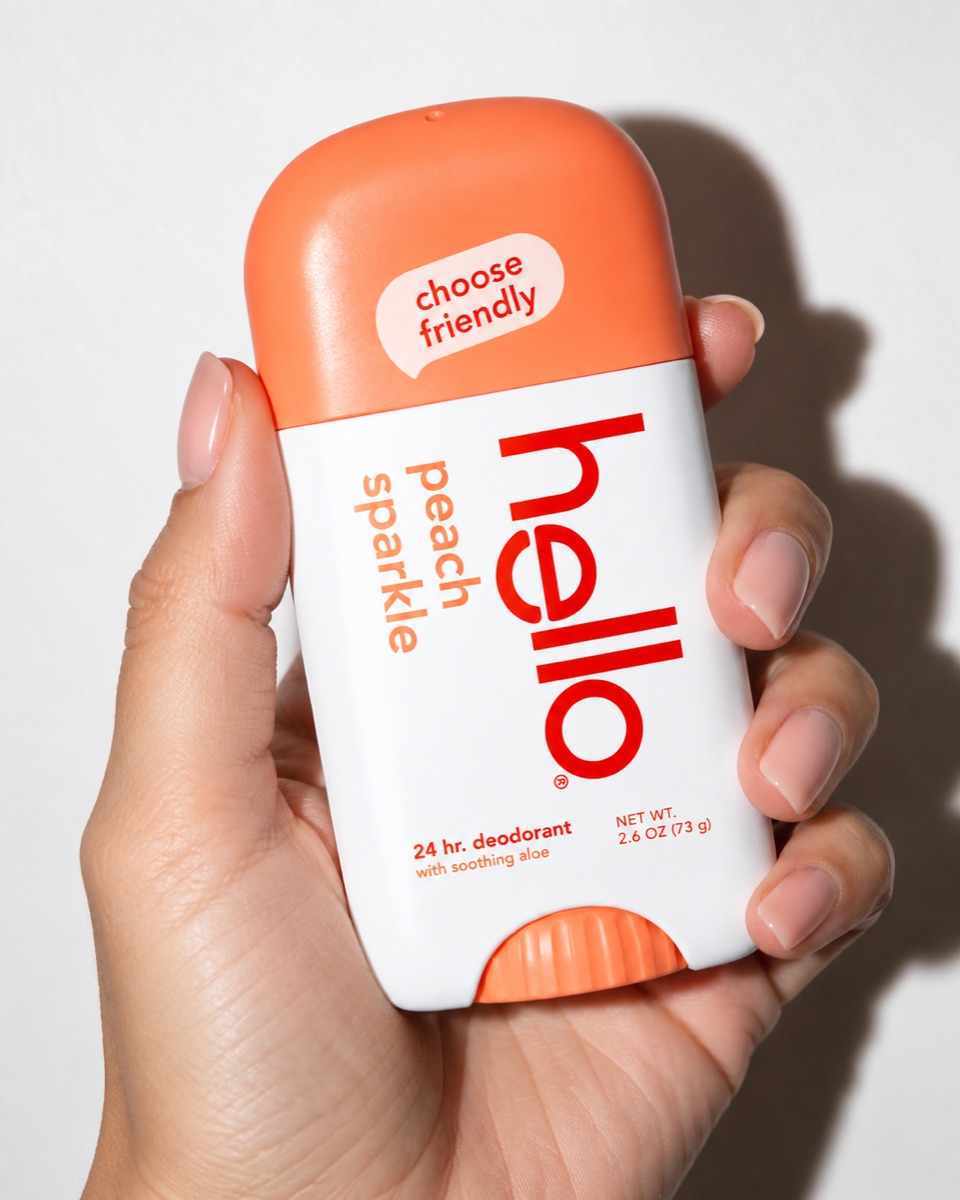
Flash, in hand
Code #9A hand holding the product to the camera, lit by a direct flash.
A hand with painted nails holding the uploaded product close to the camera, direct on-camera flash, hard shadow on the wall behind, magazine editorial look.
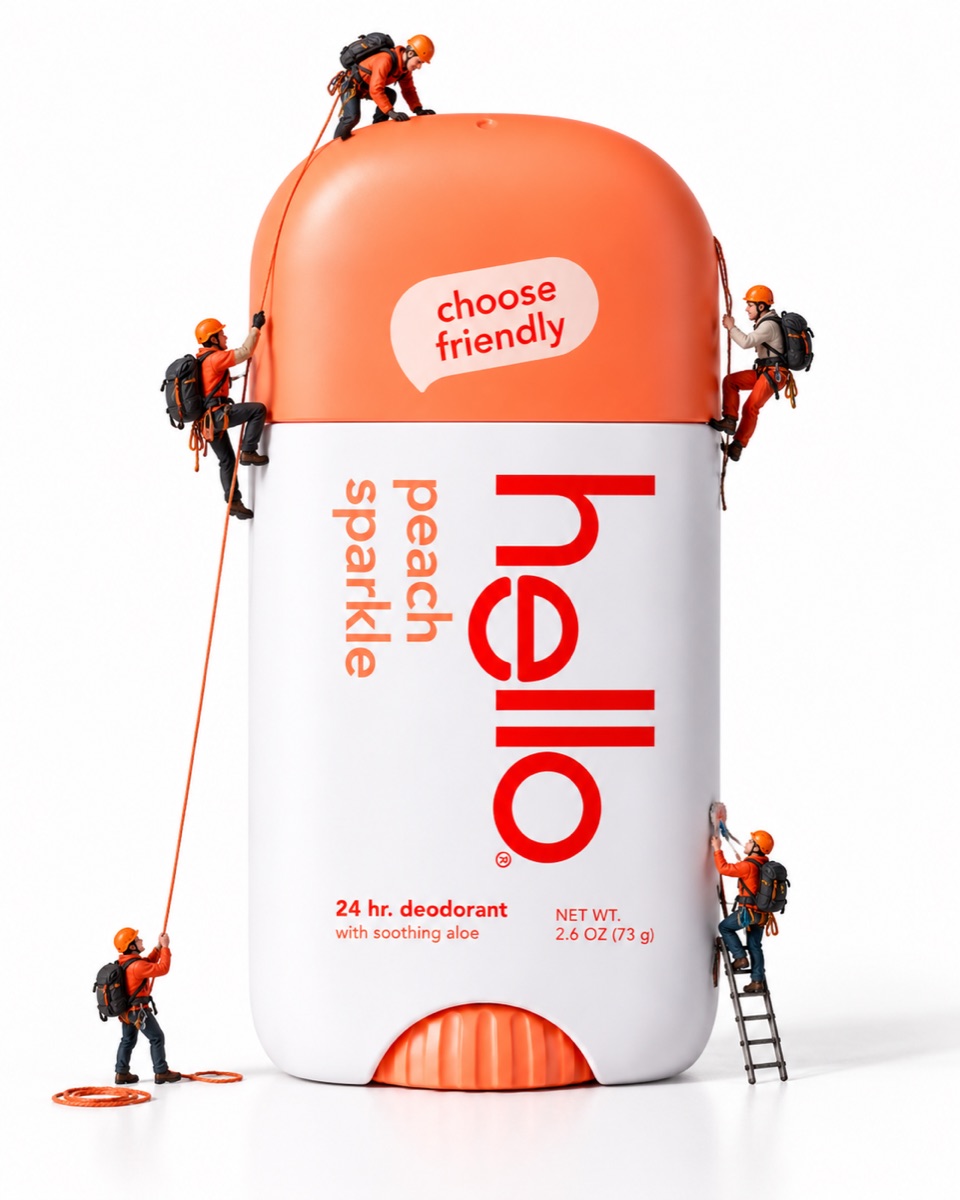
Tiny climbers
Code #10Miniature climbers with ropes and helmets climbing your product like a mountain.
Miniature world: tiny people with ropes and backpacks climbing the uploaded product like a mountain, macro photo, shallow depth of field, playful mood.
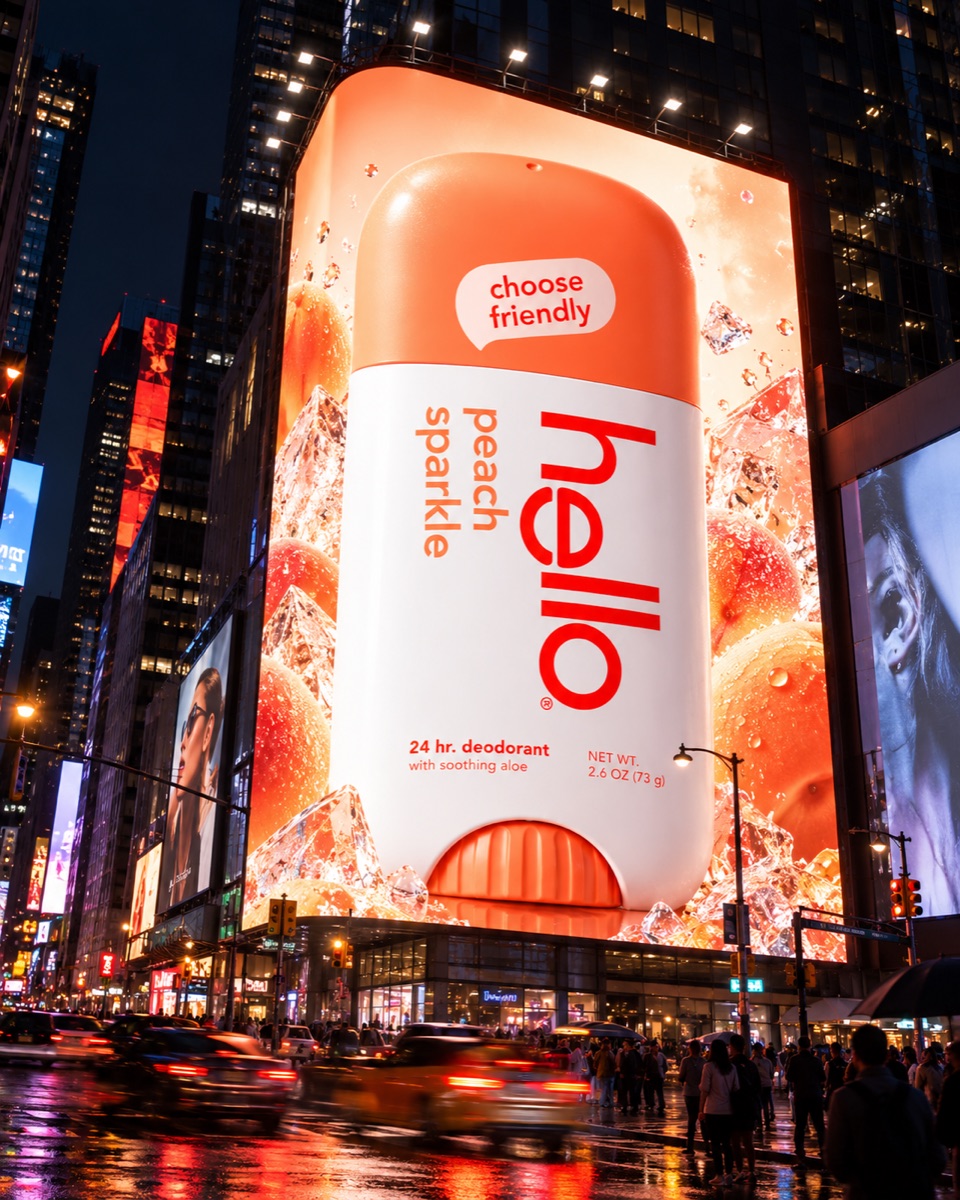
Billboard at night
Code #11Your product on a huge lit billboard in a city at night.
The uploaded product as a huge lit billboard ad on a building at night, city lights, wet street reflections, people looking up, cinematic photo.
How to make your own code
A code is a picture squeezed into one word. Name things you can see, not feelings.
| Part | Examples |
|---|---|
| Where | city, café, beach, studio |
| How big or close | giant, tiny, close-up, full body |
| What happens | splash, walking, laughing, frozen |
| How it is shot | low angle, flash, golden hour, black background |
Put two or three of these together into one word. Then test your code in a new chat, three times, with a different photo each time. Keep it only if all three look good.
Questions
Are ChatGPT secret codes real hidden commands?
No. ChatGPT has no secret list of codes. A code like /campaignposter is just a short prompt with the spaces taken out. ChatGPT reads the words inside it and guesses the rest. That is why a good code is a clear picture in two to four words.
Why does my result look different from the example?
ChatGPT makes a new image every time, and it fills in the details itself. Your photo and even your chat history change the result. If the code misses, run it again, or use the longer prompt under it.
Do these codes work in other AI image tools?
We only tested them in ChatGPT. Many image tools send your text straight to the image model, with no chat model in between to read the code. There, the longer prompt is the safer choice.
What photo of my product should I upload?
One sharp photo of the product on a plain background, with the label facing the camera. ChatGPT copies the label from your photo, so a blurry label gives you blurry text.
Can I make my own codes?
Yes. Name the picture you want: the place, the size, the light or the style. Every word in a good code describes something you can see. A word like /cool does not, so the results jump around.
Are these codes free?
Yes. Copy them, change them and use the images for your own posts.