Rainbow Bridge AI Video Prompt: Meet Your Dog Again
Free rainbow bridge AI video prompt for Seedance 2.5. Your dog runs to you across a heaven meadow, knocks you over and licks your face. 20 seconds.
Have it running in three steps
- 1
- 2Open OpenArt
- 3Paste it and generate
What you'll need
40 min- OpenArt

This rainbow bridge AI video prompt makes a 20-second reunion in heaven. It starts with a close-up of a dog’s eye, then a woman’s eye with one tear. She sees him in the distance and smiles. He runs to her across a green meadow full of flowers, jumps into her arms, knocks her over and licks her face.
People make videos like this for a dog they lost. It also works as a simple, warm reunion with a dog who is still on the sofa next to you.
You need three prompts. Two make the character sheets, one for the dog and one for you. The third makes the video. The video prompt has no names and no breed in it, so it fits any dog and any person.
The whole process
- Take one clear photo of your dog and one clear photo of yourself.
- Open OpenArt, go to image and pick GPT Image 2.
- Make the dog sheet and the person sheet with the first two prompts.
- Go to video and pick Seedance 2.5. Add the dog sheet first, then your sheet.
- Set 20 seconds and 9:16. Paste the video prompt and generate.
What happens in 20 seconds
| Time | What happens |
|---|---|
| 0–3s | Macro close-up of the dog’s eye. He blinks slowly |
| 3–6s | Macro close-up of her eye. One tear rolls down her cheek |
| 6–9s | The camera pulls back. She stands in the meadow and smiles |
| 9–13s | Low camera in the grass. The dog runs straight at it |
| 13–16s | She kneels with open arms. He jumps up and she falls back into the flowers |
| 16–20s | Top-down view. He licks her face, she hugs him, the camera rises |
Make a character sheet of your dog
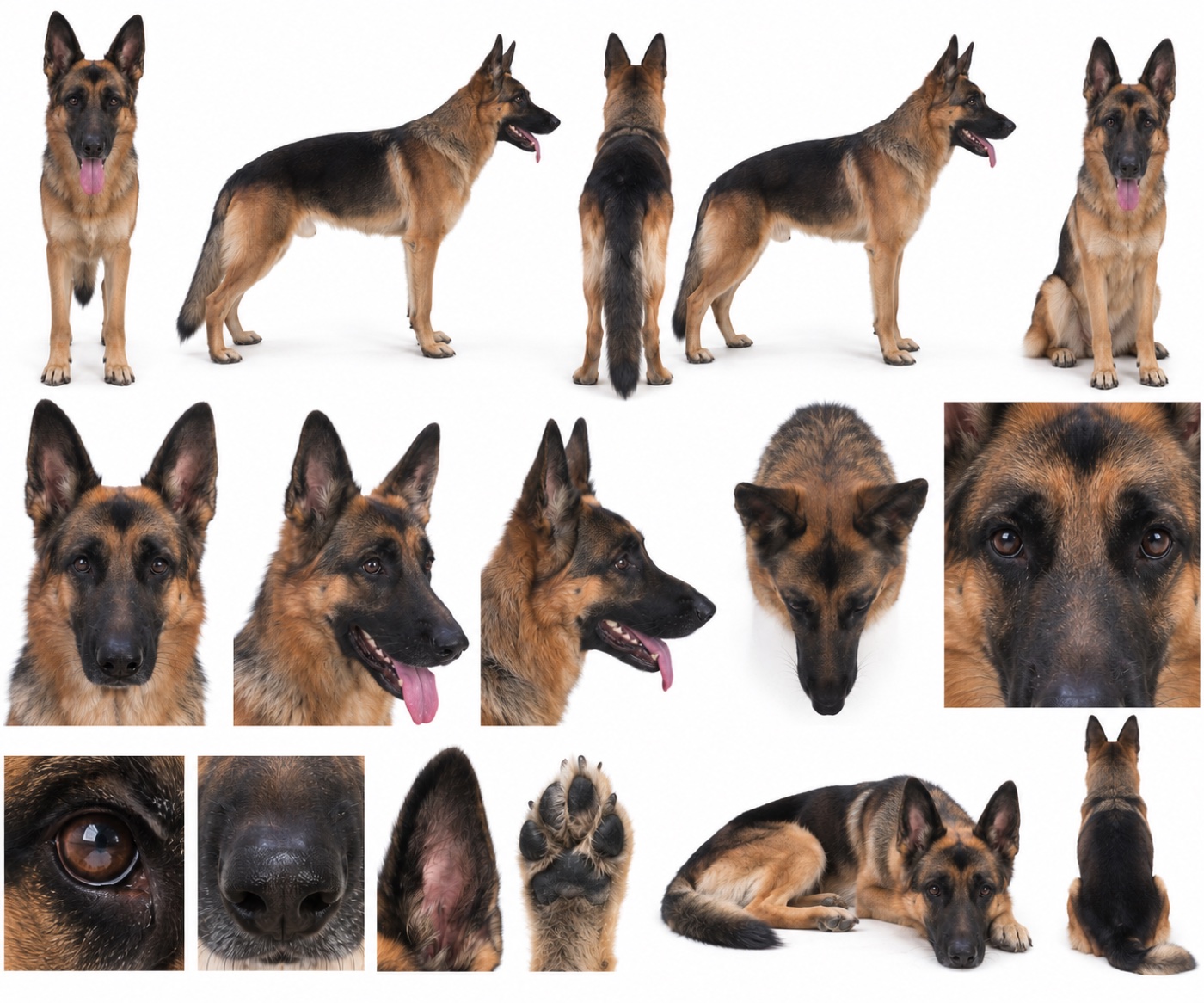
The video shows the dog from very close and from far away, from the front, the side and from above. One photo does not give the model enough. A character sheet shows the same dog from every side on one picture.
Take one clear photo of your dog with the whole body in view. Open OpenArt, go to image and pick GPT Image 2. Add the photo, set the shape to 4:3 and paste this prompt.
Photorealistic character reference sheet of the exact same dog from @Image1. Studio photography on a plain seamless pure white background, soft even light, soft natural shadow under the feet only, sharp focus, real fur texture.
Keep the dog from @Image1 exactly: the same breed, size, body shape, coat colours and pattern, face markings, ears, eye colour, nose and tail. Do not change, clean up or beautify anything. No collar, no harness, no clothes.
Layout: one clean sheet with three rows, no frames, no text. Top row, five full-body views at the same scale, feet on one baseline: standing facing the camera with mouth slightly open; left side profile; back view showing the tail; right side profile; sitting facing the camera. Middle row: a large head portrait from the front; a three-quarter head view with mouth open and tongue out; a side profile of the head; a top-down view of the head looking up; a very close crop of the face from eyes to nose. Bottom row, square detail tiles: one eye in extreme close-up with a soft natural catchlight; the nose; the inside of one ear; the underside of one paw with the pads; then the dog lying down with its head on its paws; then the dog sitting seen from behind.
Every panel shows the same single dog. One dog per panel.
Avoid: text, labels, numbers, logos, watermark, extra dogs, other animals, people, props, coloured background, the background from @Image1, cartoon, illustration, 3D render.
This is the sheet we used. Look at the eye tile before you move on. The video opens on the dog’s eye, so it should look sharp and real.
Make a character sheet of yourself
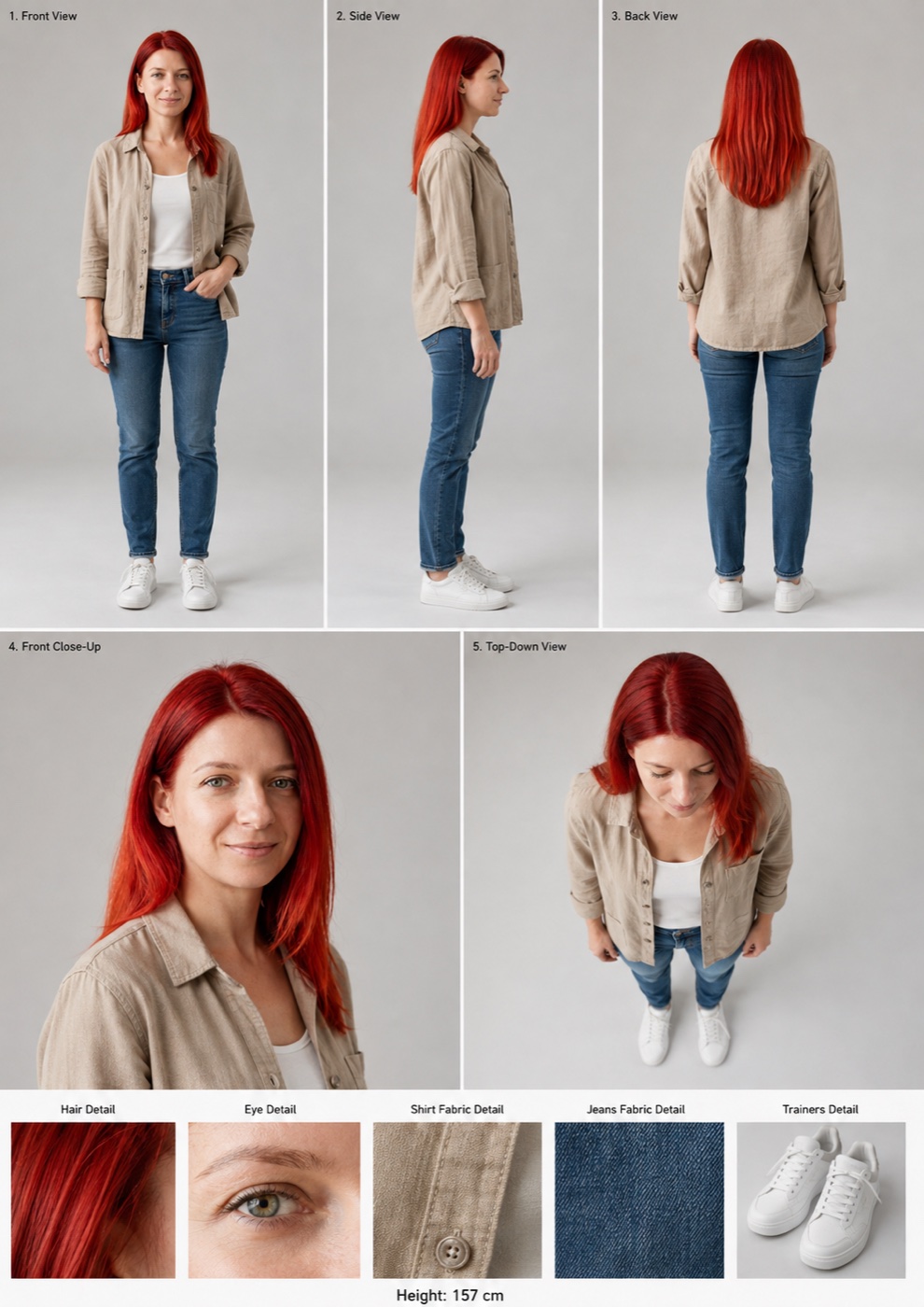
Now do the same for the person. Take one clear, well-lit photo of your face. Stay in GPT Image 2, set the shape to 2:3 and use the prompt below.
The prompt dresses you in the clothes from our video: a beige linen shirt, a white top, blue jeans and white trainers. Soft colours look right in the meadow. If you want other clothes, change only the CLOTHING lines.
Ultra-photorealistic character reference sheet of the exact same person from @Image1. Studio photography on a plain seamless light-grey background, soft even daylight, natural soft shadows, 50mm lens look, sharp focus, real skin texture with pores and freckles, no beauty filter.
IDENTITY: keep the person from @Image1 exactly: the same face, bone structure, eye shape and eye colour, eyebrows, nose, lips, skin tone, freckles and marks, age, hair colour, hair length and hairstyle. Do not beautify or change the face.
CLOTHING: a relaxed beige linen button-up shirt with a chest pocket and sleeves rolled to the elbow, worn open over a plain white top; slim mid-blue jeans; clean white leather trainers. No jewellery, no bag, no hat.
LAYOUT, small black labels in the top-left corner of each panel: Top row, three full-body panels at the same scale, head to shoes, feet on one baseline, relaxed standing pose: “1. Front View”, “2. Side View” (facing right), “3. Back View”. Middle row, two large panels: “4. Front Close-Up”, head and shoulders turned slightly, soft natural smile; “5. Top-Down View”, seen from above, looking down. Bottom strip, five equal detail tiles with a small title above each: “Hair Detail”, “Eye Detail”, “Shirt Fabric Detail”, “Jeans Fabric Detail”, “Trainers Detail”. Thin white gutters between all panels.
Every panel shows the same single person in the same clothes, the same hair and the same face.
Avoid: extra people, other outfits, accessories that are not listed, face changes, different hair colour, the background from @Image1, cartoon, illustration, 3D render, watermark.
This is our sheet. Check that the eye tile matches your real eye colour. The second shot of the video is a macro of that eye.
Make the video
Open OpenArt, go to video and pick Seedance 2.5. Add the dog sheet first and your sheet second. The order matters: the prompt calls the dog @Image1 and the person @Image2.
Set the length to 20 seconds and the shape to 9:16. The length comes from this setting, not from the prompt. Paste the prompt as it is.
[References] The dog corresponds to @Image1. Use only its breed, coat colour and pattern, face markings, ears, eye colour and body size. Do not use the studio background, the multiple poses or the close-up detail tiles. Show only one dog, with no collar. The woman corresponds to @Image2. Use only her face, hairstyle, hair colour, eye colour, skin details and the exact clothing and shoes she wears in the reference. Do not use the studio background, the text labels, captions or the detail tiles. Show only one woman. All views in @Image1 show the same single dog. All views in @Image2 show the same single woman.
[LOOK — LOCKED, APPLIES TO EVERY SHOT] ARRI Alexa Mini LF, Cooke S4/i primes, Black Pro-Mist 1/4, spherical, T2 — large-format shallow focus with the background melting into soft haze, warm natural skin, creamy round bokeh, gentle bloom around highlights, fine organic grain, soft highlight roll-off, lifted pale shadows, low contrast. Heavenly Pastel grade: luminous emerald grass as the hero tone, warm golden light and pearl-white sky, soft peach in the shadows. Steadicam glide with no footfall bounce, 50 fps slow motion on the emotional beats. Natural, restrained acting: calm faces, small real micro-expressions, no exaggerated grimaces. NO MUSIC.
[Scene] Paradise, but photoreal: an endless soft emerald meadow full of tiny white and pale-yellow wildflowers, gentle rolling hills fading into haze, a pastel sky with glowing pearl-white clouds and golden light rays falling through them. Pollen and small petals float slowly in the air.
[Stage 1 — 0-3 seconds] Initial state: extreme close-up of the dog’s eye: a natural dark-brown dog eye with a soft moist surface and one small, soft catchlight. No mirror-like reflections, no landscape reflected in the eye, no glassy shine. Camera: 100mm macro, very slow push-in toward the pupil, focus on the eyelashes. Primary event: the dog blinks slowly once, calm and gentle. End state: the dog’s eye is open, looking forward.
[Stage 2 — 3-6 seconds] Initial state: extreme close-up of the woman’s eye, strands of her hair at the edge of frame. Camera: 100mm macro, very slow push-in, focus stays on the lower lashes as the tear forms. Primary event: her eye slowly becomes wet, then one tear spills over and rolls down her cheek. Her face stays still and calm. End state: a single tear line is visible on her cheek.
[Stage 3 — 6-9 seconds] Continue from the previous stage: same tear on her cheek, same outfit. Camera: 85mm, slow pull-out from a close-up to a medium close-up, the blurred meadow opening up behind her. Primary event: soft wind in her hair. She notices something in the distance: her eyes widen slightly, then a soft, quiet smile slowly appears, lips closed. Calm and tender, not dramatic. End state: the woman stands in the meadow with a gentle smile and a tear on her cheek, looking past the camera.
[Stage 4 — 9-13 seconds] Camera: 24mm, low angle at grass level, the camera tracks backward in front of the dog, keeping its face centred. Primary event: the dog runs toward the camera through the flowers at full speed, ears back, tongue out, in slow motion. Petals and pollen burst up behind its paws. End state: the dog is a few metres from the woman, still running.
[Stage 5 — 13-16 seconds] Continue from the previous stage: same meadow, same light, one dog, one woman. Camera: 35mm, medium-wide side view at her kneeling height, slow push-in as the dog reaches her. Primary event: the woman kneels down and opens her arms wide with a warm, open smile. The dog leaps into her chest and its weight knocks her gently backwards onto the soft grass. Flowers and petals fly up around them. End state: the woman lies on her back in the flowers, the dog standing over her with its front paws on her shoulders.
[Stage 6 — 16-20 seconds] Camera: 35mm, top-down overhead view, a slow crane up that ends in a wide shot. Primary event: the dog happily licks her face again and again, tail wagging. The woman smiles softly with her eyes closed and wraps both arms around the dog’s neck. End state: wide overhead view of the woman and the dog hugging in the middle of the flower meadow, bathed in golden light.
[Maintain Consistency] Exactly one dog and one woman throughout. Keep the dog’s breed, coat pattern and size, and the woman’s face, hair, eye colour and outfit identical to the references in every shot. Keep the same meadow, sky and light direction.
[Audio] NO MUSIC. Sound effects only, no dialogue, no subtitles. Stage 1-3: <soft wind over grass>, <distant birdsong>, <her slow, soft breathing>. Stage 4: <fast dog paws thudding on grass>, <happy panting>, <grass and flowers rustling>. Stage 5: <her short soft laugh>, <soft thump as she falls onto the grass>. Stage 6: <dog licking and snuffling>, <her quiet happy laugh>, <gentle wind>.
The prompt says “the woman”. For a man, change “the woman” to “the man” and “her” to “his”. Nothing else needs to change.
Add your own music
The prompt asks for no music on purpose. Seedance makes good wind, paws and breathing, but its music sounds flat. So you get a clean track with only the natural sounds.
Put the video in CapCut or any editor and add a soft piano track under it. Keep the paws and the laugh a little louder than the music, so the scene still sounds real.
Why this prompt works
The video opens on the dog’s eye and then on her eye with a tear. The meadow only shows up in the third shot, so the viewer feels the moment before they know where they are.
The prompt says what to take from each sheet and what to leave out: the studio background, the labels and the detail tiles. Without those lines, grey studio walls can show up in the meadow.
Each shot has its own lens and camera move. The eyes use a macro lens, the run uses a low camera in the grass, and the end is filmed from above. The look block at the top keeps the colour and light the same in all six shots.
Each stage ends with a clear picture. “She lies on her back in the flowers, the dog standing over her.” The model knows where everyone is before the next shot starts.
Where it goes wrong
| What you got | The fix |
|---|---|
| The dog’s eye shines like a mirror with the meadow in it | Keep “one small, soft catchlight” and “no landscape reflected in the eye”. Our first run had this problem |
| Her face looks like she is acting | Keep “calm faces, small real micro-expressions” and “lips closed. Calm and tender, not dramatic” |
| Music plays under the video | Keep “NO MUSIC” in the look block and in the audio block |
| The video is only 15 seconds | Set 20 seconds on the video page. The prompt does not set the length |
| A grey studio wall or text shows in the meadow | Keep “Do not use the studio background, the text labels” |
| The dog and the person swap looks | Add the dog sheet first and your sheet second |
| The fall looks odd with a small dog | Change stage 5 so the dog jumps into her arms and she sits back in the grass. A small dog cannot knock a person over |
| Two dogs appear | Keep “Show only one dog” and “Exactly one dog and one woman throughout” |
Questions people ask
Which AI model makes this rainbow bridge video?
We made the video with Seedance 2.5 on OpenArt. The two character sheets were made with GPT Image 2 on OpenArt too.
Can I use my own dog and my own face?
Yes. That is what the first two prompts are for. Each one turns a normal photo into a character sheet, and the video prompt takes both sheets.
Does it work with a cat or another pet?
Yes, with small changes. Replace “dog” with your animal in the video prompt. A cat will not knock a person over, so change stage 5 to the cat jumping into her arms.
Is it vertical?
Yes. Set 9:16 on the video page and it is ready for Reels, TikTok and Shorts.
Is the prompt free?
Yes. All three prompts on this page are free to copy. OpenArt lets you sign up for free, and each image and video costs credits.
Ready? Open OpenArt, make your two sheets and paste the prompt from step 3. For more ideas, see all our video prompts.
Why this workflow runs here
Many models, one account
Free credits every day
Compare before you commit
Make yours in the next 40 min
You have the whole prompt and every setting. The only thing left is an account, and that takes a minute.
- Free to start
- Prompts ready to paste
- Upgrade only if you want more
Referral link — if you subscribe I earn a commission, at no extra cost to you. More on that.
Related prompts
 Cinematic Free
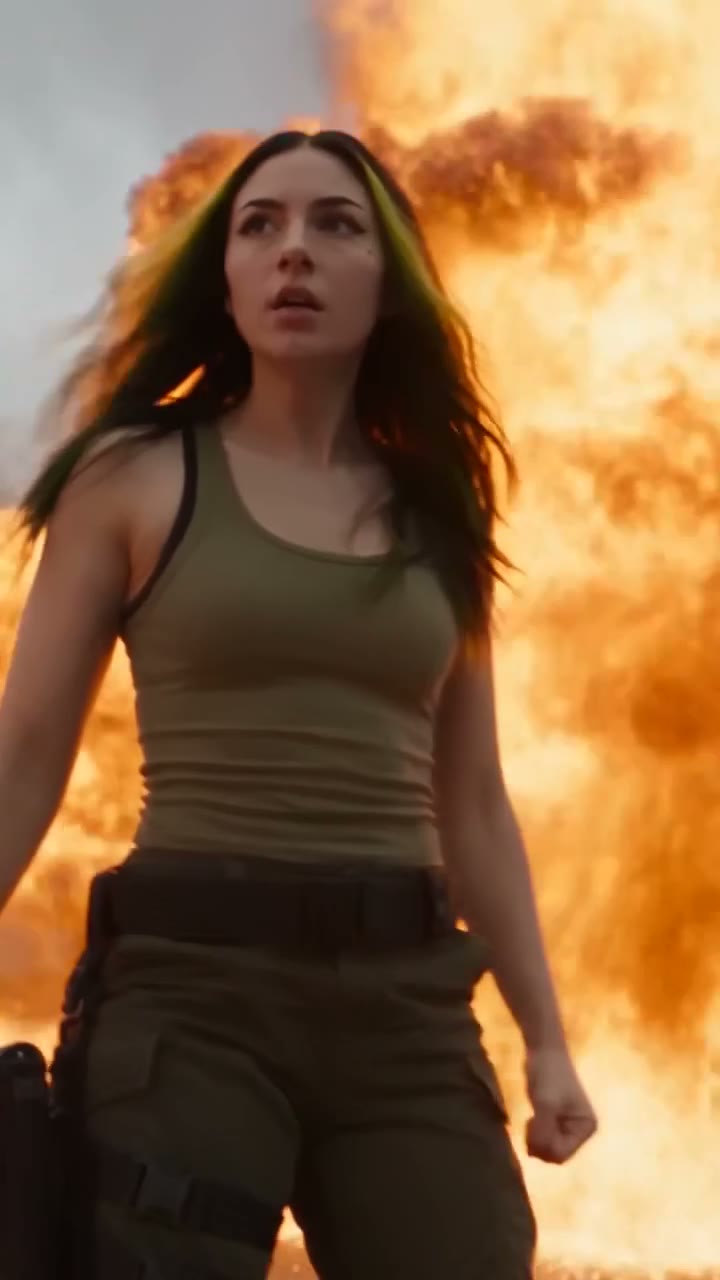
 Action Scene AI Video Prompt: Bike Jump and Fight
Action scene AI video prompt for Seedance 2.5. You jump a futuristic bike off a ramp, land in fire and fight on a burning highway. 15 seconds, one photo.
 Cinematic Free
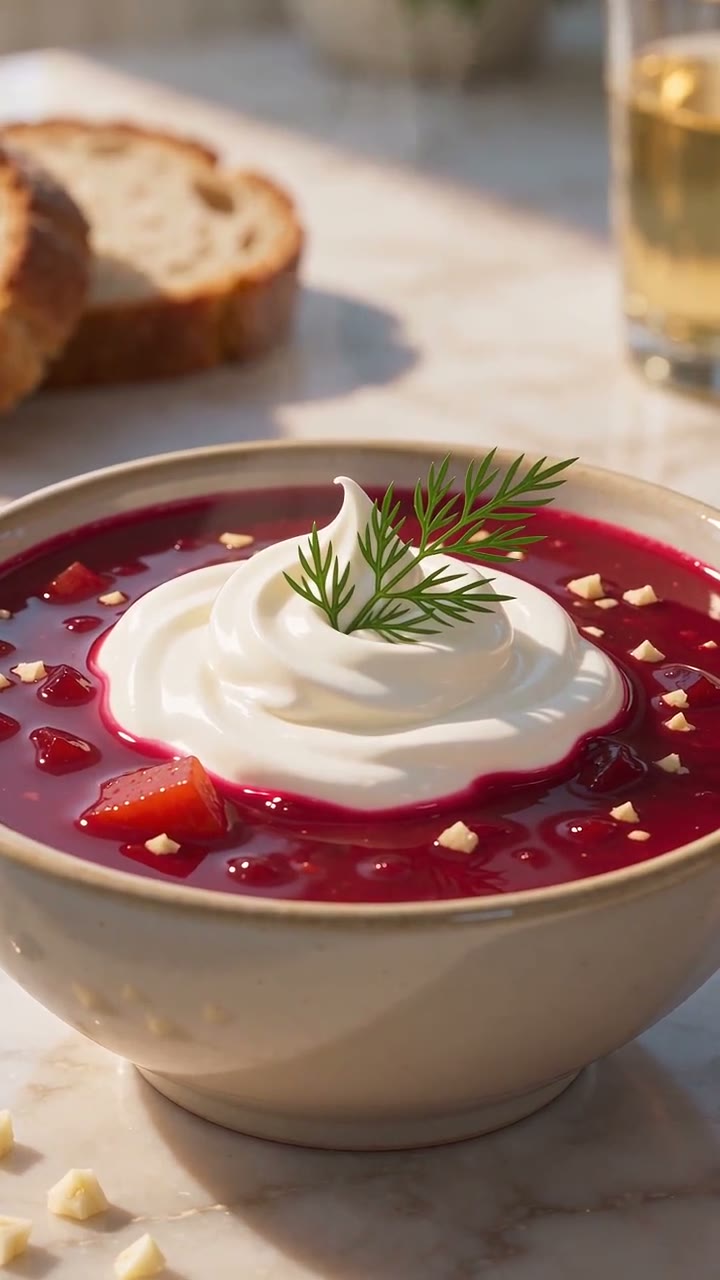
 Anime Borscht — The Whole Recipe in One 25-Second Video
One prompt cooks Ukrainian red borscht from raw meat to a served bowl, in glossy anime style. Six stages, hands and food only, vertical for Reels.
 Cinematic Free
 APT AI Prompt — A Dog and a Cat Do the APT. Dance
Free APT AI prompt for Seedance 2.5. A dog sings and a cat plays drums in the APT. dance. Download the clip, make two sheets, swap in your own pets.