Medusa Halloween AI Video Prompt: Phone-Cam Walk
A free Medusa Halloween AI video prompt for Seedance 2.5. The phone follows your legs, jerks up, and finds you laughing with living snakes for hair.
Have it running in three steps
- 1
- 2Open ImagineArt
- 3Paste it and generate
What you'll need
30 min- ImagineArt

This Medusa Halloween AI video prompt makes a 12-second clip that looks like a friend filmed you on a phone. It is night, on an empty street. For the first seven seconds the phone only sees your legs: a long green dress, gold sandals, a slit that opens on every step.
Then the phone jerks up. For a moment everything is a blur. When it comes back into focus, you are Medusa. The snakes on your head are alive, and you laugh straight into the lens.
You need one clear photo of yourself. The walk comes from a short 3D video of a blue figure walking at the camera. You can download it below and use it as it is. This page has two prompts: one for the character sheet, one for the video.
The whole process
- Make a character sheet of you as Medusa from one photo, with the first prompt.
- Download the walk video from this page.
- Open ImagineArt, go to video and pick Seedance 2.5.
- Add the sheet as @Image1 and the walk video as @Video1.
- Set 12 seconds and 9:16. Paste the video prompt and generate.
What happens in 12 seconds
| Time | What happens |
|---|---|
| 0–7s | The phone is low and only sees the dress and legs. She walks at the camera, the slit opens, gold sandals on the asphalt |
| 7–7.5s | The phone jerks up. A short blur, then her face comes into focus |
| 7.5–10s | Medium shot. She spreads her arms, waves and dances toward the lens. The snakes move on her head |
| 10–12s | She leans into the lens for a close-up and laughs |
Make the character sheet
The video needs the snake hair, the dress and the gold sandals to look the same in every second. One photo of you cannot give the model that. So first make a character sheet: you in the costume from every side, plus close-ups of the parts the camera will see up close.
Add your photo to an image model in ImagineArt+200 free credits that accepts a reference picture. We used GPT Image 2. Set the shape to 16:9 and paste this prompt. Your face comes from the photo. The costume is written in the prompt.
Character reference sheet, horizontal 16:9, clean light-grey studio background, soft even lighting, photorealistic photo quality. Use the person from Image 1: keep their exact face, features, freckles, eye colour and skin tone. Dress them as Medusa for Halloween.
Costume (same in every panel): a crown of living green snakes instead of hair, many snake heads with open mouths and fangs, emerald-green scales; long flowing emerald-green chiffon gown with a deep V neckline and thin gold chains over the shoulders, high thigh slit on the right leg; ornate gold filigree embroidery and snake motifs down the front and along the hem; wide gold belt with a large oval emerald in the centre; two gold snakes wrapped around the waist and hips; gold cuffs on the forearms and upper arms set with emeralds; gold chain collar necklace with an emerald pendant; emerald drop earrings; gold garter with an emerald on the thigh; gold lace-up gladiator sandals up to mid-calf. Dramatic dark smoky eye makeup, nude lips.
Layout: Left side, large: four full-body views in a row, same neutral standing pose, head to toe: front view, three-quarter view, left side profile, back view (snakes visible from behind, back of the gown). Right side: a large close-up portrait of the face and snake hair, front view, calm intense stare at the camera; below it three small detail close-ups: legs and gold sandals mid-step from a low camera angle with the slit open, the gold belt with emerald and wrapped snakes, the snake hair seen from the back.
Consistent costume and face across all panels. No text, no labels, no captions, no watermark.
This is the sheet we used.
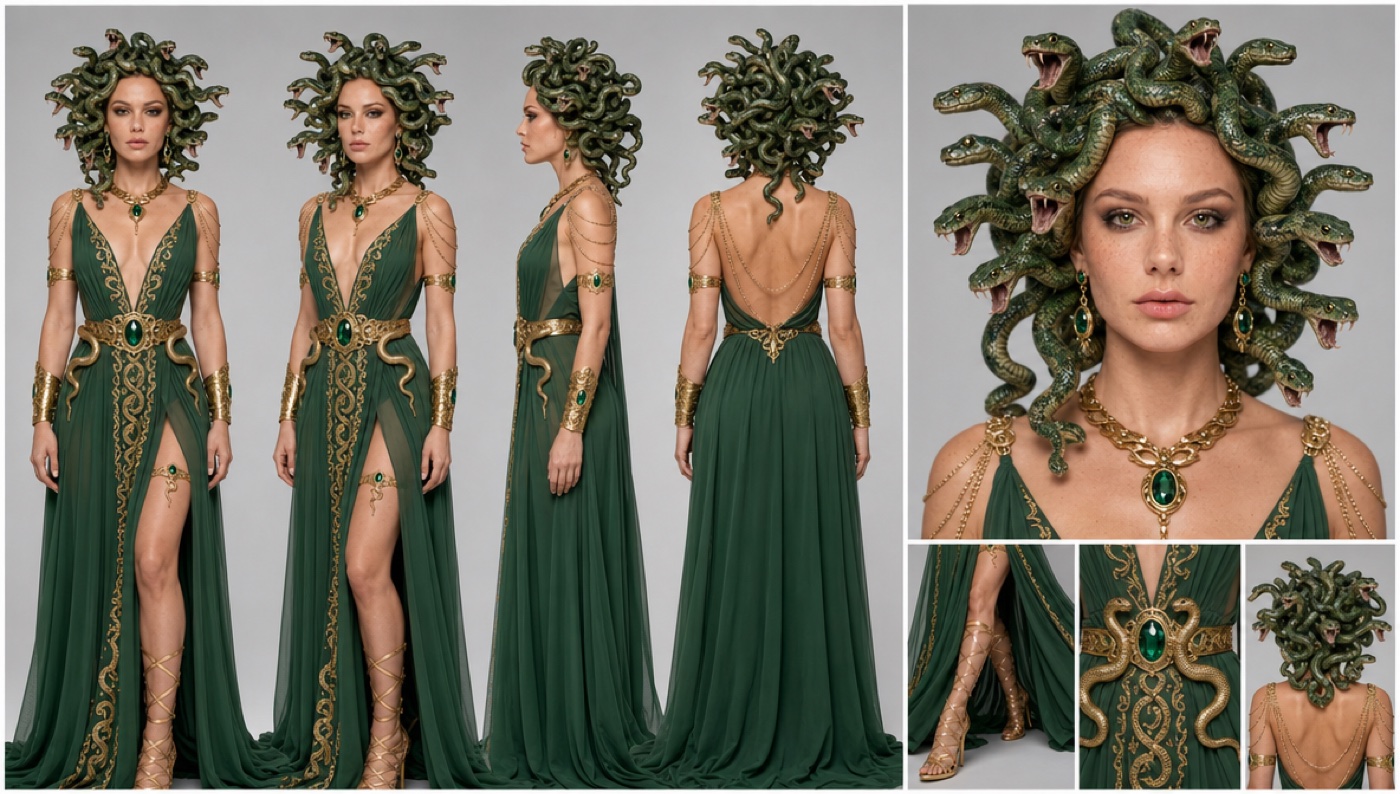
Look at the sandal close-up before you move on. The camera stays on the legs for more than half the video, so the dress and the sandals matter as much as the face.
Download the walk video
The model copies the walk from a video. We made a simple 3D one: a blue figure walks along a night street toward the camera. At about 8 seconds it spreads its arms and leans in. Download it here and use it as it is.
Download the walk video (1.7 MB)
The figure, the cars and the 3D street do not end up in your video. The prompt tells the model to take only the movement.
Set it up and generate
Open ImagineArt+200 free credits, go to video and pick Seedance 2.5. Add the character sheet as the image reference and the walk video as the video reference. Set the length to 12 seconds and the shape to 9:16. Paste the prompt below as it is.
@Image1 is a character sheet of one woman dressed as Medusa. Use only her face, the living green snake hair, the emerald-green chiffon gown with the high thigh slit, gold belt with emerald, gold snakes around the waist, gold arm cuffs, gold necklace and gold lace-up gladiator sandals. Do not use the grey studio background, the panel layout or the multiple poses. Only one woman appears in the video. @Video1 defines her body movement only: her walk, step rhythm, arm swings, the moment she spreads her arms and leans toward the camera, and the timing of every move. She repeats the whole movement from @Video1. Do not use the blue mannequin body, the low-poly street, the cars or the camera angles of @Video1.
[LOOK — LOCKED] Vertical smartphone video shot at night on an iPhone, held in one hand by a friend walking backwards in front of her. Wide phone lens, slight barrel distortion, digital noise in the shadows, orange sodium streetlight with blown-out highlights on the lamps, deep dark asphalt, auto-exposure that pumps a little, autofocus that hunts. Raw, unedited social-media footage, not cinematic.
[Environment] An empty quiet residential street at night: dark asphalt road, orange streetlights on poles, leafy trees glowing yellow-green in the lamp light, low concrete walls and driveways, a red stop sign in the background. No other people.
[Stage 1, 0–7.5 seconds] Low handheld shot at hip height, the phone pointing down at her legs. The frame shows only from her waist to her feet: the green gown swaying, the slit opening on every step, the gold sandals hitting the asphalt. She walks straight toward the camera with a confident, playful catwalk strut, the hem swishing. The camera shakes and bobs with every step of the person holding it, and slightly loses framing now and then. End state: still on her legs and gown, she is close to the camera.
[Stage 2, 7.5–8.2 seconds] Whip tilt up: the phone jerks fast upward from her legs to her face and chest. Heavy motion blur and a brief focus loss during the move, then the autofocus snaps onto her. End state: medium shot, waist up, her face and snake hair sharp.
[Stage 3, 8.2–12 seconds] Medium shot, still handheld and shaky, walking backwards in front of her. She keeps walking at the camera and does the arm movement from @Video1: spreads her arms wide, leans in toward the lens, and ends in a close-up of her face. Emotion: playful and teasing. She gives a cheeky smirk, raises one eyebrow, her eyes sparkle, she bites her lip, then laughs with an open mouth right into the lens. The snakes on her head are alive the whole time: they writhe, twist, flick their tongues, turn their heads toward the camera and hiss. End state: close-up of her laughing face with the snakes moving around it.
[Maintain Consistency] One woman, same face as @Image1, same costume in every second, same street, same night lighting. The snakes stay attached to her head.
Audio: night street ambience, her footsteps on asphalt, chiffon rustle, soft snake hisses, her playful laugh at the end.
Why this prompt works
Each reference has one job. The sheet gives the face and the costume. The walk video gives the movement. Each one also says what not to take: the grey studio from the sheet, the blue figure and the 3D street from the video. Without those lines, parts of them leak into the result.
The look is written like a phone, not a film camera. Noise in the dark, orange street lamps, a focus that hunts. That is why it looks like a friend filmed it and not like an ad.
The video has three parts, and each one ends in a clear state. Legs only, then the jerk up, then the face. The model knows what must be on screen when each part ends, so the jerk up happens once and does not repeat.
The emotion is written as things a camera can see: a smirk, one raised eyebrow, a bitten lip, a laugh. A word like “playful” alone gives a blank smile.
Where it goes wrong
| What you got | The fix |
|---|---|
| The blue figure or a 3D street shows up | Keep “Do not use the blue mannequin body, the low-poly street, the cars” |
| Her whole body is in frame from the start | Keep “The frame shows only from her waist to her feet” |
| The camera jumps up twice | Keep the end state lines. They tell the model the camera stays on her face after Stage 2 |
| The tilt up comes a little early | That is normal. Times in the prompt are a guide, not an exact cut. Trim the start in an editor if you need it on a beat |
| The snakes do not move | Keep the line “The snakes on her head are alive the whole time” |
| A grey wall shows up behind her | Keep “Do not use the grey studio background” |
| The video looks too clean, like an ad | Keep the whole LOOK block. It is what makes it look like a phone |
Questions people ask
Which AI model makes this video?
We made the sheet with GPT Image 2 and the video with Seedance 2.5, both on ImagineArt+200 free credits.
Can I put myself in it?
Yes. Make the character sheet from your own photo. The video copies your face from the sheet.
Do I need the walk video?
Yes, for this prompt. It makes the walk look natural. Without it, Seedance makes up its own walk, and the steps and arm moves are often stiff. You can download ours for free on this page.
Is it vertical?
Yes, 9:16, ready for Reels, TikTok and Shorts.
Is it free?
The prompts are free. ImagineArt runs on credits, so the sheet and the video use credits from your account.
Ready? Open ImagineArt+200 free credits, make your sheet and paste the video prompt.
Why this workflow runs here
Everything in one place
Free to start
Minutes, not days
Make yours in the next 30 min
You have the whole prompt and every setting. The only thing left is an account, and that takes a minute.
- 200 free credits on sign-up
- Prompts ready to paste
- Upgrade only if you want more
Referral link — if you subscribe I earn a commission, at no extra cost to you. More on that.
Related prompts
 Cinematic Free
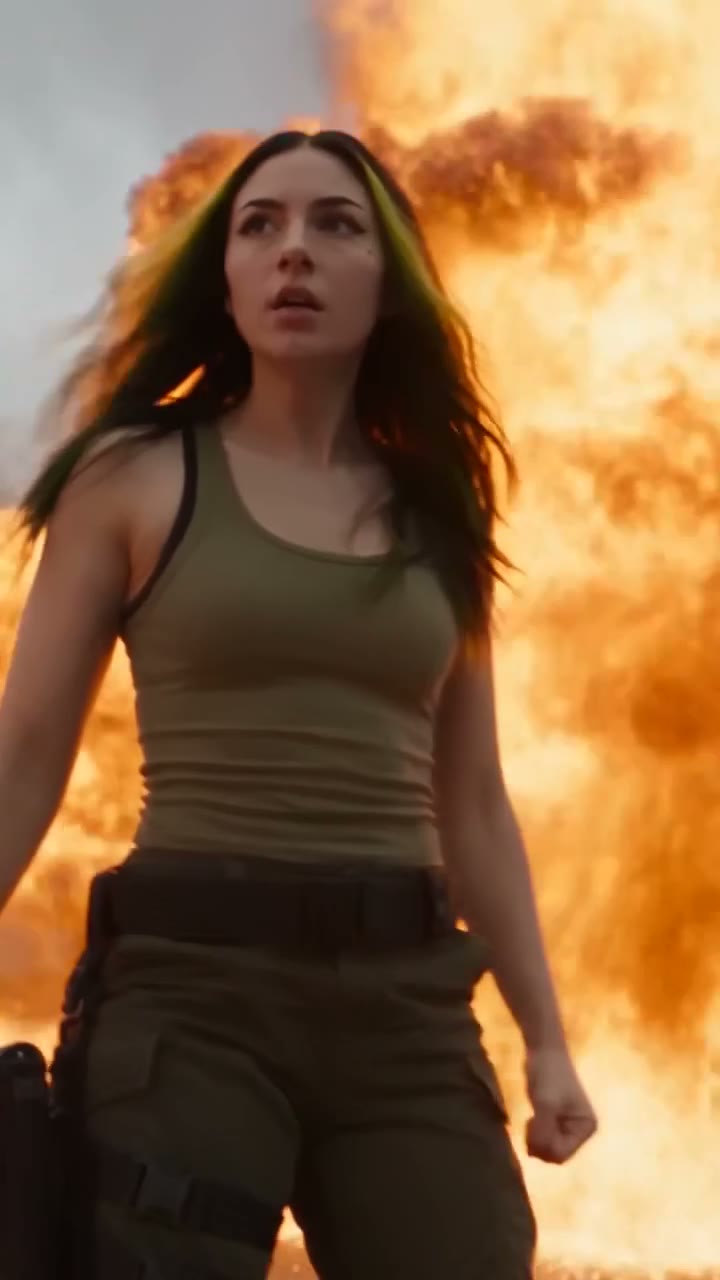
 Action Scene AI Video Prompt: Bike Jump and Fight
Action scene AI video prompt for Seedance 2.5. You jump a futuristic bike off a ramp, land in fire and fight on a burning highway. 15 seconds, one photo.
 Cinematic Free
 Anime Borscht — The Whole Recipe in One 25-Second Video
One prompt cooks Ukrainian red borscht from raw meat to a served bowl, in glossy anime style. Six stages, hands and food only, vertical for Reels.
 Cinematic Free
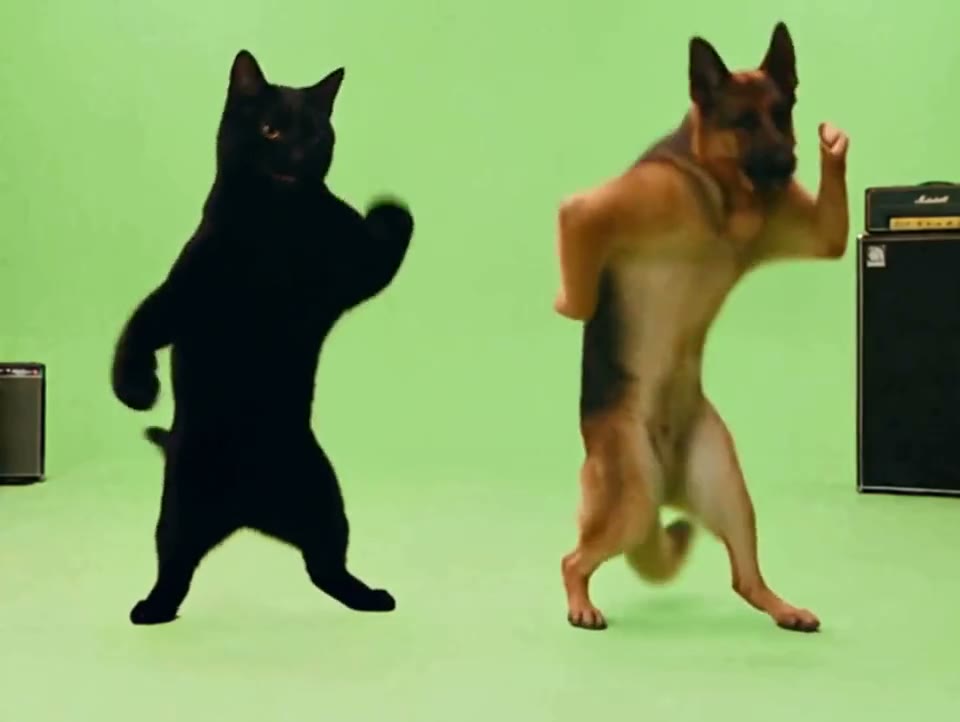
 APT AI Prompt — A Dog and a Cat Do the APT. Dance
Free APT AI prompt for Seedance 2.5. A dog sings and a cat plays drums in the APT. dance. Download the clip, make two sheets, swap in your own pets.