Butterfly Eyes Prompt: The Eye Transition AI Video
A free Seedance 2.5 prompt. A black butterfly flies at the camera, the lights go out, and its wing spots become your glowing eyes. 15 seconds, two reference images.
Have it running in three steps
- 1
- 2Open ImagineArt
- 3Paste it and generate
What you'll need
30 min- ImagineArt

A black butterfly flies down a dark corridor, straight at the camera. It opens its wings. There are two round spots on them, like a pair of eyes. Then all the lights go out. Only the two spots still glow. When the light comes back, they are her eyes.
After that, the video cuts two times. First the butterfly hops across her fingers. Then it walks slowly across her cheek.
The whole video is 15 seconds. You need two images and one prompt. This page gives you both prompts we used, word for word, and our corridor image.
The whole process
- Make a character sheet: one image with your face and your full outfit.
- Get an image of the corridor. Use ours or make your own.
- Open ImagineArt, go to video and pick Seedance 2.5.
- Add the character sheet as the first image and the corridor as the second.
- Set 15 seconds and 9:16.
- Paste the prompt and press Generate.
What happens in 15 seconds
| Time | Shot | What happens |
|---|---|---|
| 0–3s | The corridor, from the entrance | The butterfly flies out of the dark, straight at the camera |
| 3–3.4s | The same shot | The lights go out. Two short flashes. Then only two green points |
| 3.4–7s | The same shot | Faint light shows her face. The points are her glowing eyes. The light comes back, and she holds the look |
| 7–10s | From behind, at an angle | She holds up her hand. The butterfly hops from one finger to the next, two times |
| 10–15s | Close-up of her face | The butterfly walks slowly across her cheek. She does not react |
Make your character sheet
A character sheet shows the model your face and your whole outfit. In this video, the model sees her from the front, from behind and very close. One selfie is not enough for that.
Upload one or more photos of yourself with this prompt. It dresses you in the black uniform from the video. Want a different outfit? Change the FIXED COSTUME block.
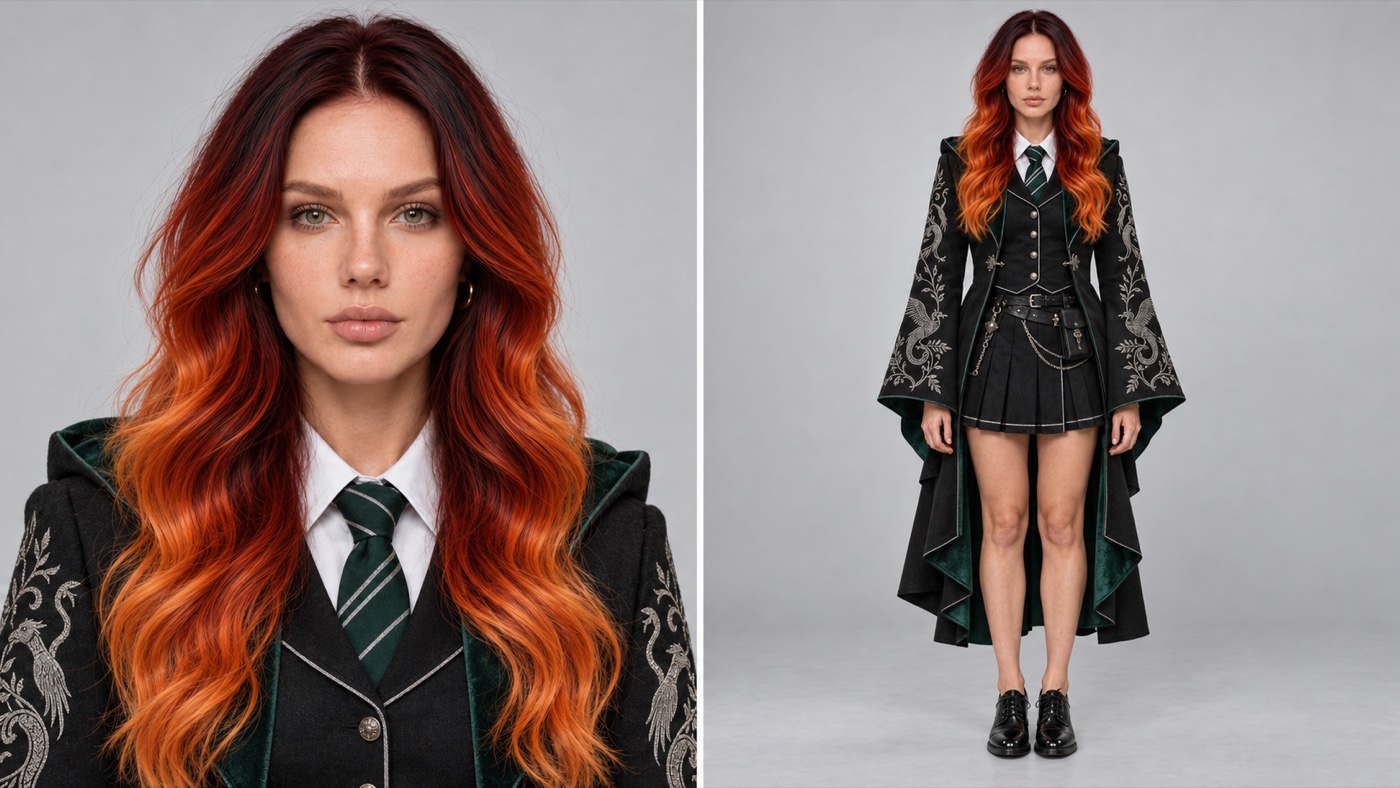
CHARACTER SHEET: FINAL IDENTITY AND COSTUME LOCK
Create one photorealistic horizontal 16:9 character sheet divided into two equal vertical panels.
Use all uploaded photographs only as identity references for the same person. Reconstruct their recognizable appearance consistently across both panels.
Preserve the person’s real face, facial geometry, age, skin tone, eye color, eyebrows, nose, lips, cheeks, jawline, ears, hairstyle, hairline and distinctive features. Preserve their natural body type and proportions wherever visible in the uploaded photographs.
Do not beautify, idealize or reinterpret the person. Apply only subtle professional skin retouch while preserving pores, natural texture and real anatomy.
Keep the original hairstyle exactly as shown in the uploaded photographs. Preserve its length, shape, color, texture, volume, parting and hairline.
Use a calm, serious expression with naturally closed lips and direct eye contact. Keep the head level and facing forward.
FIXED COSTUME
Dress the person in a realistic premium black academic fantasy uniform.
The costume consists of a long fitted black coat with structured shoulders, wide bell sleeves, an asymmetric layered hem, dark emerald inner lining and a dark emerald hood resting behind the shoulders.
Add detailed silver embroidery depicting ornamental creatures and botanical lines across both sleeves.
Under the coat, add a fitted black buttoned waistcoat with thin silver piping, a crisp white collared shirt and a narrow dark emerald tie with diagonal silver stripes.
Add a short black pleated skirt with fine silver edging and layered construction.
Include black leather belts, silver waist chains, metal clasps, small utility pouches and decorative fastenings positioned naturally around the waist.
Complete the costume with polished black leather lace-up Oxford shoes with low heels.
Use realistic premium materials: dense black wool, dark emerald velvet, crisp white cotton, black leather, silver metal and metallic embroidery.
Do not add a hat, wand, glasses, gloves, cape, socks, tights or any additional accessories.
LEFT PANEL
Create a front-facing portrait framed from the upper chest upward.
Show the exact recognizable face, unchanged hairstyle, white collar, emerald striped tie, waistcoat and upper coat details.
Keep the head and shoulders level. Use an eye-level 85 mm portrait lens with soft frontal studio lighting and realistic facial proportions.
RIGHT PANEL
Create a full-body front view of the exact same person wearing the complete costume.
The person stands upright with relaxed shoulders, arms naturally at the sides and both hands visible.
Keep both legs straight and parallel at natural hip width. Both feet remain flat on the floor and point forward.
Show the complete figure from the top of the hair to the soles of both shoes. Leave clear space above the head and below the shoes.
Use a level 70 to 85 mm lens with the camera centered around mid-torso height. No camera tilt or wide-angle distortion.
CONSISTENCY
Both panels must show the exact same person with the same face, age, skin tone, eye color, hairstyle, expression, body proportions and costume.
The panels must look like two photographs taken during the same professional studio session.
BACKGROUND AND QUALITY
Use one seamless light-grey studio background across both panels.
Use identical soft frontal daylight lighting, neutral color grading, realistic skin and detailed fabric, embroidery, leather and metal textures.
High-resolution editorial casting photography. Photorealistic human anatomy. No artificial AI appearance.
STRICT NEGATIVE PROMPT
No identity change, generic face, face blending, beautification, facial reshaping, enlarged eyes or lips, changed eye color, different nose, plastic skin, heavy makeup, smile, open mouth, head tilt or head turn.
No hairstyle change, added bangs, curls, braids, extensions, recoloring or head accessories.
No extreme waist, enlarged hips or thighs, bulky knees, twisted legs, uneven leg length, oversized feet, crossed legs, wide stance, hidden hands, extra fingers or extra limbs.
No missing costume layers, simplified costume, altered colors, trousers, modern blazer, high heels, boots or sneakers.
No hat, wand, glasses, cape, mannequin body, fantasy environment, fog, illustration, painting, anime, text, labels, logos or watermark.
Check the sheet before you go on. The face must look like you, and the whole body must be in frame, down to the shoes.
Get the corridor image
The second image is the place. The prompt describes this exact corridor: dark green walls, arches, candle lights and a black and white floor. You can save our image and use it as it is.
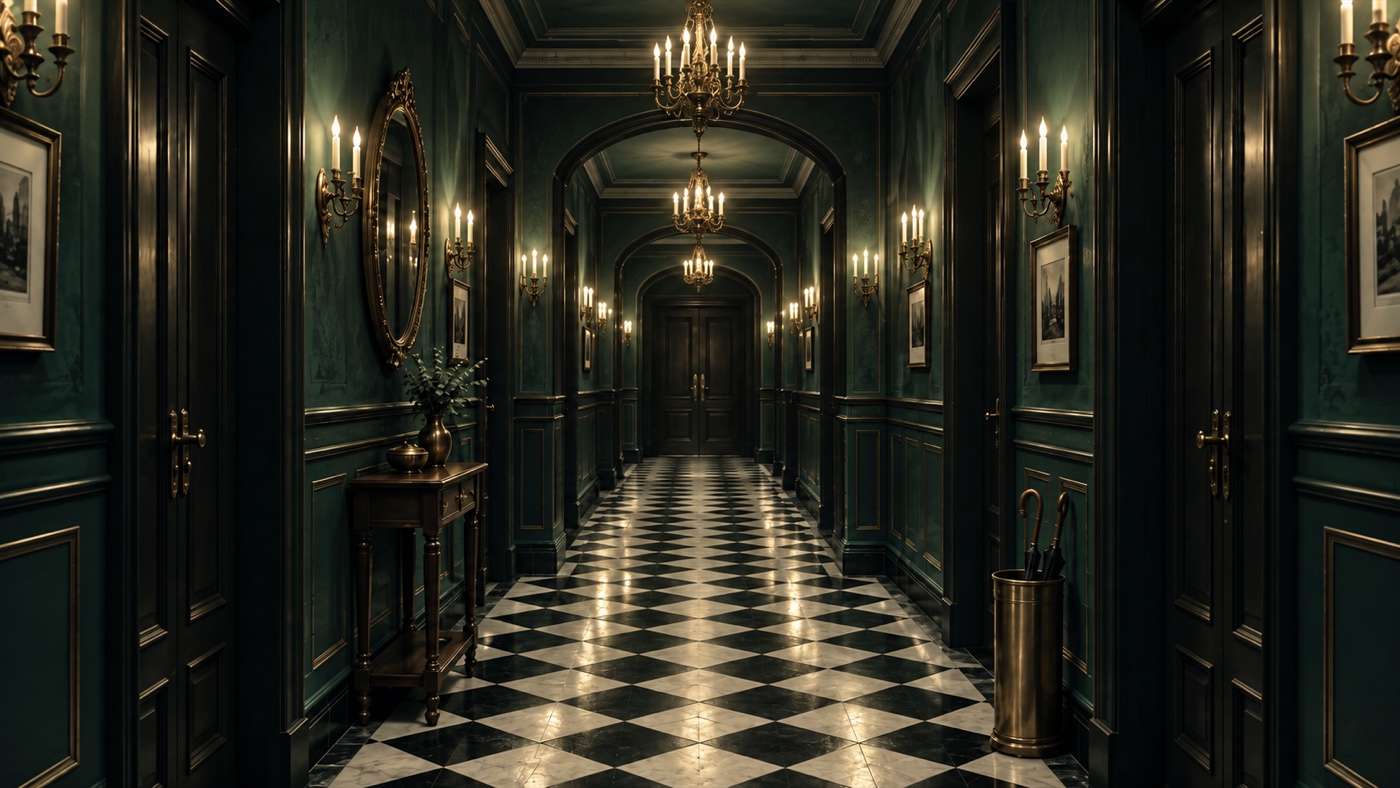
Want a different place? You can, but then you must also change the @image2 block in the prompt, so the words match the picture.
Set up the video
Open ImagineArt, go to video and pick Seedance 2.5. Add the character sheet first and the corridor second. The prompt calls them @image1 and @image2, so the order matters.
- Platform
- ImagineArt
- Model
- Seedance 2.5
- Duration
- 15 seconds
- Aspect ratio
- 9:16 vertical
- References
- Character sheet first, corridor second
Change the look to yours
This prompt describes the woman from our video: her red and copper hair, her green eyes, her freckles and her gold earrings. If you made your own character sheet, change these words in the @image1 block to match your photo. Change only the look. Leave the rest as it is.
Paste the prompt and generate
Copy the whole prompt with the copy button. Do not shorten it, and do not add to it. ImagineArt cuts long prompts at about 9,000 characters. This one is about 8,300, so there is only a little room left.
One complete 15-second cinematic sequence. Vertical 9:16. Photorealistic live action. No music. Three locked-off setups: A 0.00-7.00 butterfly approach, eye-match in darkness, long portrait reveal. B 7.00-10.00 short rear knee-length shot, two quick fingertip hops. C 10.00-15.00 tight facial close-up, butterfly walking on the cheek. Hard cuts at 7.00 and 10.00 only. No other shots, transitions or camera moves.
@image1 - CHARACTER AND COSTUME ONLY Both panels show the same woman: portrait for face, full body for costume. Preserve her exact face, green eyes, fair freckled skin, natural makeup, small gold hoop earrings and long wavy centre-parted hair, dark burgundy-red roots blending into copper-orange ends. Costume: black robe with wide bell sleeves, emerald velvet lining, lowered hood, silver bird-and-vine sleeve embroidery; white shirt, green-and-silver striped tie, black waistcoat with pale piping and silver buttons, short black pleated skirt with pale hem stripe, black belt with silver buckle, chains and black pouch. The hood never rises. Hair never shortens or changes colour. Details never change sides; front details never appear on the back. Do not use the grey background, white divider, reference pose or split layout. No extra jewellery.
@image2 - CORRIDOR ONLY Dark emerald panelled walls with gilt mouldings, black doors with brass handles, receding arches, diagonal black-and-white marble checkerboard floor, brass candle sconces, candle chandeliers along the centre, closed far double door. Oval gilt mirror and console on the left, framed prints on both walls, brass umbrella stand on the right. Fixed positions; off-frame furniture never moves into view. No carpet, moving doors, invented furniture, other people or recording devices, including in the mirror.
BUTTERFLY Exactly one matte-black butterfly: fine scales and veins, short plain black hindwing tails, two slender antennae. Broad forewings with fine ridged veins catching a faint warm sheen. Each forewing carries one round eyespot in its upper outer part: a pale cream outer ring, a thin black ring, and an olive-green centre with a tiny dark pupil, like a staring eye. The two eyespots are the dominant, most readable feature; seen together they look like a pair of eyes. Everything else is dark black-brown: no bands, stripes, blue, red or pale patches, nothing on the hindwings. The eyespots are flat scale patterns, not 3D eyeballs. Same design and fingertip size throughout. Eyespots glow only in the eye-match; never in B or C.
CAMERA ARRI ALEXA 35 colour, spherical primes, 24 fps, 180-degree shutter, fine grain. Rigid tripods: zero translation, pan, tilt, roll movement and zoom. No drift, lens breathing, push-in or reframing. A: corridor centreline near the entrance, lens 1.53 m high, horizontal axis toward the far door, roll 0, 50mm close-focus prime. Her mark about 0.85 m away, centred on the optical axis, medium shot from mid-chest up. Perspective never changes. Screen-space match cut: the butterfly’s depth is set by its screen size. B: centreline behind her, lens 1.15 m high, level toward the far door, 35mm, hair to knees, centred. Fixed 8-degree Dutch angle, horizon lower on the left, from the first frame. C: directly in front, lens at eye height, 75mm portrait lens, roll 0, top of head to just below the chin. Framing and anatomy outrank estimated distances.
SETUP A - 0.00-7.00 Registration (percent of the 9:16 frame, X from left, Y from top): final butterfly body X50% Y34%, wingspan about 38% of frame width, perfectly centred and symmetrical. Screen-left eyespot centre X41% Y31%, screen-right eyespot centre X59% Y31%, level, as far apart as her eyes. Her iris centres replace these exact points by placement, never by stretching her face. 0.00-0.50 - Empty corridor in warm candle light, sharp. No person or butterfly. 0.50-1.10 - Focus slowly drifts off the distant architecture. 1.10-1.90 - The butterfly appears deep in the corridor near X50% Y40%, wings beating, approaching. Focus tracks it; the corridor is soft by 1.90. 1.90-2.50 - It drifts right and descends toward X60% Y42%. Broad readable wingbeats: wings fold narrow hiding the eyespots, open wide revealing them, body rising and dipping. No straight line, landing, hover or unreadable flutter. Body within X40-64%. 2.50-2.80 - It curves back to the centre toward X50% Y34%, slowing, still airborne. 2.80-3.05 - One slower final opening: the butterfly hangs dead centre, perfectly frontal and symmetrical, upper wing surfaces flat to the lens at fullest spread, the two round eyespots stare into the lens like a pair of eyes, centred on the registration points, faint drift. 3.05-3.22 - At fullest spread all light snaps off, no fade. Two short irregular electrical flashes, the second weaker, showing only a faint silhouette and the two eyespot centres glowing olive-green, fixed in place. 3.22-3.34 - True black: only the two olive-green luminous points. Hide the butterfly-to-person swap and focus reset here. Nothing moves. No morph or wing dissolve. 3.34-3.60 - Faint light reveals her face already around the two points, now glowing irises. Corridor still black. No blink or movement. 3.60-3.85 - Warm light returns smoothly and quickly; the glow fades into natural green irises. A lighting change, not a crossfade. 3.85-7.00 - Long portrait hold: centred, frontal medium shot from mid-chest up, head level, copper hair over her shoulders. One shoulder subtly raised, chin slightly lifted, eyes into the lens. Her faint knowing, almost villainous smirk grows very slowly. Subtle breathing and one slow blink around 5.50. No head movement or gesture. Corridor soft. No butterfly.
SETUP B - 7.00-10.00 Back to camera, centred, weight on one leg, hip pushed out, long hair down the robe. Head turned screen-left in clean profile throughout; never turns to camera; no hair crosses the profile. Left hand raised beside her face above the shoulder, not overlapping it, index, middle and ring fingertips slightly apart; bell sleeve falls toward the elbow. Right arm across the waist, hand on her left hip. Profile and fingertips both in focus. Constant light. 7.00-7.50 - Butterfly already on the left index fingertip, wings half-open. 7.50-8.30 - First hop: brief flutter, short low arc to the middle fingertip; takeoff, flight, foot contact, small settling wobble. 8.30-8.60 - A short settle on the middle fingertip. 8.60-9.40 - Second hop to the ring fingertip, full short arc and balancing spread showing both eyespots. 9.40-10.00 - Stays on the ring fingertip, settles half-open. It never leaves the hand. She never lowers her hand, walks or grasps it. 10.00 - Hard cut from butterfly on the ring fingertip to butterfly already on her right cheek. No travel animation, wipe, zoom or dissolve.
SETUP C - 10.00-15.00 Head nearly frontal. Her right cheek, screen-left, unobstructed: hair tucked behind that ear, gold hoop visible. Butterfly on the outer cheek below the cheekbone, wings below the eye and above the jaw, body angled down and outward away from nose and mouth. Eye, freckled cheek and contact sharp; focus fixed. She gazes at a distant point screen-left, about 15 degrees off the lens, past the butterfly. Calm, distant, neutral. No smirk or reaction. 10.00-11.00 - Wings slowly open and partly close, feet planted. 11.00-12.20 - Three or four small alternating steps down and outward, never sliding; one balancing wing opening. She blinks once. 12.20-13.20 - Wings open broadly showing both non-glowing eyespots, then partly close. Nothing covers the eye. 13.20-14.20 - A few steps toward the outer lower cheek, above the jaw. No hop or takeoff. 14.20-15.00 - Settles half-open. Same gaze. End on the held close-up, no fade. Legs alternate naturally; feet never drift or dent skin. No contact with eye, nose or lips.
LOOK AND SOUND Warm candle light, soft on skin, rich shadow on the robe. Distinct velvet, embroidery, metal, hair and wing scales. Natural pores and freckles; no beauty filter or waxy skin. Only A has the blackout; B and C keep constant light. Room tone, papery wing sounds, fabric rustle. One electrical snap and sputter in A. Silence in the true black. Room tone continues across both cuts. No music, speech or whooshes. No extra people, duplicate butterflies, changing face, hair or costume, extra fingers, text or watermarks.
Why this prompt works
The wing spots are described like eyes. A cream ring, a black ring, a green center and a small dark pupil. Our first try said only “round markings”, and the model drew a normal butterfly with green stripes. The eye trick needs spots that already look like eyes.
The spots and the eyes share one place on the screen. The prompt gives the exact spot on screen for both wing spots and for both eyes. The butterfly stops in the center, and her face is in the center too. So the eyes land where the spots were.
The camera never moves. Each shot is on a tripod. If the camera moved during the dark moment, the eyes would jump and the trick would break.
Each shot has a short list of what must stay the same. The hand stays up. The butterfly stays on her fingers. It never flies into the corridor. Without these lines, the model makes up new action between the cuts.
Where it goes wrong
| What you got | The fix |
|---|---|
| The butterfly has stripes or bands, not round spots | Keep the whole BUTTERFLY block. Every line in it is there for the spots |
| The prompt stops in the middle | Your text is too long. Do not add anything. Copy the prompt again with the copy button |
| Strange symbols like — in the prompt | You copied from a document, not from this page. Use the copy button |
| The eyes do not glow, or there is no dark moment | Generate again. Do not change the prompt |
| The face does not look like you | Make a cleaner character sheet with a larger face |
| A different outfit in the video | Change the outfit on the character sheet and in the @image1 block |
| The wrong place | Check the order. The character sheet goes first, the corridor second |
Ready? Open ImagineArt+200 free credits, add your two images and paste the prompt.
Why this workflow runs here
Everything in one place
Free to start
Minutes, not days
Make yours in the next 30 min
You have the whole prompt and every setting. The only thing left is an account, and that takes a minute.
- 200 free credits on sign-up
- Prompts ready to paste
- Upgrade only if you want more
Referral link — if you subscribe I earn a commission, at no extra cost to you. More on that.
Related prompts
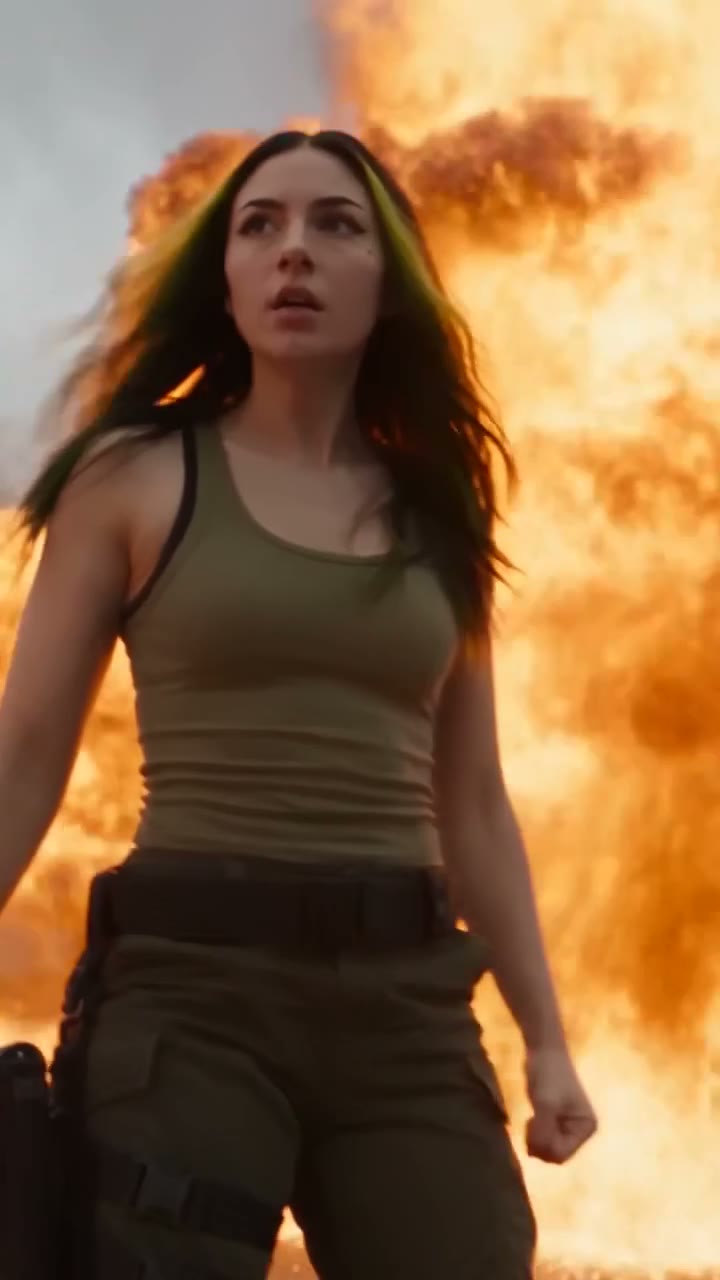 Cinematic Free
 Action Scene AI Video Prompt: Bike Jump and Fight
Action scene AI video prompt for Seedance 2.5. You jump a futuristic bike off a ramp, land in fire and fight on a burning highway. 15 seconds, one photo.
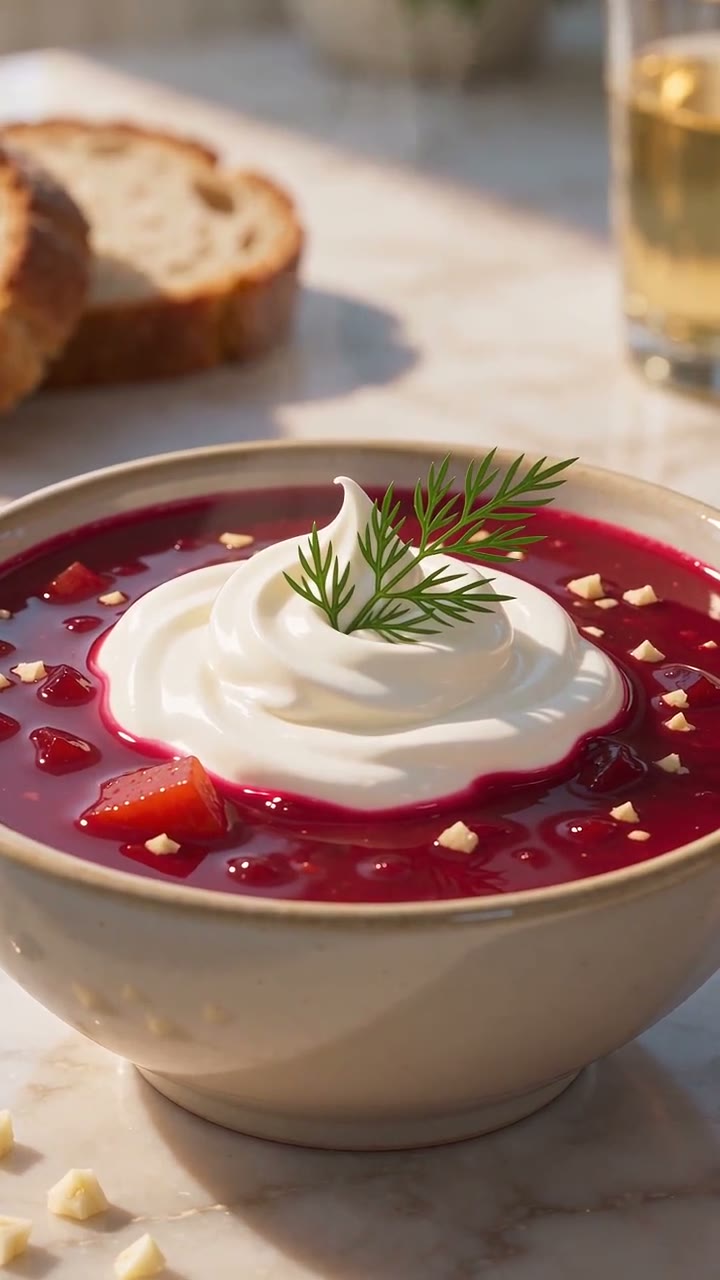 Cinematic Free
 Anime Borscht — The Whole Recipe in One 25-Second Video
One prompt cooks Ukrainian red borscht from raw meat to a served bowl, in glossy anime style. Six stages, hands and food only, vertical for Reels.
 Cinematic Free
 Car Jump AI Video Prompt: Your Car Flies Behind You
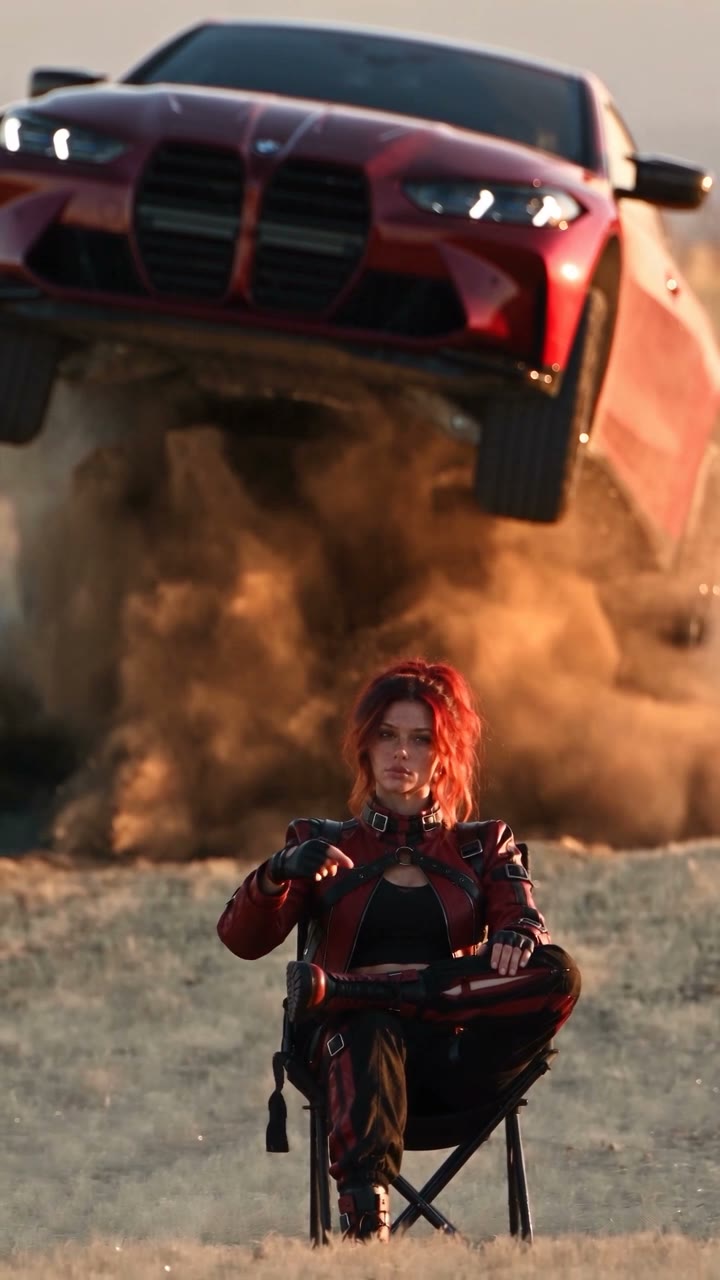
A car jump AI video prompt for Seedance 2.5. You sit calm in the desert while your own car flies over you and lands in a wall of dust. 12 seconds, 9:16.