10 AI Photo Editing Prompts for Viral Content
AI photo editing prompts that fix, restyle and remake one photo: 4K fix, film set, headshot, GTA, oil painting, product ad and more. All 10 are free.
Have it running in three steps
- 1
- 2Open ImagineArt
- 3Paste it and generate
What you'll need
5 min- ImagineArt

These are 10 AI photo editing prompts. You upload one photo, paste one prompt, and get a new picture. Some prompts fix a bad photo. Others turn it into a film set, a game screenshot or a painting.
Every picture on this page was made with Nano Banana 2 in ImagineArt+200 free credits. Most of them start from the same café photo, so you can see what each prompt changes. Nano Banana is Google’s image model, the same one inside Gemini, so the prompts also work there.
The whole process
- Upload one photo as the reference image.
- Pick a prompt below and copy it whole.
- Change the words in brackets or the example names, if there are any.
- Generate. If one detail is wrong, run it again before you change the prompt.
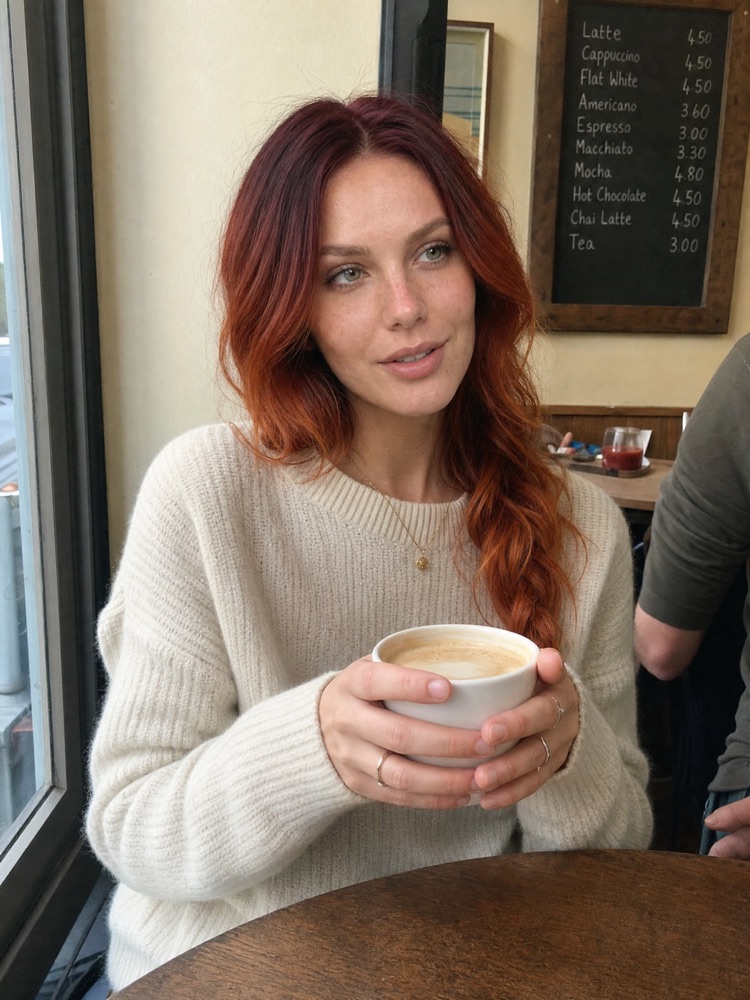
This is the photo most of the edits start from:
1. Fix a blurry photo to 4K
Use this on old phone photos or pictures that were sent through a chat app too many times. It does not change the style. It only brings back detail.
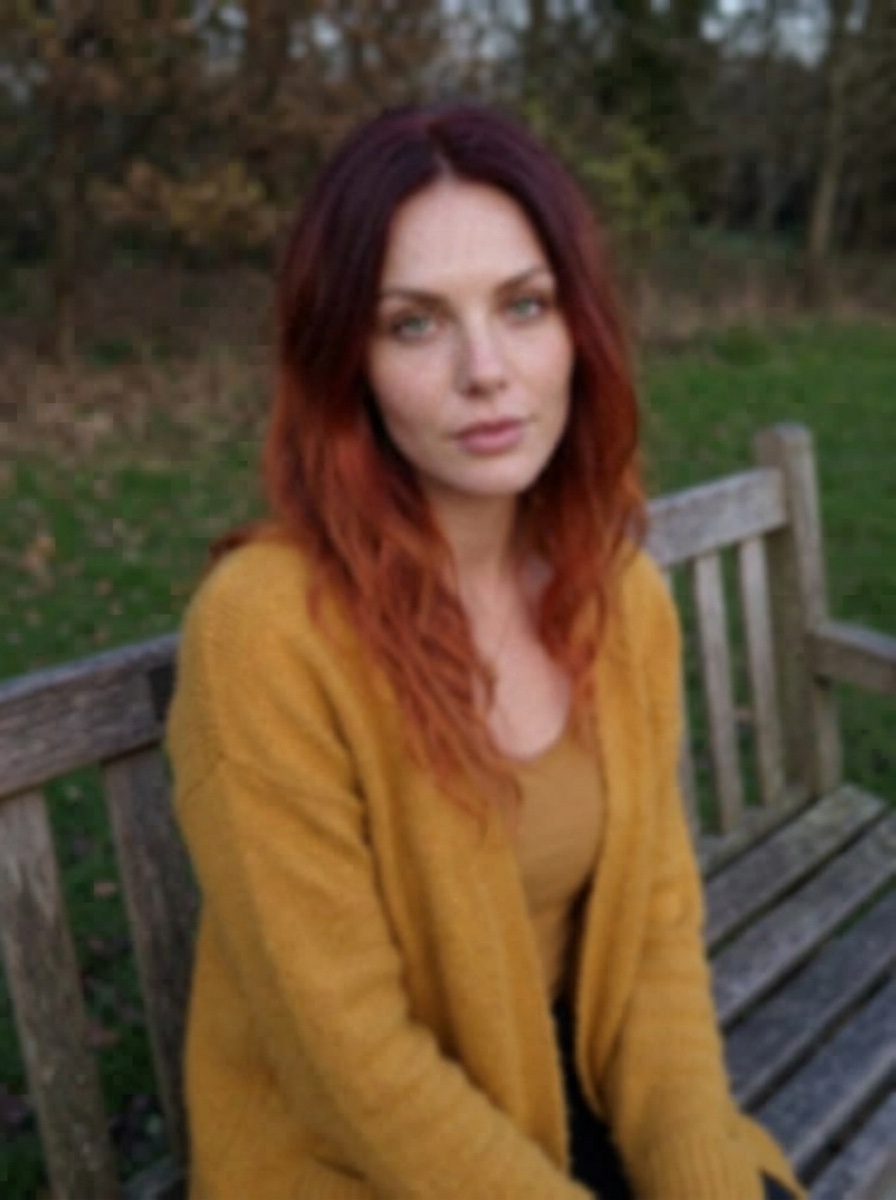
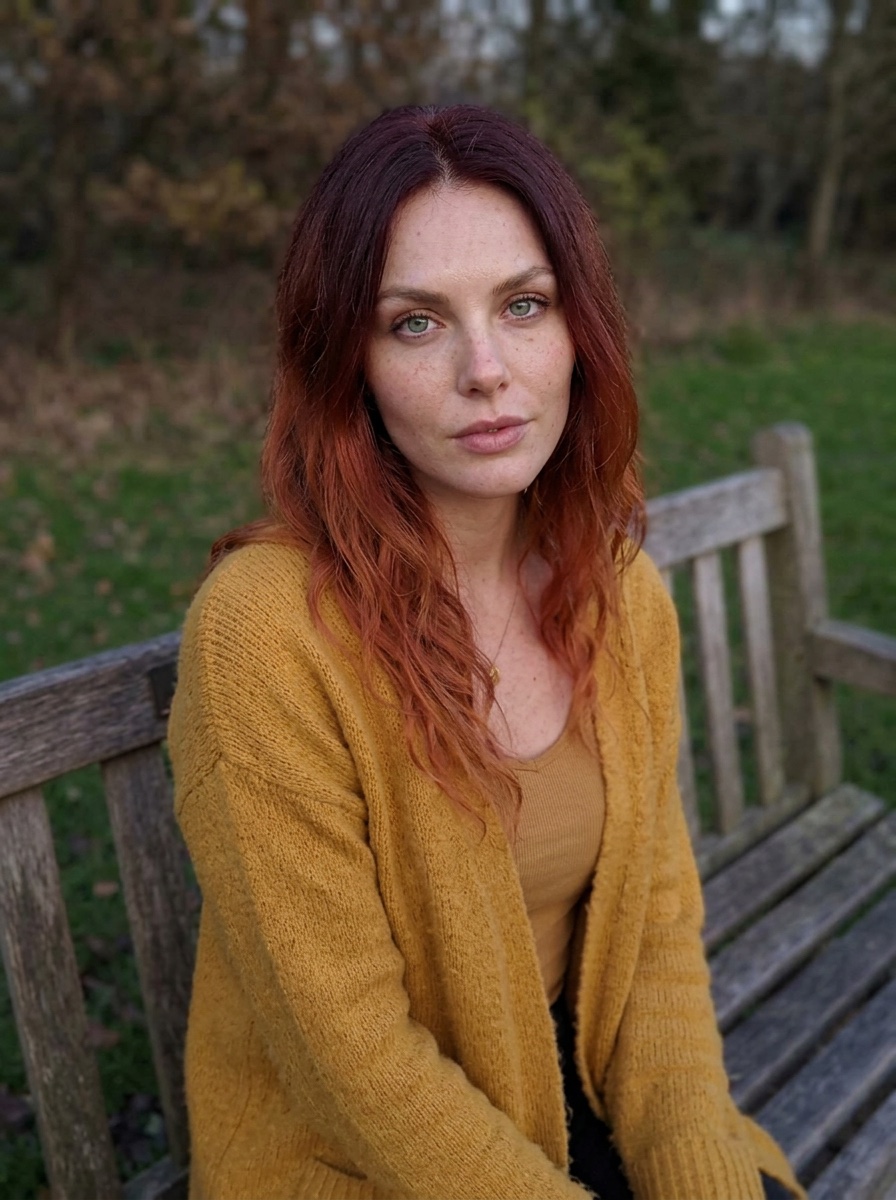
Upscale and restore this photo to sharp, high-resolution 4K. Keep everything exactly as it is: the same face, expression, pose, framing, clothes, hair and background. Do not change her identity or the shape of any feature.
Bring back real detail: skin pores, freckles, single hair strands, eyelashes, the knit of the fabric, the leaves and wood in the background. Clean away blur, noise and compression blocks. Keep the original colours, white balance and light direction. Only make it clearer.
No smoothing, no plastic skin, no new details that were not there, no style change, no added text.
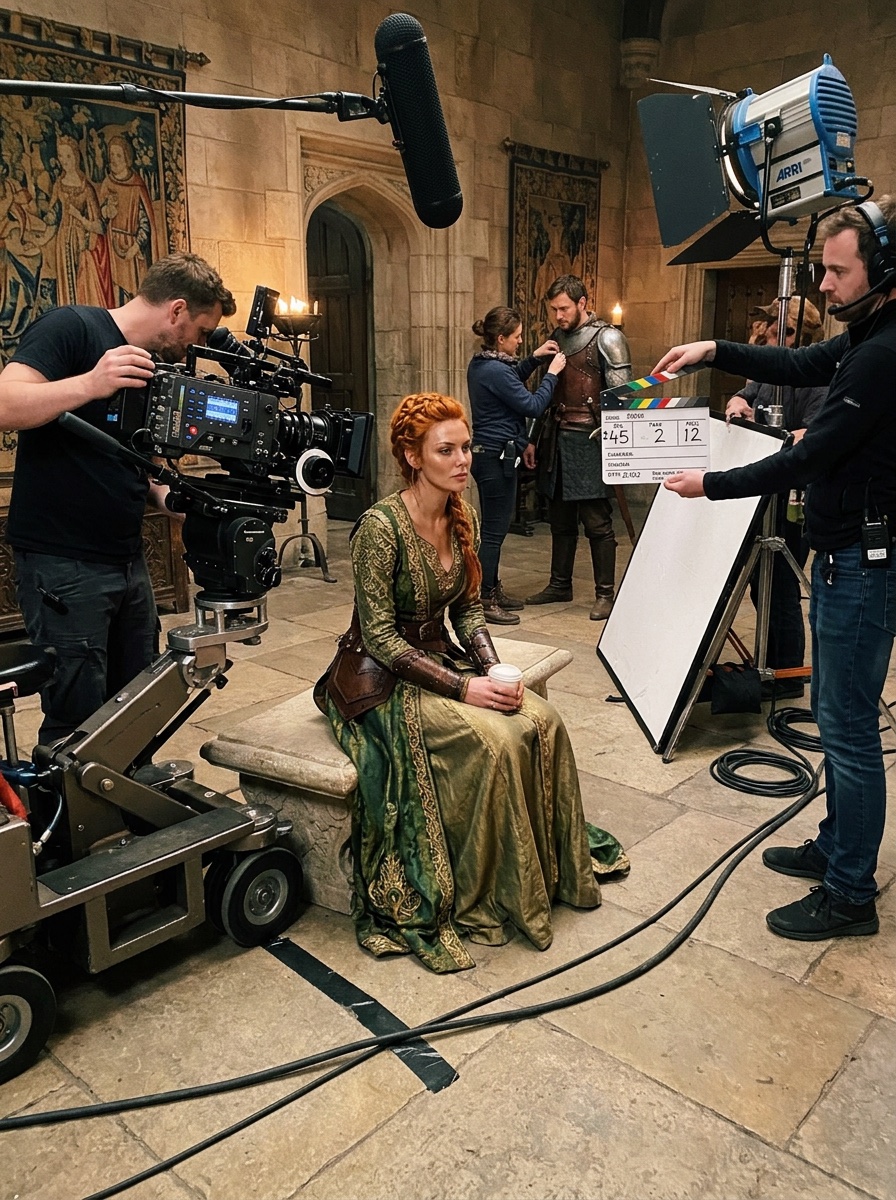
2. Behind the scenes of a movie
This puts you on a film set between takes, in full costume, with crew, cables and a boom mic around you. It looks like a phone photo that leaked from the set.
Turn this photo into a behind-the-scenes snapshot from the set of a medieval fantasy film. The woman from the photo is an actor in full costume and makeup for the film, sitting between takes on a castle hall set. Around her: a camera operator adjusting a large cinema camera, a boom mic hanging into the top of the frame, cables taped across the floor, light stands, a reflector, a crew member holding a clapperboard. Mixed light from film lamps and the set. Shot handheld on a phone by a crew member, slightly tilted, a bit of grain, real skin with makeup and a little sweat. It should look like a leaked set photo, not a poster.
Keep her face exactly the same as in the photo.
3. Studio headshot
A casual photo becomes a clean headshot for LinkedIn or a casting profile. Grey background, soft studio light, same face and hair.
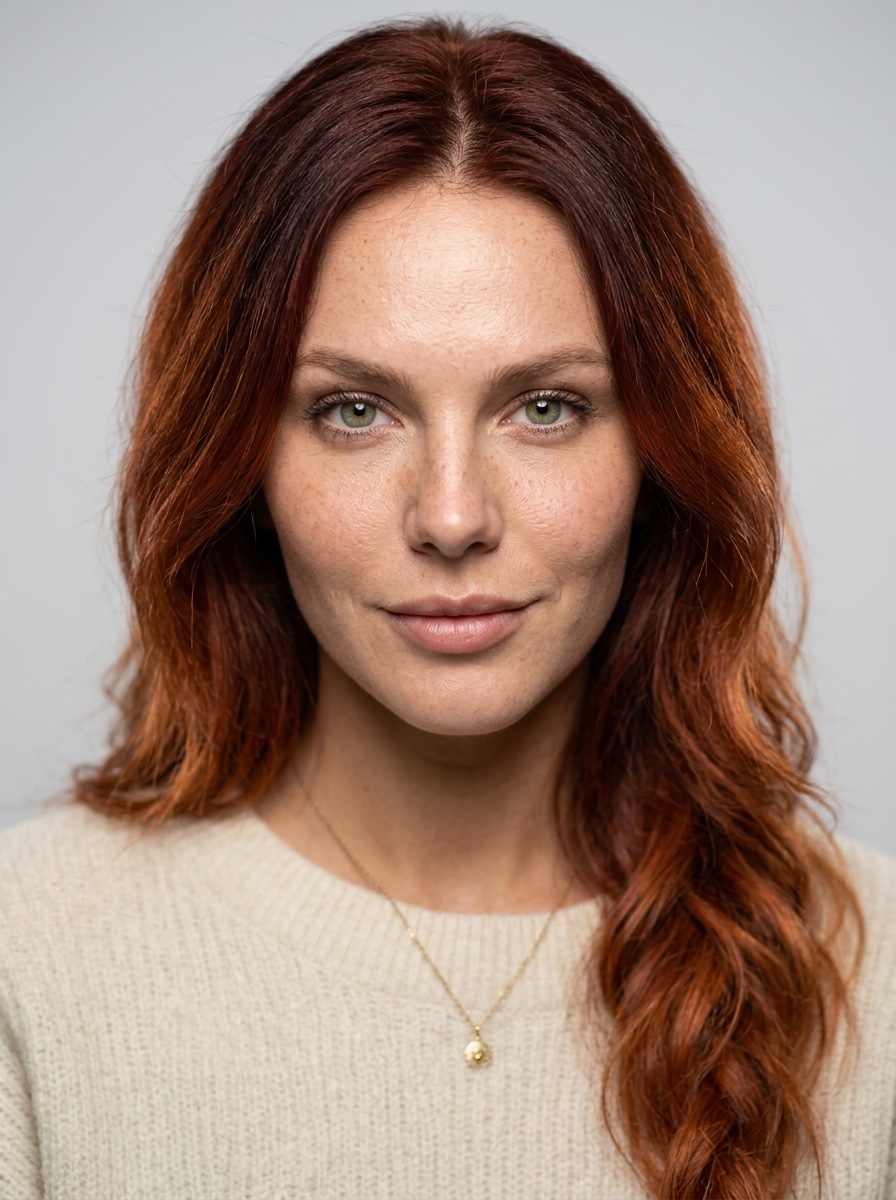
Turn this photo into a clean professional studio headshot. Keep her face, hair and identity exactly the same. Head-and-shoulders framing, centred, eyes looking straight at the camera with a calm, confident half-smile. Plain light grey studio background. Soft large key light from the front and slightly above, gentle fill, a thin rim light on the hair, clear catchlights in both eyes. Shot on an 85mm portrait lens, eyes sharp, shoulders a little soft. Real skin with visible pores and freckles, only small temporary marks removed. Natural colours. The kind of photo used on LinkedIn or a casting profile.
4. GTA V screenshot
The whole photo is rebuilt as a game. Our first try looked too much like a real photo, so this version asks for plastic skin, sharp polygon edges and a minimap in the corner. That last detail tells everyone it is a game.
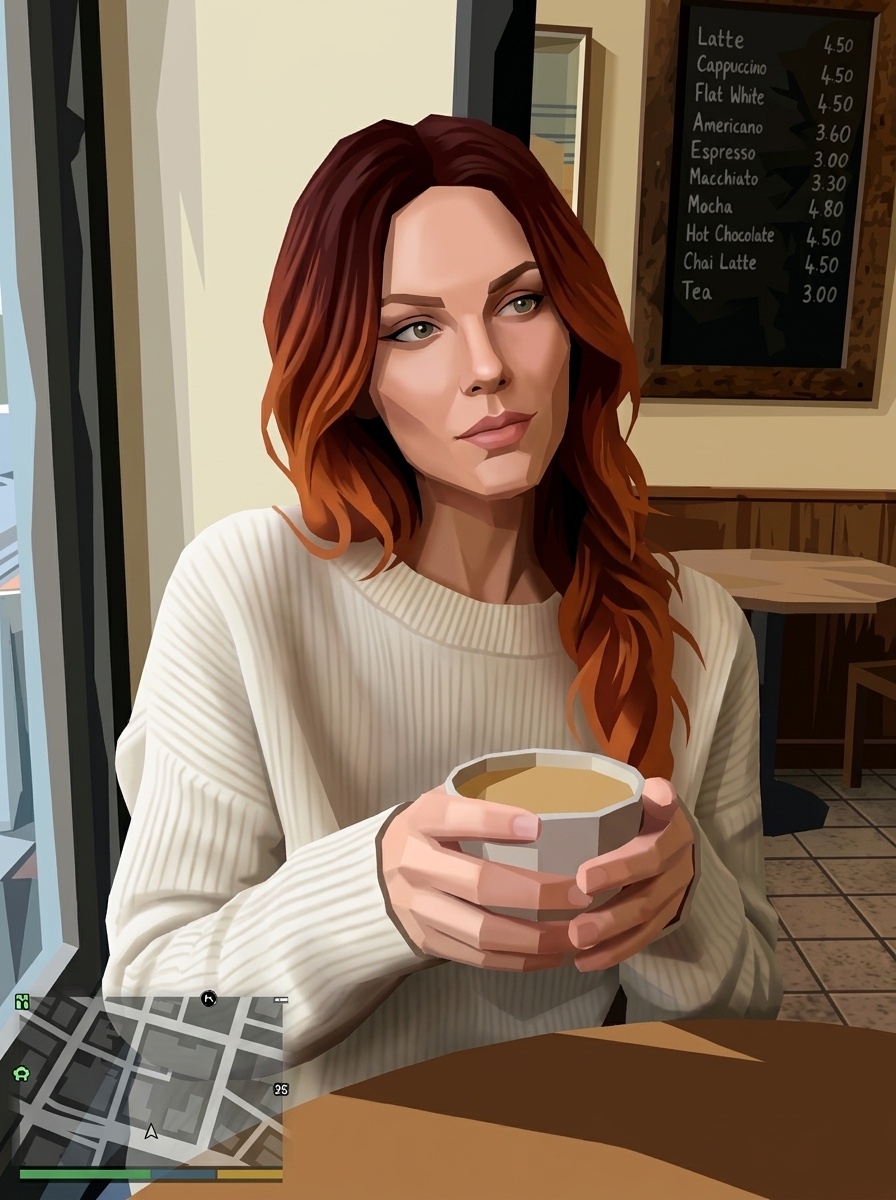
Recreate this whole photo as a screenshot from the video game GTA V. This is not a filter and not a photo: rebuild the woman, the table, the cup and the café as low-detail real-time 3D game models. She becomes a GTA V character model with the same hair colour, clothes and pose: smooth matte plastic-like skin with no pores, a slightly blocky jaw, hair made of stiff clumps, flat fabric textures. The café becomes a Los Santos interior with simple tiled textures, sharp polygon edges, hard game shadows and the saturated GTA V colour grading. Add a small GTA V style minimap with a health bar in the bottom left corner. Third-person game camera, no blur, no lens effects. It must clearly look like a video game, not a real photo.
5. Skin retouch that nobody can see
This removes spots and redness and keeps everything else: pores, freckles, shine. Look at the chin and forehead. The face is still the same face.
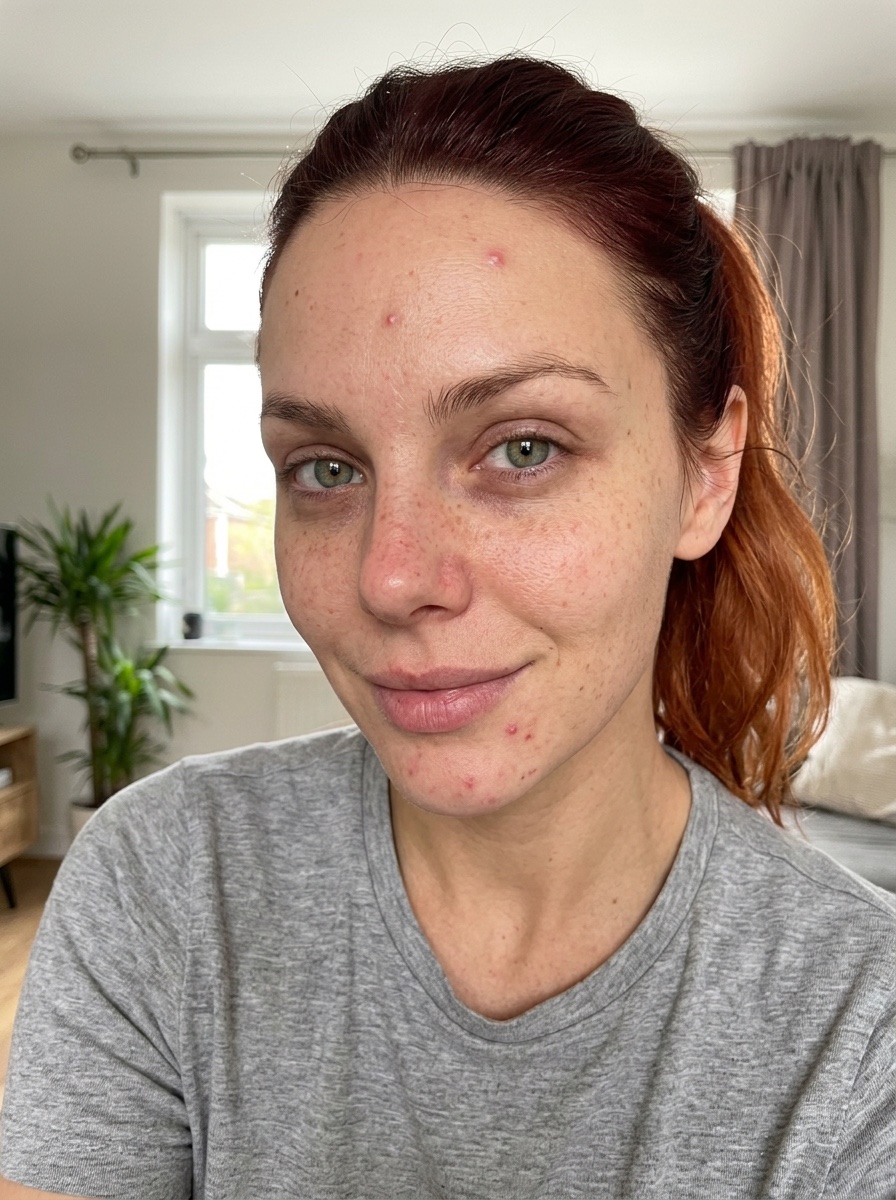
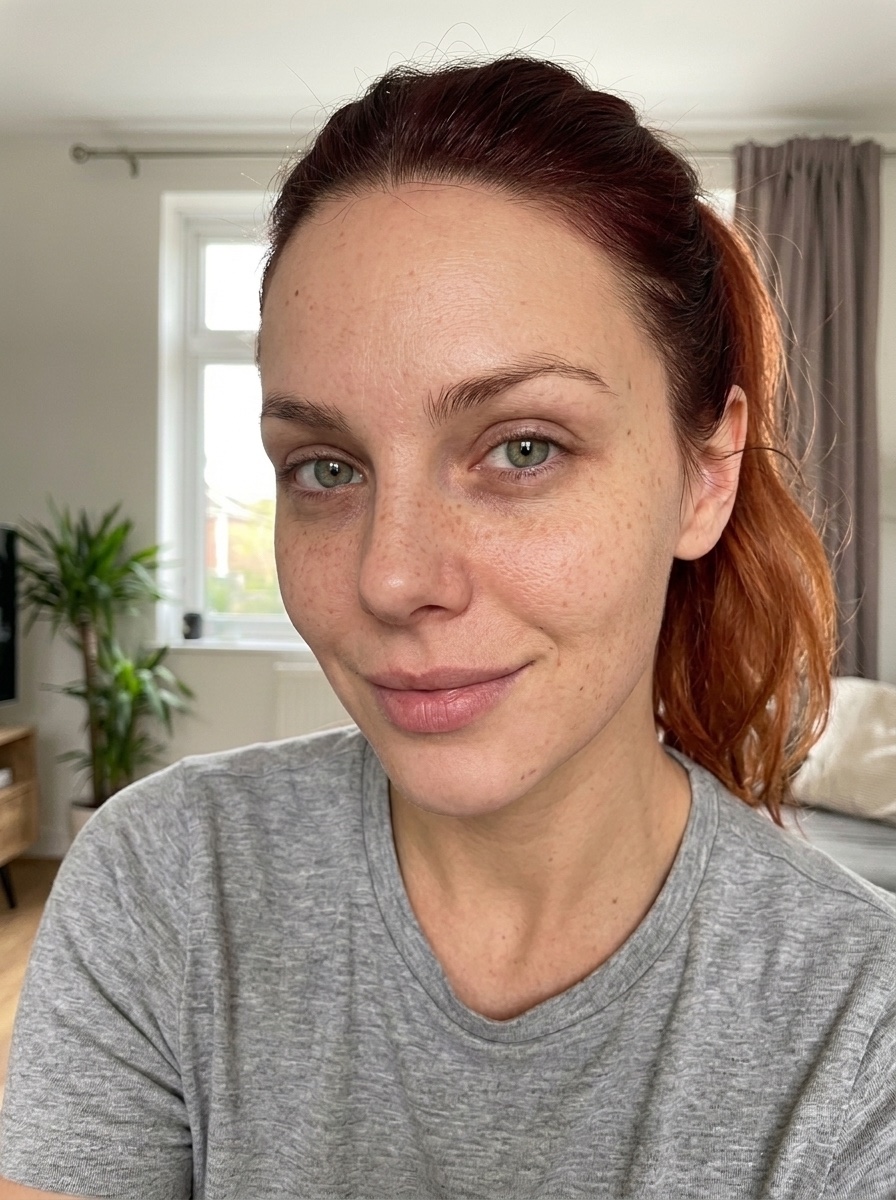
Retouch the skin in this photo so the edit is invisible. Keep her face, features, expression, light and colours exactly the same. Remove only temporary things: red spots, small blemishes and patches of redness. Make the tone a little more even but keep the shadows and depth. Keep pores, freckles, fine lines and natural shine. Keep the under-eye area real, just a little less tired. Eyes and lips stay as they are. No smoothing, no airbrushing, no glow, no reshaping, no makeup added.
6. Save a dark night photo
For the photo you almost deleted: dark, shaky, full of noise. The prompt makes it sharp and adds warm side light, but keeps the face, the pose and the street.
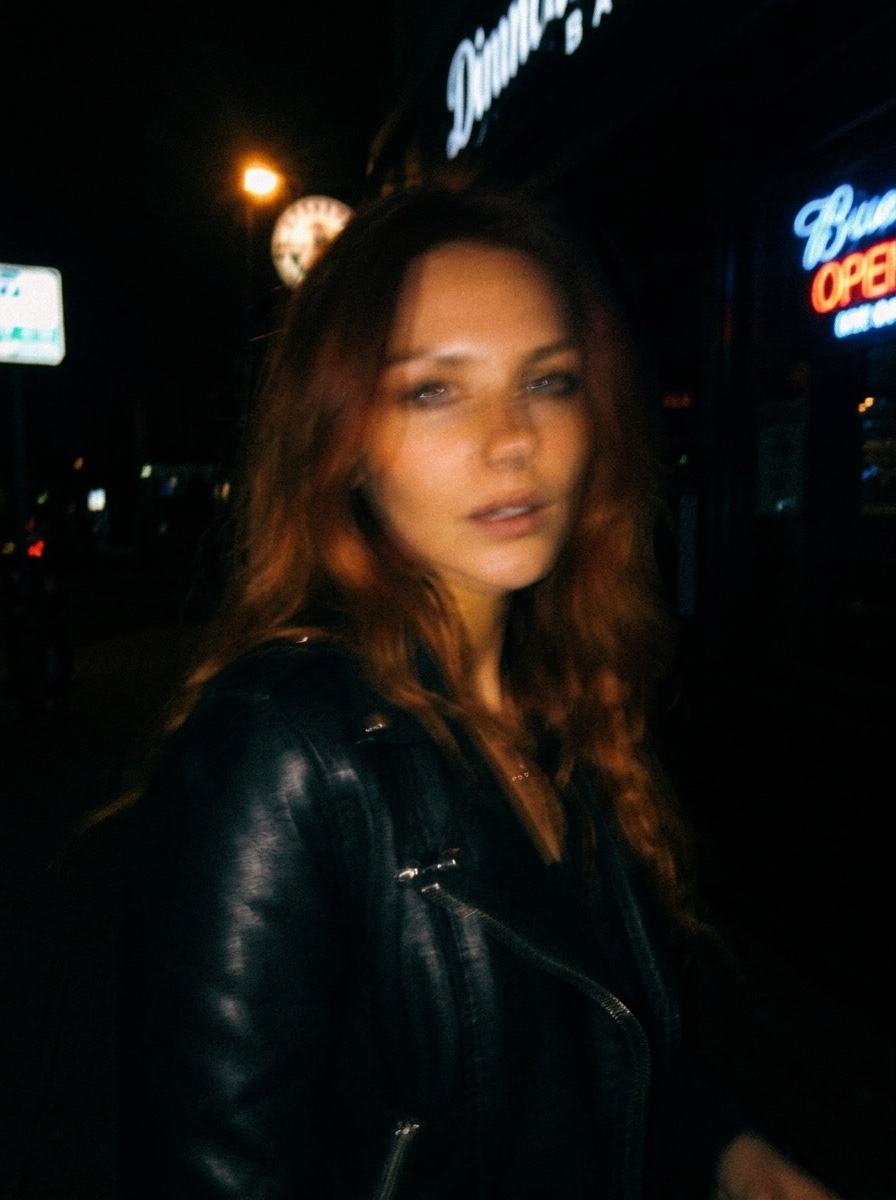
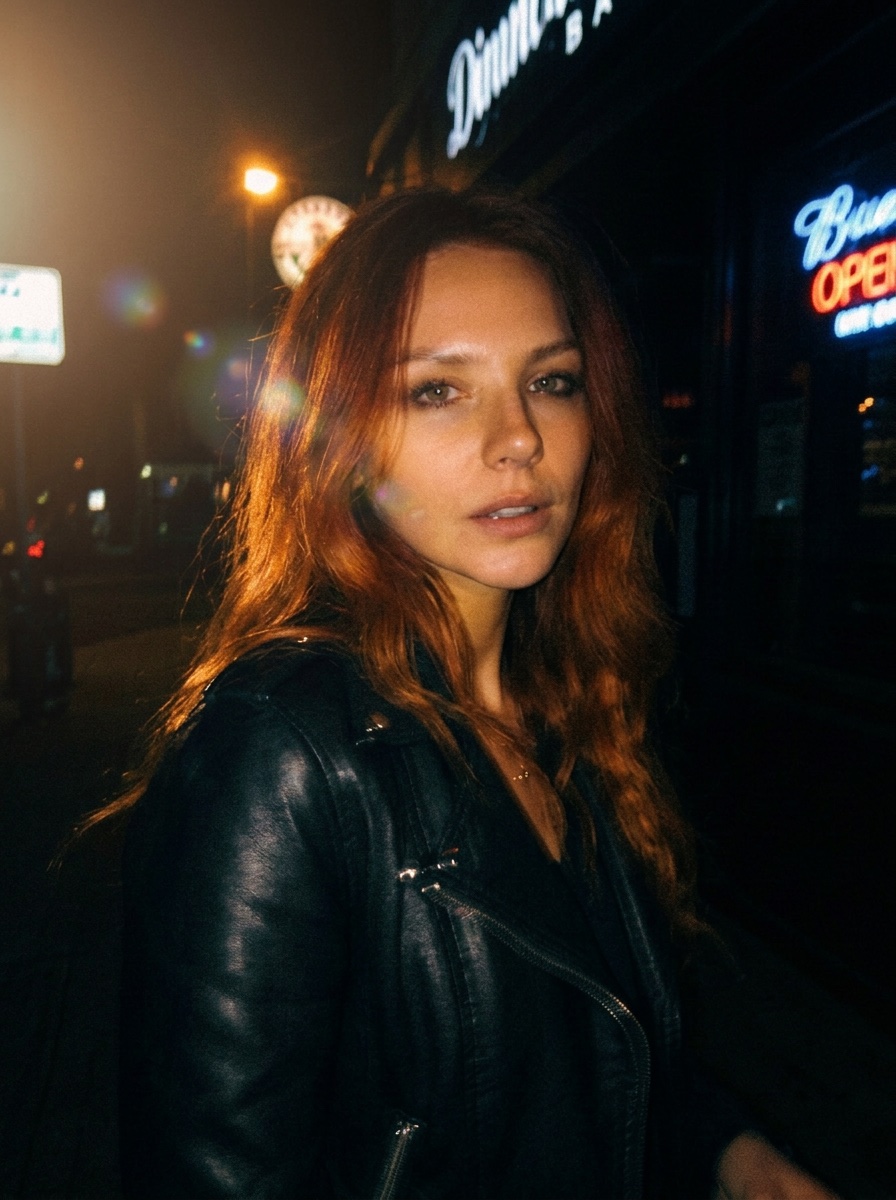
Fix this dark, blurry night photo. Keep her face, expression, pose, framing and the street behind her exactly the same. Make the photo sharp: remove the shake blur and the grain but keep real skin texture. Relight the scene as a soft cinematic evening: warm low sunlight from one side touching her cheek, nose and hair, deep but clean shadows, a light glow and a few soft light flares around her. Slightly lower saturation, warm highlights, cooler shadows, fine film grain. Do not change her identity or the background.
7. Oil painting
The same picture, painted on canvas. A short prompt gave us a photo with a light texture, so this one says that every part must be paint, with thick strokes in the bright areas.
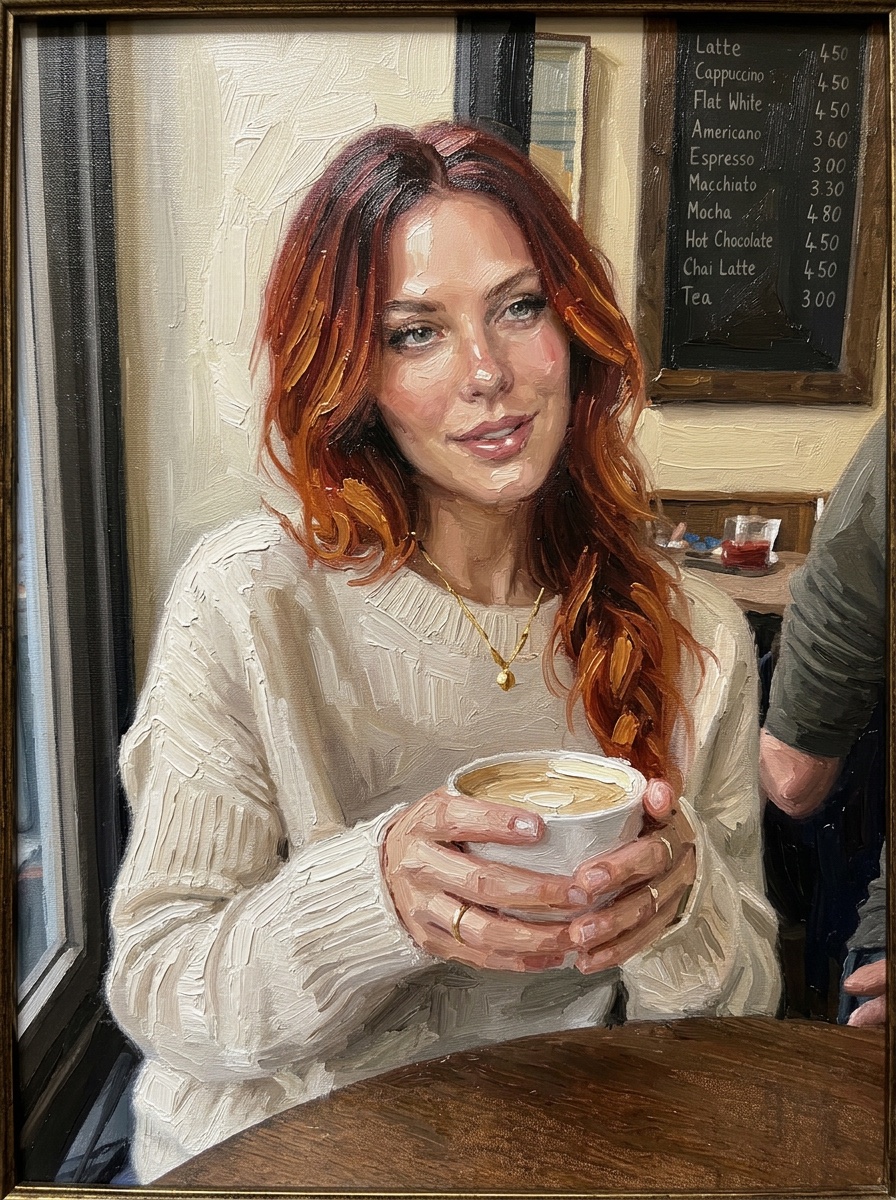
Repaint this photo as a classic oil painting on canvas. Keep the exact same composition, pose, face and colours. Every part of the picture must be made of paint: thick visible brushstrokes everywhere, heavy impasto paint in the highlights of her hair, face and sweater, thin paint in the shadows, and rough canvas weave showing through. Edges are soft and painterly, small details are suggested with single strokes, not drawn sharply. No photographic detail left. It should look like a master painter copied this photo onto canvas and it hangs in a gallery.
8. Product ad from a kitchen photo
Take a phone photo of your product anywhere, even next to a dirty sponge. The prompt keeps the label and builds a clean ad around it with the ingredients.
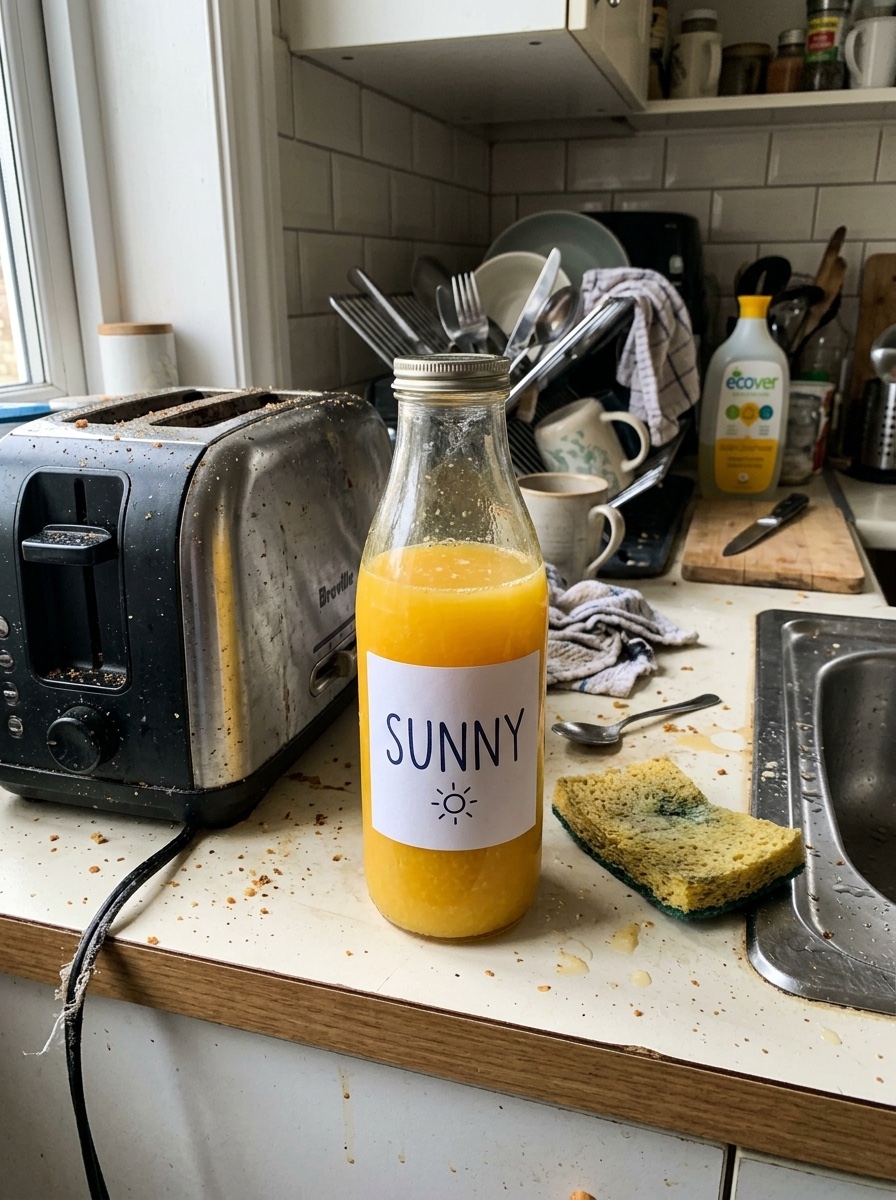
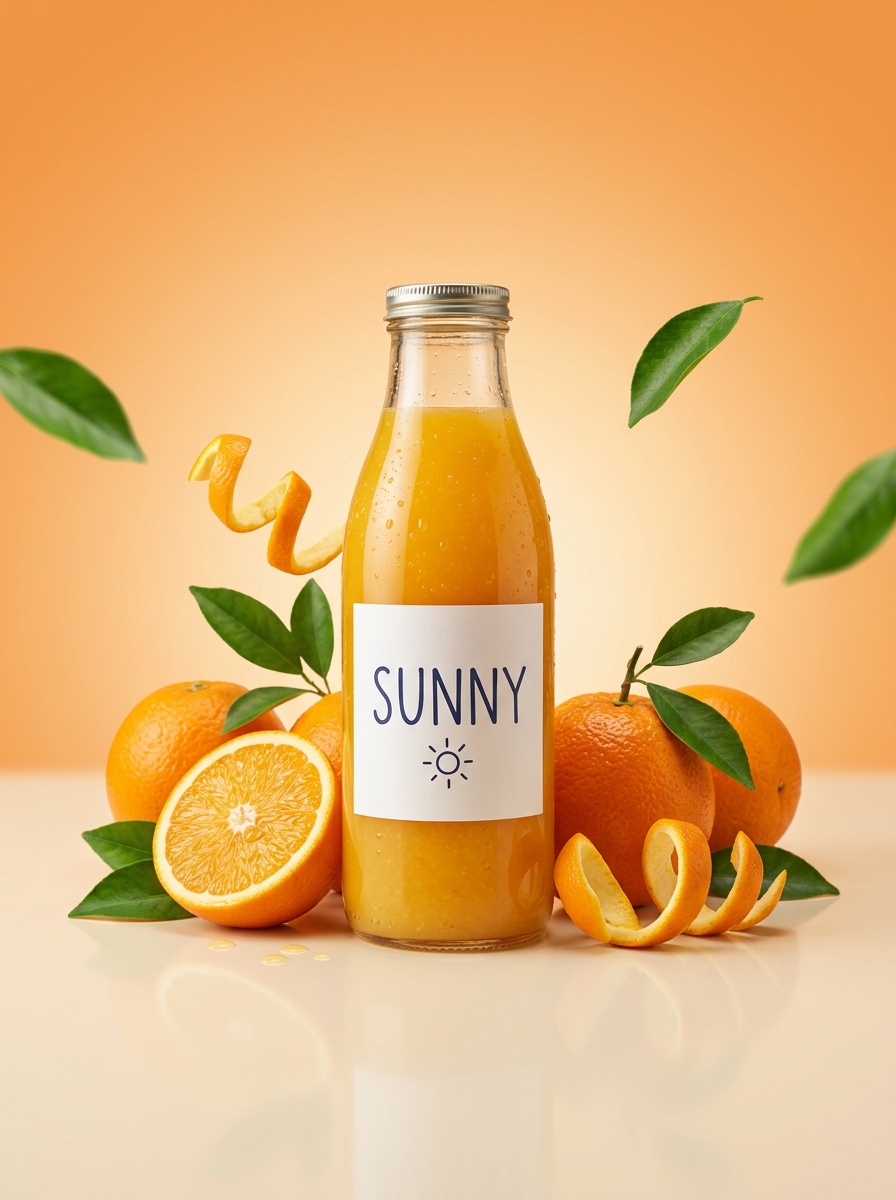
Take the product from this photo and rebuild it as a premium advertising shot. The bottle stands in the centre, sharp and clean, with its label exactly as it is. Around it: its key ingredients, arranged with care: fresh oranges, a sliced half with juice drops, orange peel twists, a few green leaves, some flying in the air. Smooth surface with a soft reflection. Background in colours that match the product, a soft orange-to-cream gradient. Studio light with controlled highlights, condensation drops on the cold glass, a soft shadow under the bottle. Lots of clean space, no clutter, real materials.
9. Selfie with a famous person
A fan selfie that looks taken on a phone: flash, wide angle, a crooked crop. For our example we described a made-up celebrity chef, not a real person. Replace the description with the person you want.
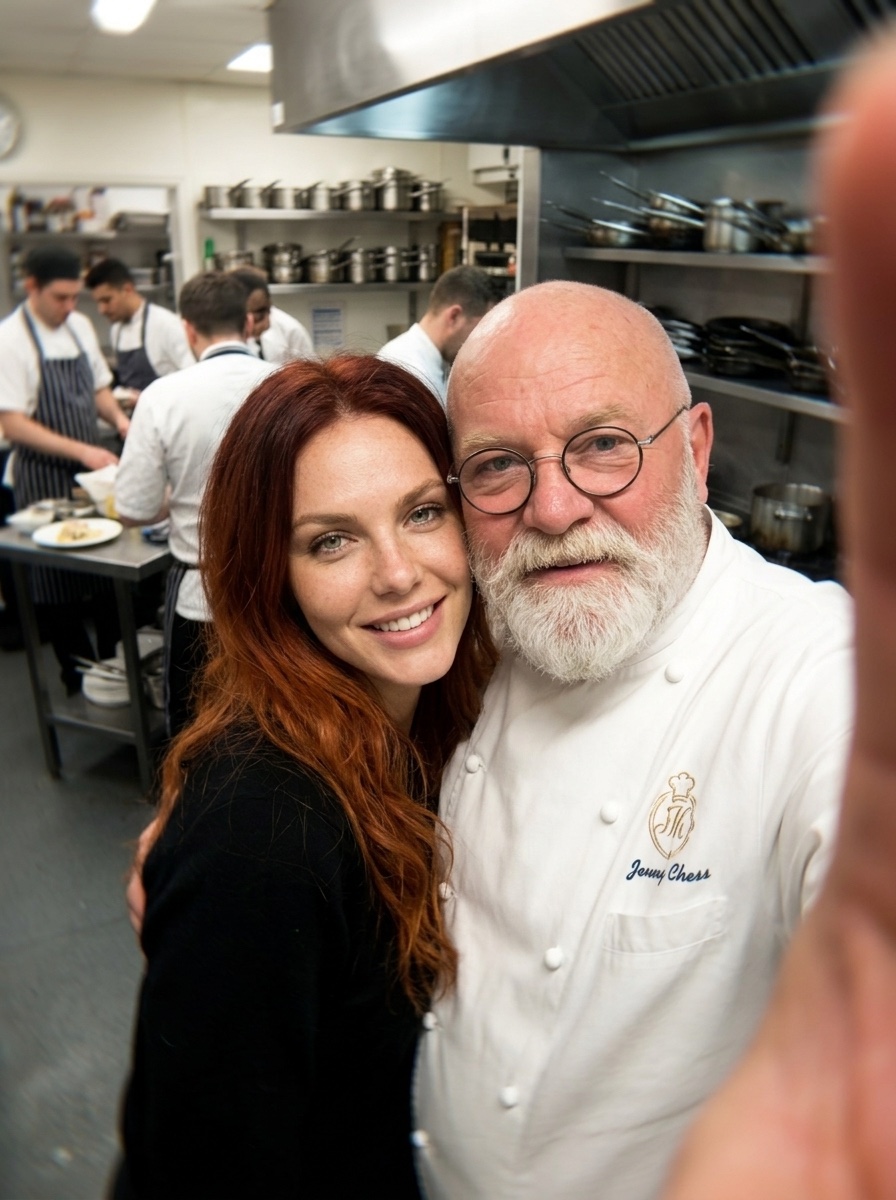
A casual iPhone selfie of the woman from the photo standing next to a famous celebrity chef: a big bald man in his sixties with a thick white beard, round glasses and a white chef jacket, in a busy restaurant kitchen. Both lean into the frame, shoulder to shoulder, smiling at the camera. Taken at arm’s length from a little below. Kitchen light mixed with the phone flash, a bit too bright on the faces. Real skin, stray hairs, cooks and steel shelves out of focus behind them. Slight wide-angle distortion, a little blur at the edges, the crop not quite straight. It should look like a real fan photo, not an edit.
Keep the woman’s face exactly as in the photo.
10. Anime version
The photo is redrawn as anime with the same pose, the same café and the same crop. She keeps her green eyes, freckles and hair colour.
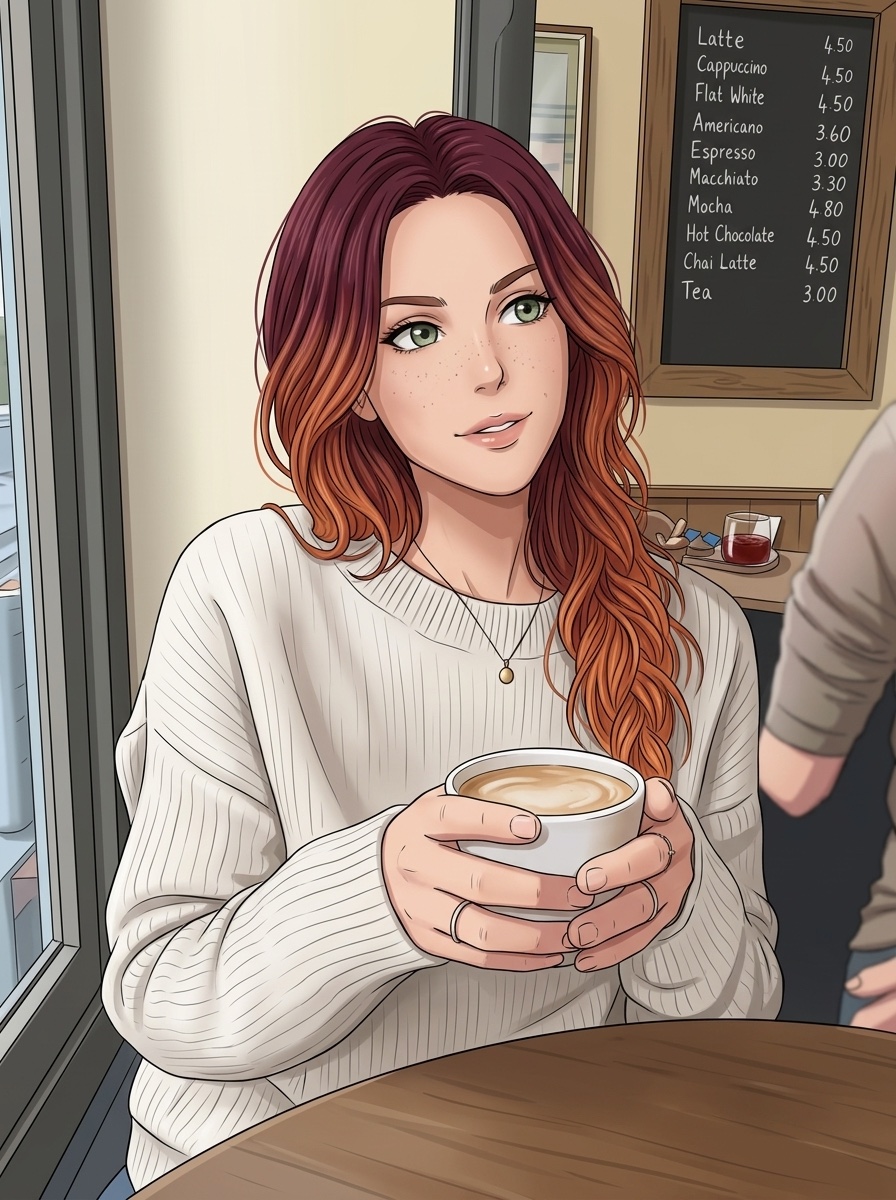
Redraw this photo as a detailed hand-drawn anime scene. Keep the same composition, camera angle, pose and expression. She becomes an anime character with the same face shape, green eyes, freckles and burgundy-to-copper hair, drawn in clean lines with large expressive eyes and defined hair strands. Soft cel shading, the same light direction as the photo. The café becomes a detailed anime background with the same layout. Colours a little brighter but close to the original. Do not change the crop.
Where it goes wrong
| What you see | What to do |
|---|---|
| The face looks like someone else | Keep the line “Keep her face exactly the same as in the photo”. Use a sharp, front-facing photo. |
| The style is too weak (still looks like a photo) | Say it twice in other words, like prompt 4: “It must clearly look like a video game, not a real photo.” |
| The 4K fix makes skin plastic | Keep “No smoothing, no plastic skin” at the end. Do not add “beautiful” or “perfect”. |
| The product label changes | Keep “with its label exactly as it is”. Use a photo where the label is readable. |
| The night fix changes the background | Keep “Do not change her identity or the background”. |
You can also chain them. Run prompt 1 on a blurry photo first, then use the sharp result for the painting or the anime prompt. A clean start gives a cleaner result.
Questions people ask
Which AI model did you use?
Nano Banana 2 in ImagineArt+200 free credits, at 1K and 3:4. Nano Banana Pro and GPT Image 2 also follow these prompts well.
Do these prompts work in Gemini?
Yes. Nano Banana is the image model inside Gemini. Upload your photo in the Gemini app and paste the prompt.
Can I use my own photo?
Yes, that is the idea. Use a clear photo where your face is well lit. One person per photo works best.
Can I make it vertical for Reels?
Yes. Set the shape to 9:16 before you generate. The prompts do not depend on the shape.
Are the prompts free?
Yes, all 10 are free to copy. You only pay for the generations on the platform you use.
Is it OK to make a selfie with a real celebrity?
Many apps block real famous faces. If you post one, say it is made with AI, so nobody thinks it is real.
Want more? See our 40 AI photo prompts or the full list of photo prompts. Every image here was made in ImagineArt+200 free credits.
Why this workflow runs here
Everything in one place
Free to start
Minutes, not days
Make yours in the next 5 min
You have the whole prompt and every setting. The only thing left is an account, and that takes a minute.
- 200 free credits on sign-up
- Prompts ready to paste
- Upgrade only if you want more
Referral link — if you subscribe I earn a commission, at no extra cost to you. More on that.
Related prompts
 Effect Free
 24 GTR AI Prompt: Swap the Car for Your Dragon
A 24 GTR AI prompt for the AIReel effect. You flash the UNO cards, the scene cuts to a stone mountain, and a dragon stands behind you instead of a car.
 Effect Free
 Fan Blade Outfit Change: The Top-Down AI Prompt
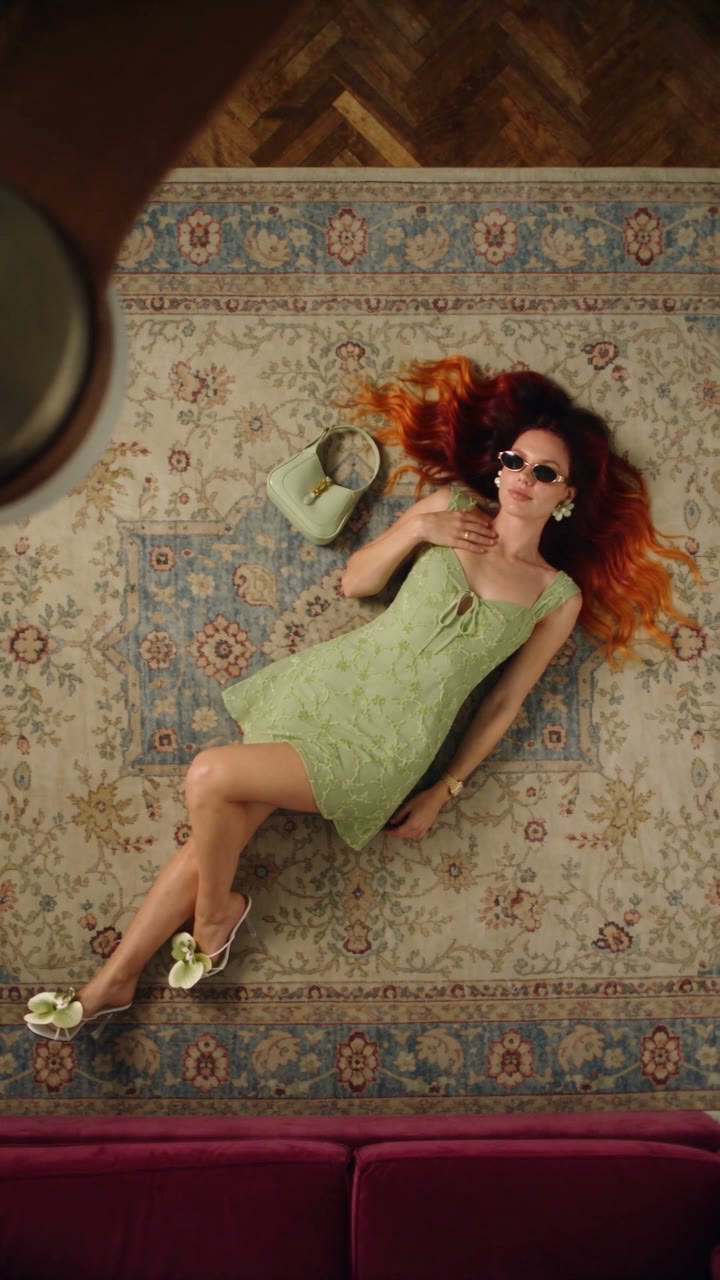
A free Seedance 2.5 prompt. She lies on a rug, a slow ceiling fan blade sweeps over her, and her outfit is new. Five looks, 20 seconds, five reference images.
 Effect Free
 Fit Check Hit by a Car: The AI Video Prompt
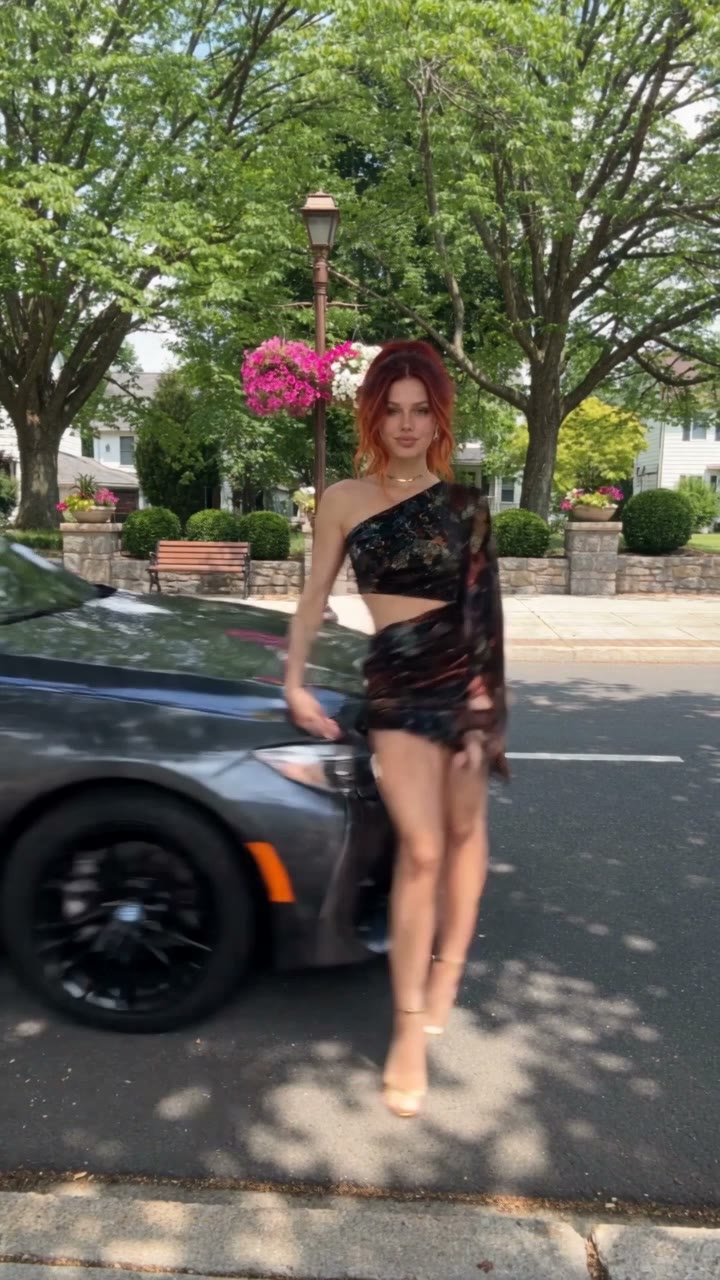
A free Seedance 2.5 prompt. She films a street fit check on her phone, shows the outfit from every side, and a car takes her out of frame. 12 seconds, one reference image.