24 GTR AI Prompt: Swap the Car for Your Dragon
A 24 GTR AI prompt for the AIReel effect. You flash the UNO cards, the scene cuts to a stone mountain, and a dragon stands behind you instead of a car.
Have it running in three steps
- 1
- 2Open AIReel
- 3Paste it and generate
What you'll need
20 min- AIReel
This 24 GTR AI prompt swaps the car in the trend for a dragon. In the original, a man shows UNO cards at a gas station at night, and then a white sports car is parked behind him. Here, a dragon rider shows the cards, and after the cut a huge dragon stands behind her on a stone mountain.
AIReel has the trend as a ready effect called 24 GTR. It asks for three pictures: you, a background and a vehicle. We gave it a dragon as the vehicle and changed the car words in the prompt to dragon words.
The whole process
- Make a full-body photo of yourself as a dragon rider.
- Make the mountain background.
- Pick a dragon picture.
- Open the 24 GTR effect on AIReel, add the three pictures and paste the prompt.
What happens in 13 seconds
| Time | What happens |
|---|---|
| 0–4s | Night parking lot. She walks in from the right and shows two UNO cards, a 2 and a 4, to the camera |
| 4–10s | Cut to a stone mountain under a grey sky. The dragon stands behind her. She points back at it with her thumb and talks |
| 10–13s | She puts her hands on her head, turns and walks out of the frame. The dragon stays |
Make your rider photo
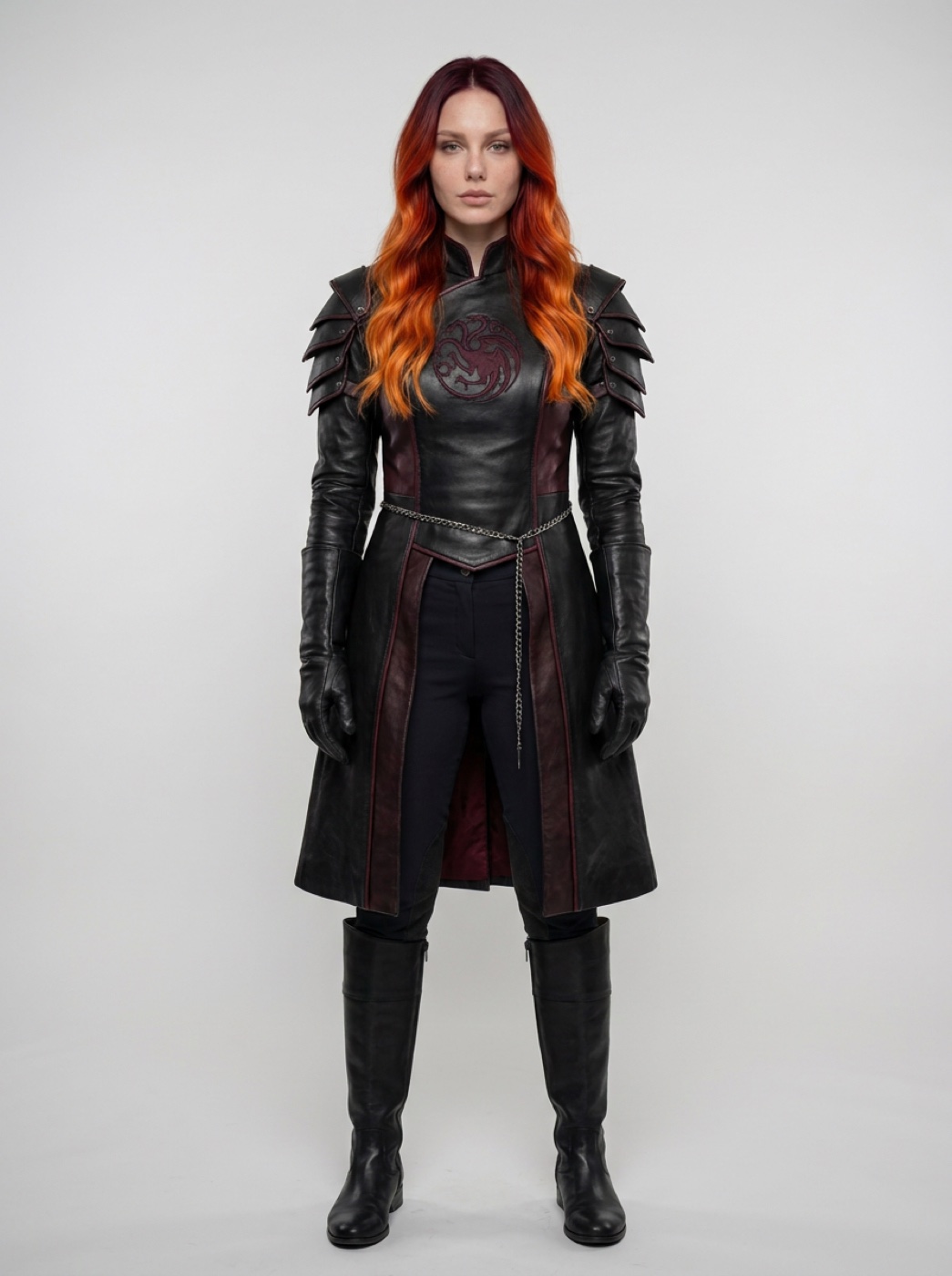
The effect needs one clear full-body photo, head to boots. The outfit stays the same in every shot, so make it now.
Add a clear photo of yourself to an image model. We used Nano Banana Pro. Set 3:4 and use this prompt.
Full-body photo of the exact same person from @Image1 (same face, same features, same hair colour and length, same body proportions), standing straight and facing the camera, arms relaxed at her sides, plain neutral light-grey studio background. She is dressed as a Targaryen dragon rider in the style of House of the Dragon: fitted black leather riding coat with dark crimson accents and a subtle three-headed dragon sigil embroidered on the chest, high collar, layered leather armour plates on the shoulders, long black riding gloves, fitted dark riding trousers, tall black leather boots, a thin silver chain belt. Realistic photo, soft even studio light, sharp detail, head to toe in frame, no cropping, no text.
Make the mountain
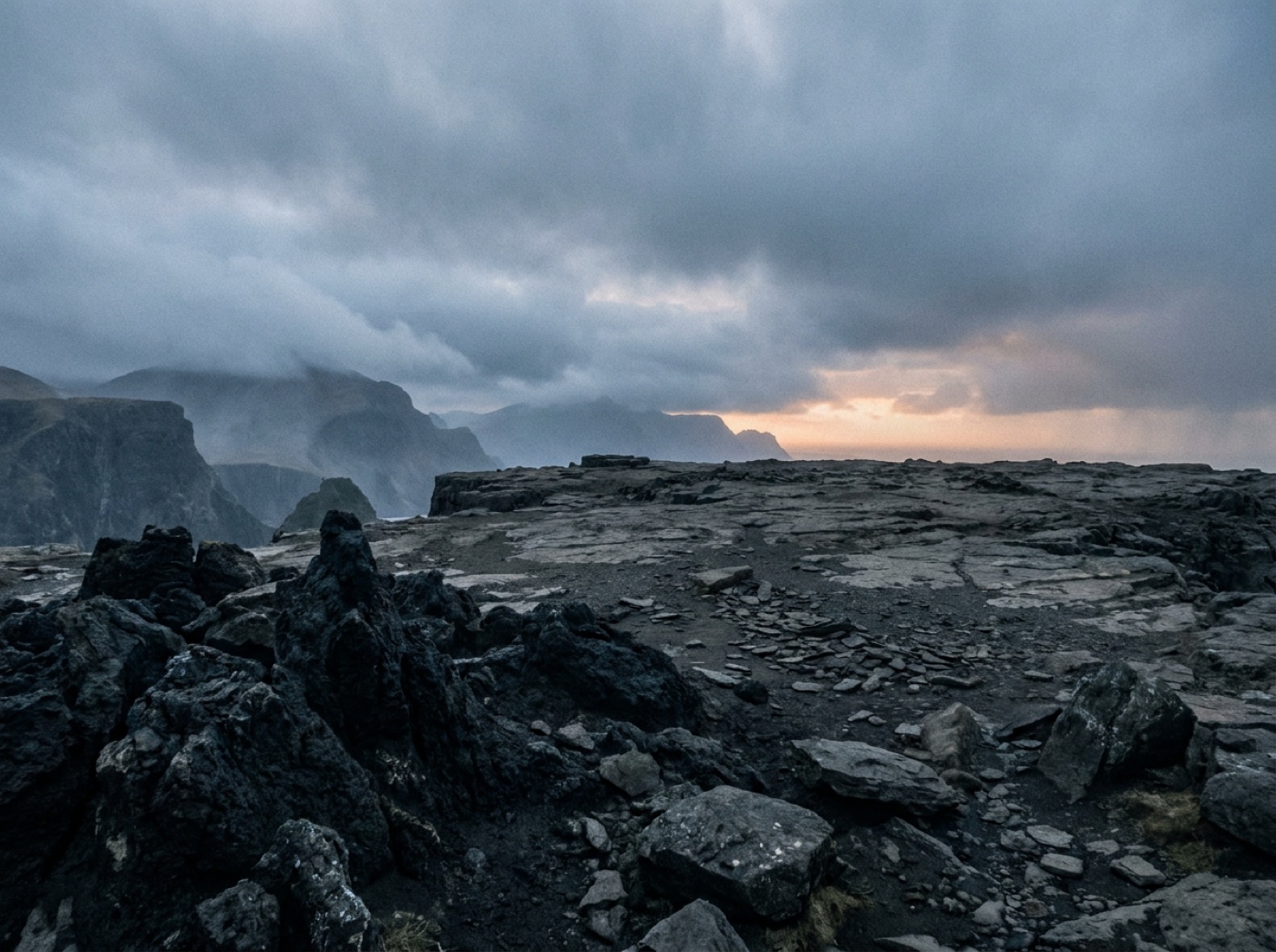
This is the place the scene cuts to after the cards. Leave empty ground in the middle so the dragon has room to stand. Set 4:3.
Cinematic photograph in the style of Game of Thrones: a wide rocky mountain ledge high on a craggy dark-grey stone mountain like Dragonstone. Jagged black volcanic rocks and scattered boulders in the foreground, a flat open stone plateau in the middle ground with plenty of empty space, steep cliffs and misty mountain peaks behind, a stormy overcast sky with low drifting clouds, cold muted blue-grey light with a faint warm glow on the horizon. Epic medieval fantasy atmosphere, realistic film look, eye-level camera, no people, no creatures, no text.
Pick your dragon
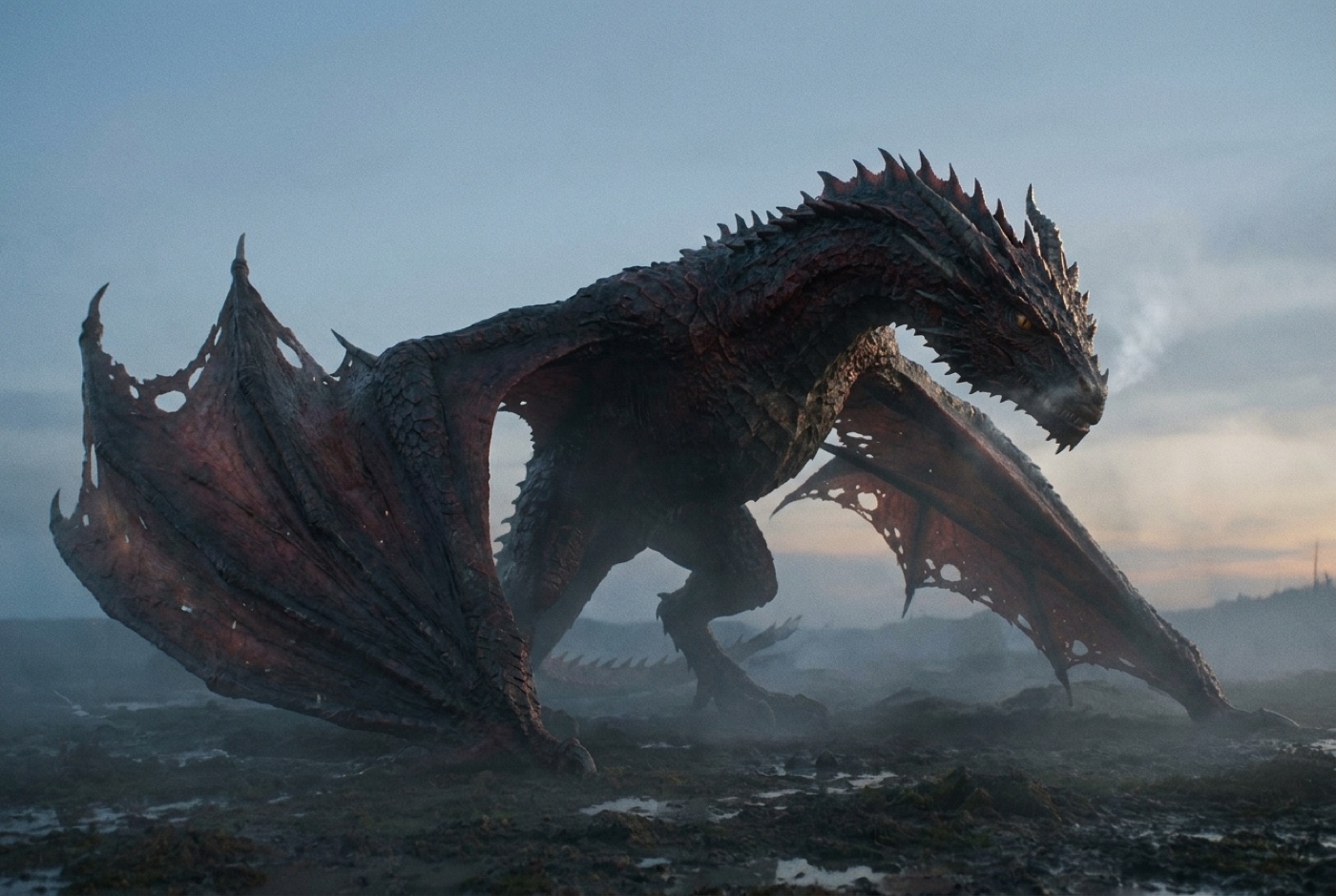
Use any photo-real dragon picture where the whole body is in the frame: head, wings, legs and tail. A plain or misty background works best. Our dragon is Valinah, a dark red dragon with torn wings that we made earlier.
Make the video
Open the 24 GTR effect on AIReel. It shows three slots. Add the pictures in this order:
- Full-body photo: your rider from step 1
- Background: the mountain from step 2
- Vehicle: your dragon from step 3
Delete the prompt that is already in the box and paste this one. If the
@Image tags do not turn into chips, type @ and pick the picture from the
list in the same place.
@Image1 is the EXCLUSIVE protagonist. @Image2 is the custom background for the SECOND HALF. @Image3 is the custom dragon.
CRITICAL: Completely replace the original man with @Image1, strictly locking uploaded clothing, species, and body proportions for ANY input (human/pet/anime). The background MUST switch at exactly 4 seconds.
0-4s: ORIGINAL BACKGROUND. The setting is the original video’s nighttime gas station. @Image1 enters the frame from the right, looks at the camera, and fluidly thrusts a yellow UNO reverse card toward the lens. Continuous smooth motion, ZERO jump cuts or flickering.
4-10s: BACKGROUND SWITCH. The shot cuts to a medium shot. The environment instantly changes to @Image2. @Image3 stands on the rocks in the background, its full body standing on the ground at a realistic giant scale, wings half-folded, breathing slowly and turning its head a little. @Image1 points a thumb/appendage backward at @Image3, gesturing and talking. CRITICAL: Lock @Image1’s exact uploaded proportions; NO morphing or shrinking.
10-13s: @Image1 raises hands/paws to their head (mimicking taking off a hat), turns slightly, and walks FORWARD AND OUT OF THE FRAME to the left. They DO NOT walk towards the dragon. As @Image1 exits the shot, @Image3 is left fully visible in the @Image2 environment. Lock clothing and proportions as they exit.
Style: Handheld vlog style, highly fluid movements, dynamic environment switch, exact action timing of @Image1, stable dragon placement (@Image3) with only slow breathing and small head movements, overcast mountain light from @Image2 on both @Image1 and @Image3.
Avoid: Jump cuts in the first 4s, original man’s face/clothes/cap/sunglasses, any car or vehicle, walking towards the dragon, altering @Image1’s uploaded clothing/species, altering @Image3’s shape/colour/wings, morphing body types, flying or floating dragon, dragon breathing fire, failing to switch the background at 4s, text, watermarks.
Press Generate Now.
Why this prompt works
The effect already knows the motion of the trend. So the prompt keeps every time mark from the original: the cards before 4 seconds, the cut at 4, and the walk out at 10. We changed only the words about the car.
The dragon gets its own small actions: slow breathing and a small head turn. It looks alive behind her and still stays calm enough to leave her the shot.
The mountain light is named for both of them. Without that line, the rider can keep the cold night light from the parking lot after the cut.
Where it goes wrong
| What you got | The fix |
|---|---|
| A car shows up next to the dragon | Keep “any car or vehicle” in the Avoid line |
| The dragon flies off or hangs in the air | Keep “flying or floating dragon” and “standing on the ground” |
| The dragon is small, like a dog | Keep “at a realistic giant scale” and use a dragon picture with the whole body in it |
| She walks up to the dragon | Keep “They DO NOT walk towards the dragon” |
| Her outfit changes after the cut | Use a sharper full-body photo, head to boots |
| Fire everywhere | Keep “dragon breathing fire” in the Avoid line |
Questions people ask
Which model makes this? The 24 GTR effect on AIReel makes the video. The rider and the mountain come from an image model. We used Nano Banana Pro.
Can I put myself in it? Yes. Use your own photo in step 1.
Can I use a different creature? Yes. Put it in the vehicle slot and change the word dragon in the prompt to your creature.
Is it vertical? No. The effect makes a wide video. For Reels, crop it or put it on a vertical background in your editor.
Is it free? The prompts are free. AIReel lets you sign up for free, and videos cost credits. The code W3Q01VVD gives 15% off.
Ready? Open the 24 GTR effect and add your three pictures.
Why this workflow runs here
Seedance 2.5, up to 30 seconds
Vertical is one click
Free to start
Make yours in the next 20 min
You have the whole prompt and every setting. The only thing left is an account, and that takes a minute.
- Free to start
- Prompts ready to paste
- Upgrade only if you want more
Related prompts
 Effect Free
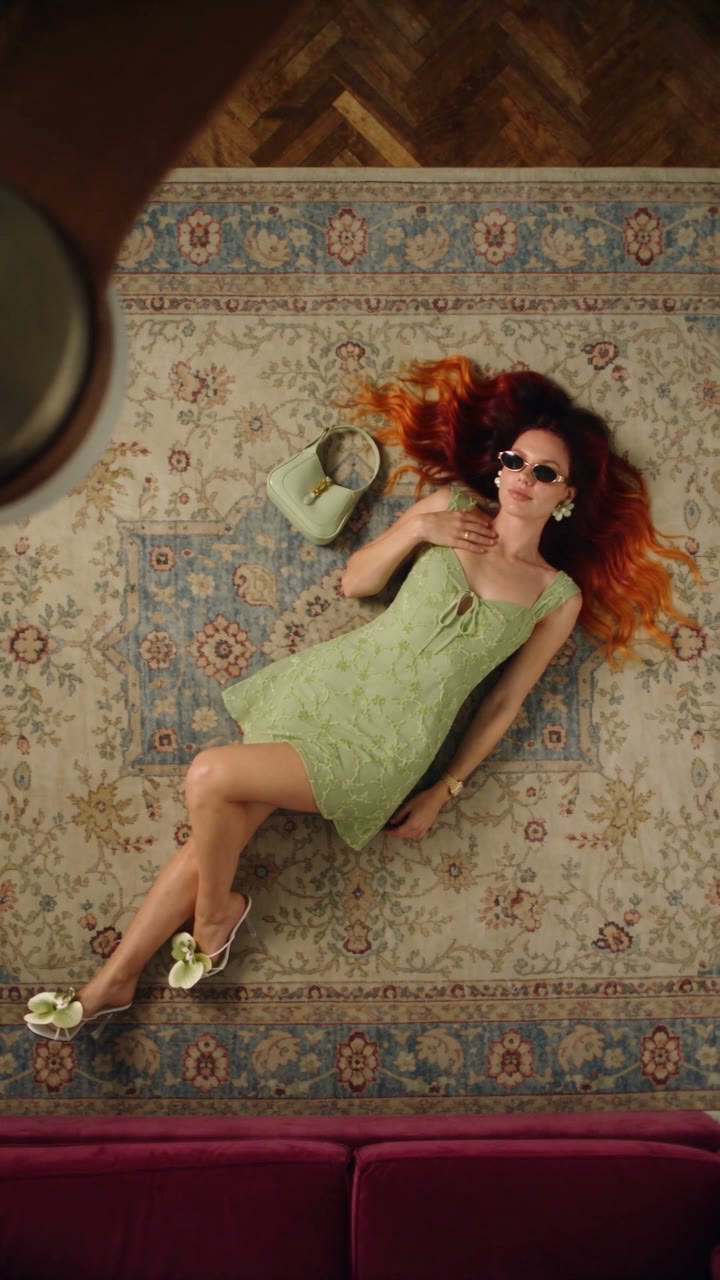
 Fan Blade Outfit Change: The Top-Down AI Prompt
A free Seedance 2.5 prompt. She lies on a rug, a slow ceiling fan blade sweeps over her, and her outfit is new. Five looks, 20 seconds, five reference images.
 Effect Free
 Fit Check Hit by a Car: The AI Video Prompt
A free Seedance 2.5 prompt. She films a street fit check on her phone, shows the outfit from every side, and a car takes her out of frame. 12 seconds, one reference image.
 Effect Free
 Gangster Goose: The AI Video Prompt
A free Nano Banana Pro and Seedance 2.5 prompt. A goose in sunglasses walks into the street with a pistol, fires three shots at the sky, and three cats let their mouse go and run. 15 seconds, filmed like a bystander's phone video.