AI Birthday Video Prompt: Drift Car Blows Out the Candles
A free AI birthday video prompt for Seedance 2.5. A car drifts past your cake in slow motion and you lean out of the window to blow out the candles.
Have it running in three steps
- 1
- 2Open ImagineArt
- 3Paste it and generate
What you'll need
30 min- ImagineArt

This AI birthday video prompt is filmed from the eyes of a friend. They stand on an empty runway and hold your birthday cake, with all the candles lit. Your car comes fast down the runway and drifts sideways right behind the cake. You lean out of the window and blow out the candles. Then the picture freezes.
It is 8 seconds long and has no music. You hear only the engine, the tyres, your breath and the candles going out.
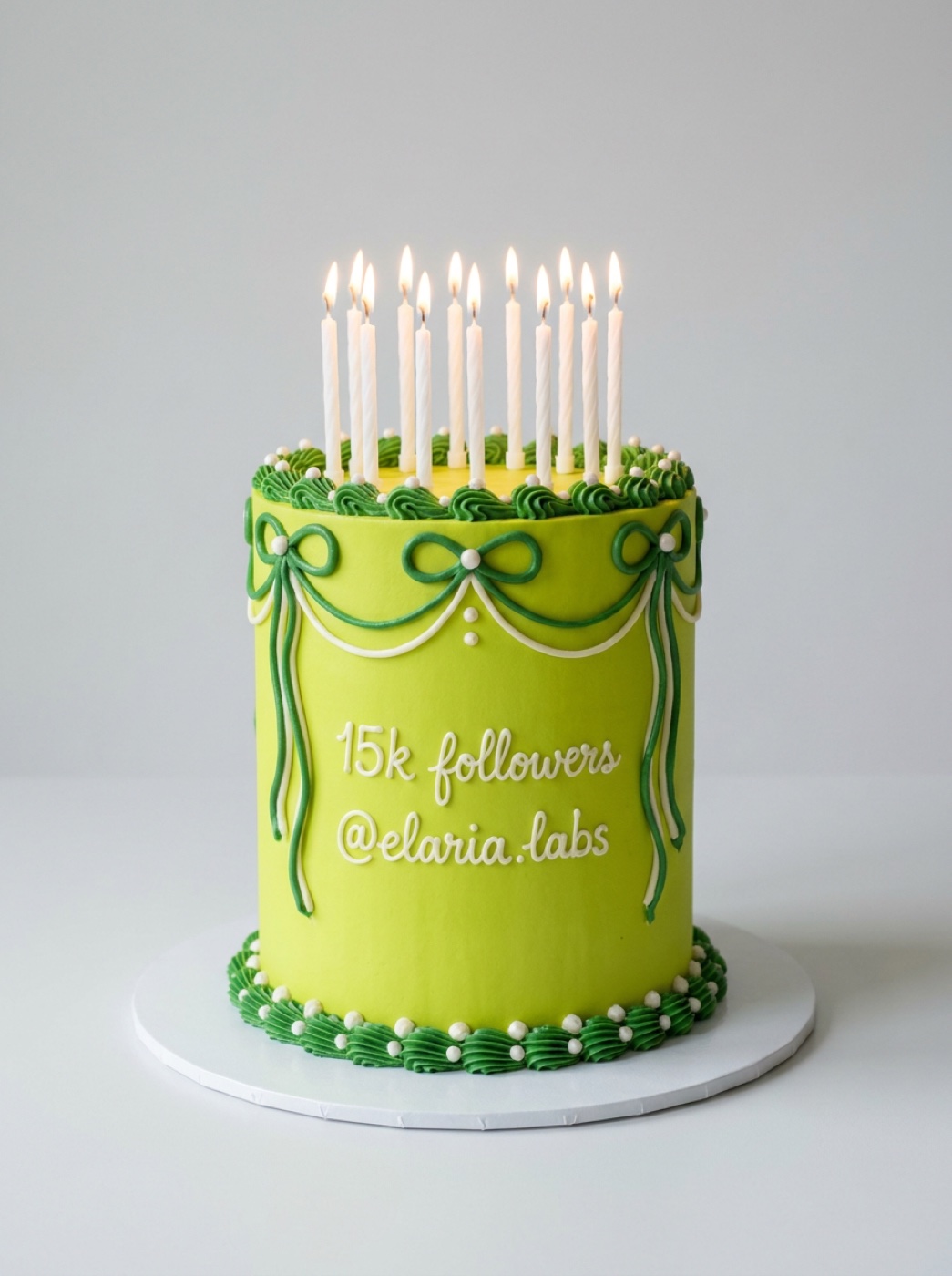
We made it for 15k followers on Instagram, so our cake says “15k followers”. Write your own text on the cake: a birthday, a milestone or a name.
The whole process
- Make your cake with the Nano Banana Pro prompt. Put your own text on it.
- Get a clear photo of your car and a photo or character sheet of you.
- Open ImagineArt, go to video and pick Seedance 2.5.
- Add the cake first, the car second and your photo third.
- Set 8 seconds and 9:16, paste the video prompt and press Generate.
What happens in 8 seconds
This is what happened in our final video.
| Time | What happens |
|---|---|
| 0–2s | You hold the cake on an empty runway. All candles burn. The car is a small dot far away |
| 2–4s | The car races toward you and starts to drift, with tyre smoke |
| 4–5s | It slides sideways behind the cake. You lean out of the driver window, smiling |
| 5–6s | You blow. The flames bend and go out, and a little smoke rises |
| 6–8s | The picture freezes on that moment |
Make your cake
Open ImagineArt+200 free credits, go to image and pick Nano Banana Pro Pro. Set 3:4. You do not need a reference image for this step.
Change the two lines of text in quotes to your own. Keep the text short, so it fits on the cake and is easy to read.
Product photo of a tall single-tier birthday cake on a round white cake board, centered on a plain light grey studio background. The cake is covered in smooth acid-lime frosting (bright yellow-green, like a fresh lime) with white and deep-green buttercream piping: a ribbon-bow swag down the front, small piped rosettes and pearl dots around the top and base. On the front, in neat white piped cursive lettering, two lines: “15k followers” and below it “@elaria.labs”. Spell the text exactly. Twelve thin white birthday candles stand on top, all lit with small warm flames. Soft daylight, realistic frosting texture, photoreal, sharp focus. No hands, no people, no other text, no logos.
Check the text on the cake before you go on. If one letter is wrong, generate again. The video uses this cake as it is.
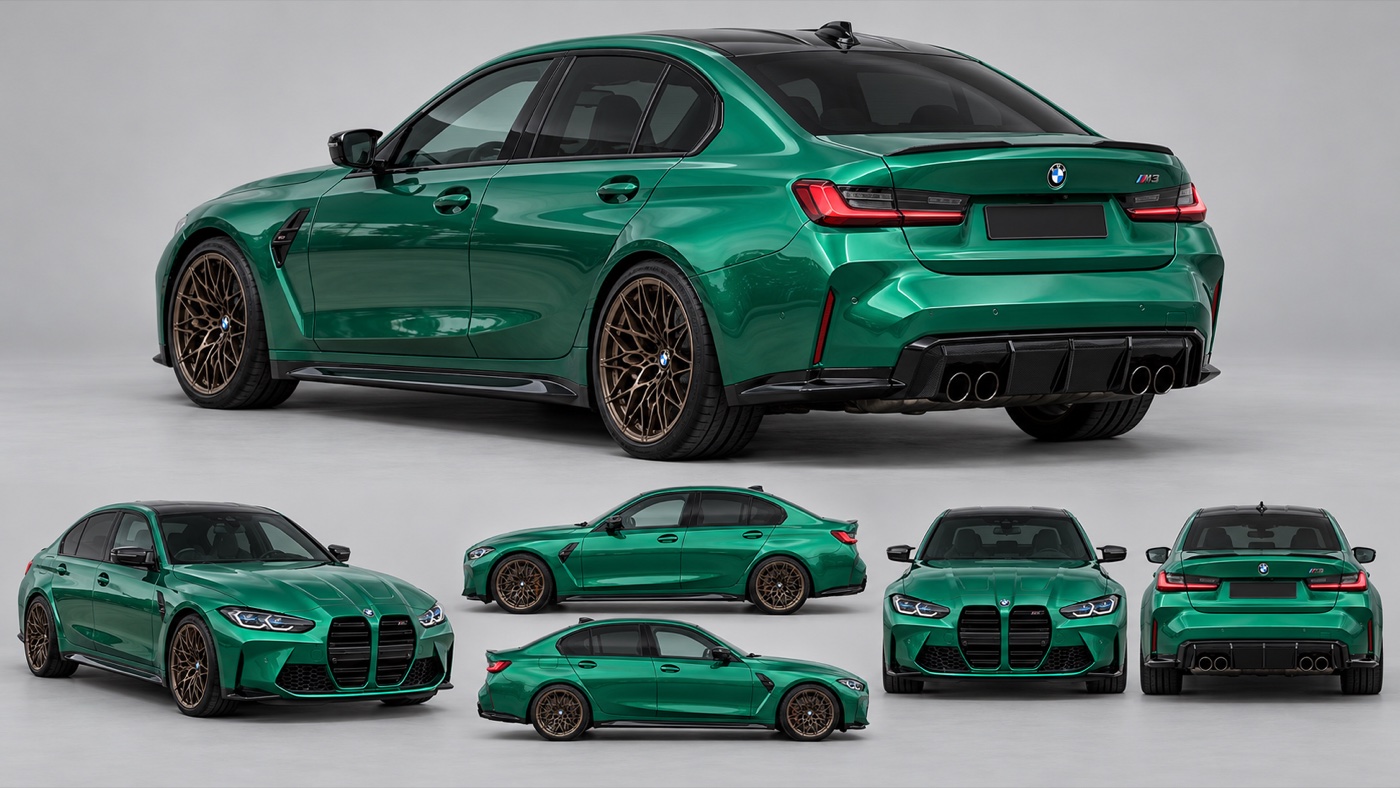
Get your car and your photo
Use a clear photo of your car. A sheet with several angles works even better, because the car turns a lot in the drift.
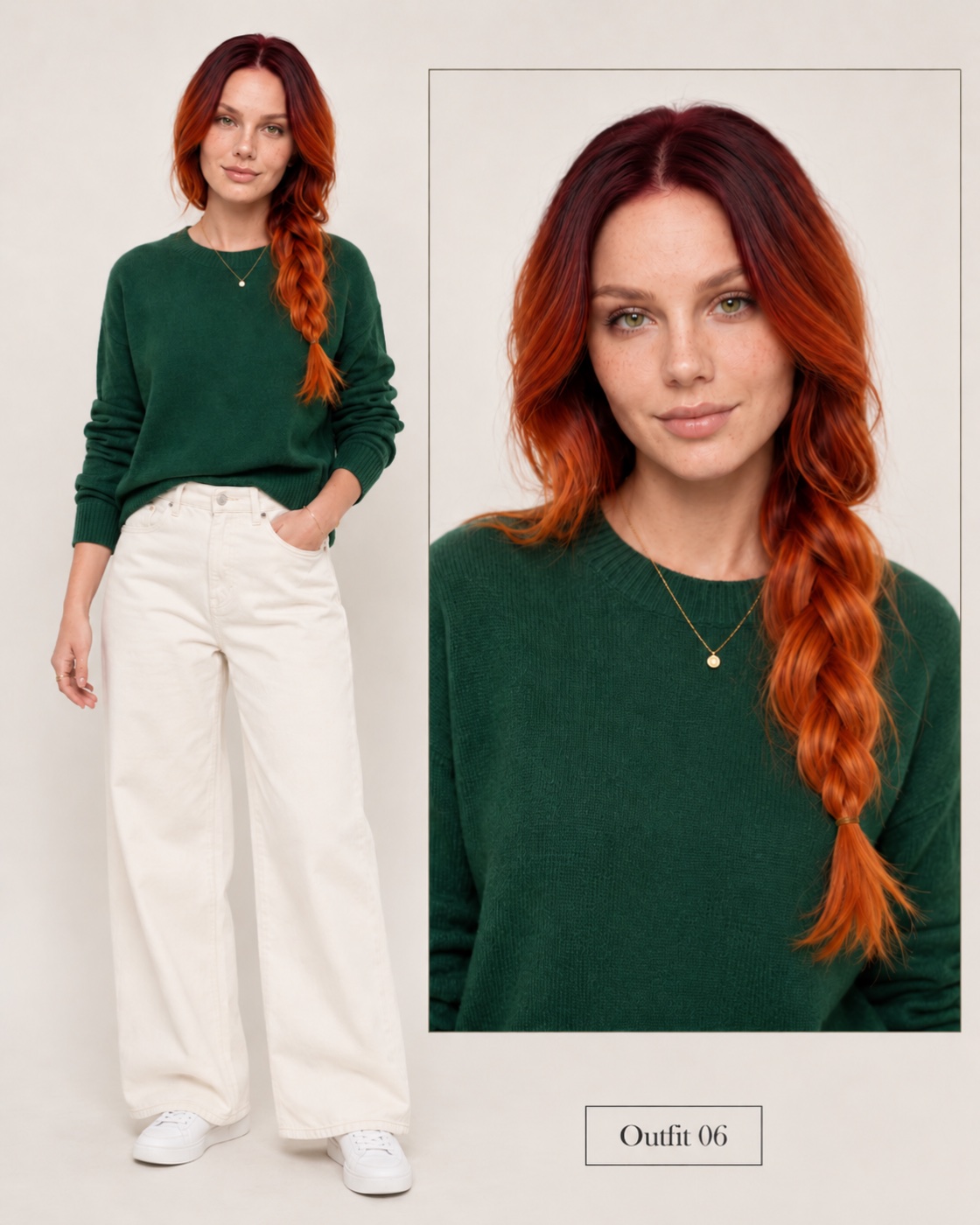
For you, a clear photo works. A character sheet with your face and full body works better.
Make the video
In ImagineArt+200 free credits, go to video and pick Seedance 2.5. Add the three images in this order: cake, car, you. Set the length to 8 seconds and the shape to 9:16.
The prompt describes our cake, our car and our character. Change these words to match yours: the cake text “15k followers” and “@elaria.labs” (it appears twice), “emerald-green four-door sports sedan with a black roof”, “bronze multi-spoke wheels”, “red-copper wavy hair in a side braid” and “dark-green knit sweater”.
[LOOK — LOCKED, APPLIES TO THE WHOLE CLIP] Photoreal first-person phone footage on a simple sunny day: bright midday sun high in the sky, short soft shadows, clean natural daylight on the car paint and the frosting, clear blue sky with a few small white clouds. Wide 24mm look, deep focus so both the cake and the car stay sharp, fine natural grain, true-to-life colours, no colour filter until the freeze frame.
[References] The birthday cake corresponds to @Image1. Keep its exact design: tall lime-green frosted cake with dark-green bow swags, white pearl dots, the white piped text “15k followers” and “@elaria.labs” on the front, and the thin white candles on top. Do not use the grey studio background. Keep the cake design and the text the same in every frame. The car corresponds to @Image2. Keep its exact design: emerald-green four-door sports sedan with a black roof, large black kidney grille, bronze multi-spoke wheels and quad exhausts. Do not use the grey studio background or the multi-view layout. No morphing. The woman corresponds to @Image3. Use only her face, her long red-copper wavy hair in a side braid, her dark-green knit sweater. Do not use the beige background, the text label or the split-panel layout. There is one woman, one car and one cake. Nobody else appears.
[Scene] A wide, empty airstrip on a sunny day: dark asphalt runway stretching into the distance, bright green grass on both sides, and a thick line of tall, leafy green trees along the horizon.
[Stage 1] 0-2 seconds Initial state: first-person view. The unseen camera holder stands still on the runway and holds the cake from @Image1 with both hands in the lower half of the frame. All candles are lit and burning. The green car from @Image2 is a small shape far down the runway. Primary event: the car races straight toward the camera at high speed. End state: the car is about halfway to the camera and starts to turn sideways, tyre smoke rising behind it.
[Stage 2] 2-5 seconds Continue from the previous stage: same runway, the cake still held in the foreground, candles still burning. Primary event: the car enters a controlled sideways drift in slow motion. It slides in a smooth arc without braking, until its driver side faces the camera, front of the car pointing to the left of the frame. The woman from @Image3 is in the driver seat, leaning halfway out of the open driver window, upper body outside, smiling at the cake, her braid and hair blowing in the wind. End state: the car is sliding past right behind the cake, close enough that her face is just above the candles.
[Stage 3] 5-6 seconds Continue from the previous stage: the drift is still in slow motion, nothing else changes. Primary event: she leans further out, puckers her lips and blows a strong breath at the cake. The candle flames bend away, flicker and go out because of her breath. Thin trails of smoke rise from the candles. End state: all candles are out, she is still leaning out of the window with her lips pursed, hair lifted by the wind.
[Stage 4] 6-8 seconds At 6 seconds, the image freezes on this exact moment and turns into a dramatic high-contrast black-and-white still frame. Hold the frozen frame until the end. The car does not drive away.
[Camera] First-person view only, one continuous take, no cuts. The camera stays in one spot at chest height behind the cake, with only light natural hand movement. No third-person view, no drone view, no change of angle.
[Audio] <Distant engine roar growing louder> <Tyres screeching through the drift> <One clear strong breath as she blows> <Soft hiss of candles going out> The sound cuts to silence on the freeze frame. No music. No dialogue.
[Maintain Consistency] The cake, its text “15k followers @elaria.labs” and its candles stay the same until she blows them out. The car keeps its emerald-green colour, black roof and bronze wheels. The woman keeps her face, red-copper hair and green sweater. The candles go out only because of her breath. No champagne, no confetti, no captions, no extra text beyond the cake lettering.
Keep the freeze in colour (optional)
The prompt asks for a black-and-white freeze at the end. In our video the whole frame turned grey, but the red hair stayed orange. We wanted the end in colour.
So we cut the video at the last colour frame, right after the candles went out. Then we held that frame for 2 seconds in our video editor. Any editor with a freeze-frame tool can do this. If you like the black-and-white end, skip this step.
Why this prompt works
Each image has one job, and the prompt says it in words. The cake comes from @Image1, the car from @Image2 and you from @Image3. Each line also says what to leave out, like the grey studio background. Without those lines, the model can bring the studio into the runway scene.
The camera never moves. It is a friend holding a cake, so the cake stays in the same place for 8 seconds. Because of that, the car and you are the only things that move, and the drift looks big.
Each stage ends in a clear picture. The last one says the car does not drive away, so the video ends on the blow and not on the car leaving.
The prompt says twice that the candles go out because of your breath. That ties the flames to the blow, so they go out at the right moment.
Where it goes wrong
| What you got | The fix |
|---|---|
| The text on the cake is wrong | Fix it in the cake image first. The video copies the cake as it is |
| The hair stays orange in the black-and-white freeze | This happened to us. Cut the black-and-white part and hold the last colour frame (step 4) |
| Your hair or hairstyle changes | Add one more line at the end: “Her hair stays the same as in @Image3” |
| The car drives away at the end | Keep “The car does not drive away” |
| The candles go out before you blow | Keep “The candles go out only because of her breath” |
| The camera turns to a side view | Keep “First-person view only, one continuous take, no cuts” |
Questions people ask
Which model makes this? Seedance 2.5 on ImagineArt makes the video. The cake image comes from Nano Banana Pro.
Can I put myself in it? Yes. Use your photo or character sheet as the third image.
Is it vertical? Yes. Set 9:16 and it fits Reels and TikTok.
Is it free? The prompts are free. ImagineArt lets you sign up for free, and videos cost credits.
Do I need a reference video? No. The prompt describes every move, so three images are enough.
Ready? Open ImagineArt+200 free credits, make your cake and paste the video prompt.
Why this workflow runs here
Everything in one place
Free to start
Minutes, not days
Make yours in the next 30 min
You have the whole prompt and every setting. The only thing left is an account, and that takes a minute.
- 200 free credits on sign-up
- Prompts ready to paste
- Upgrade only if you want more
Referral link — if you subscribe I earn a commission, at no extra cost to you. More on that.
Related prompts
 Effect Free
 24 GTR AI Prompt: Swap the Car for Your Dragon
A 24 GTR AI prompt for the AIReel effect. You flash the UNO cards, the scene cuts to a stone mountain, and a dragon stands behind you instead of a car.
 Effect Free
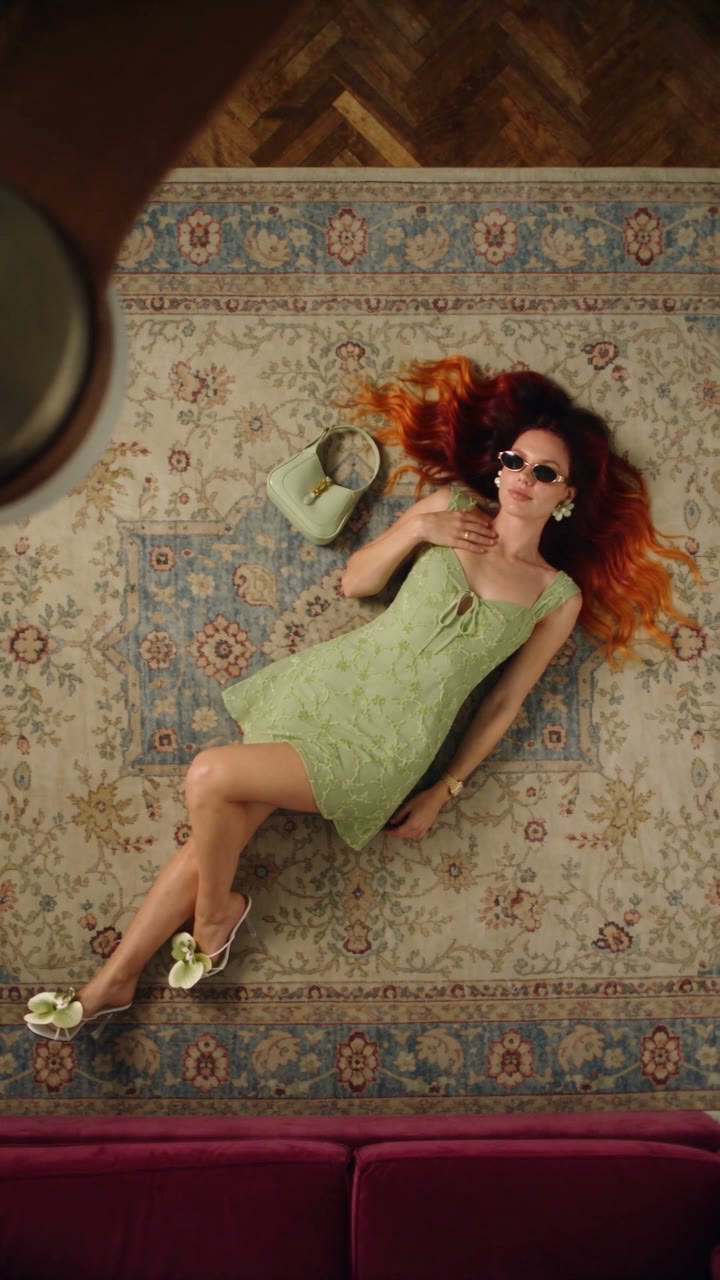
 Fan Blade Outfit Change: The Top-Down AI Prompt
A free Seedance 2.5 prompt. She lies on a rug, a slow ceiling fan blade sweeps over her, and her outfit is new. Five looks, 20 seconds, five reference images.
 Effect Free
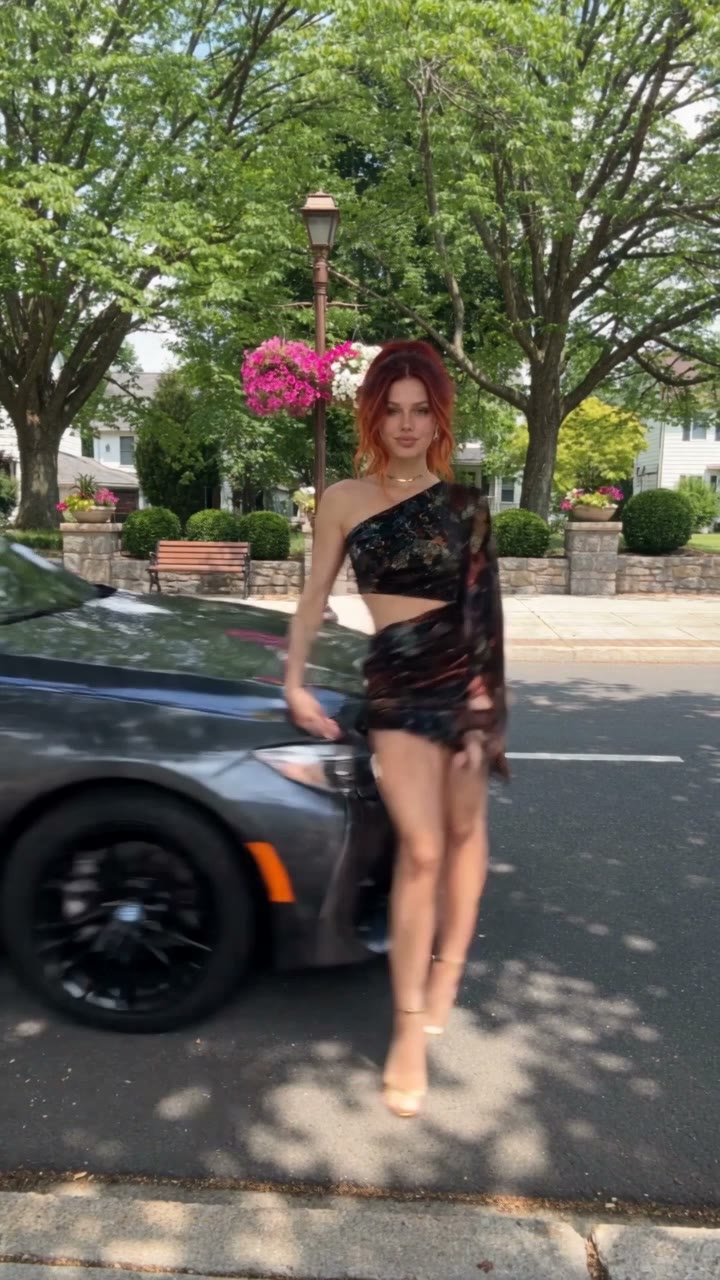
 Fit Check Hit by a Car: The AI Video Prompt
A free Seedance 2.5 prompt. She films a street fit check on her phone, shows the outfit from every side, and a car takes her out of frame. 12 seconds, one reference image.