Doja AI Trend — Make Your Own Video From One Photo
Doja AI trend in four clicks. No prompt needed: open the Doja effect on AIReel, upload one photo and press Generate. Screenshots for every step.
15% off AIReel with my code
You do not need a prompt for the Doja trend. AIReel has it as a ready effect. You pick the effect, add one photo, and press a button. That is all.
The video above was made this way, from one photo. Every screenshot below shows the exact place to click, in green.
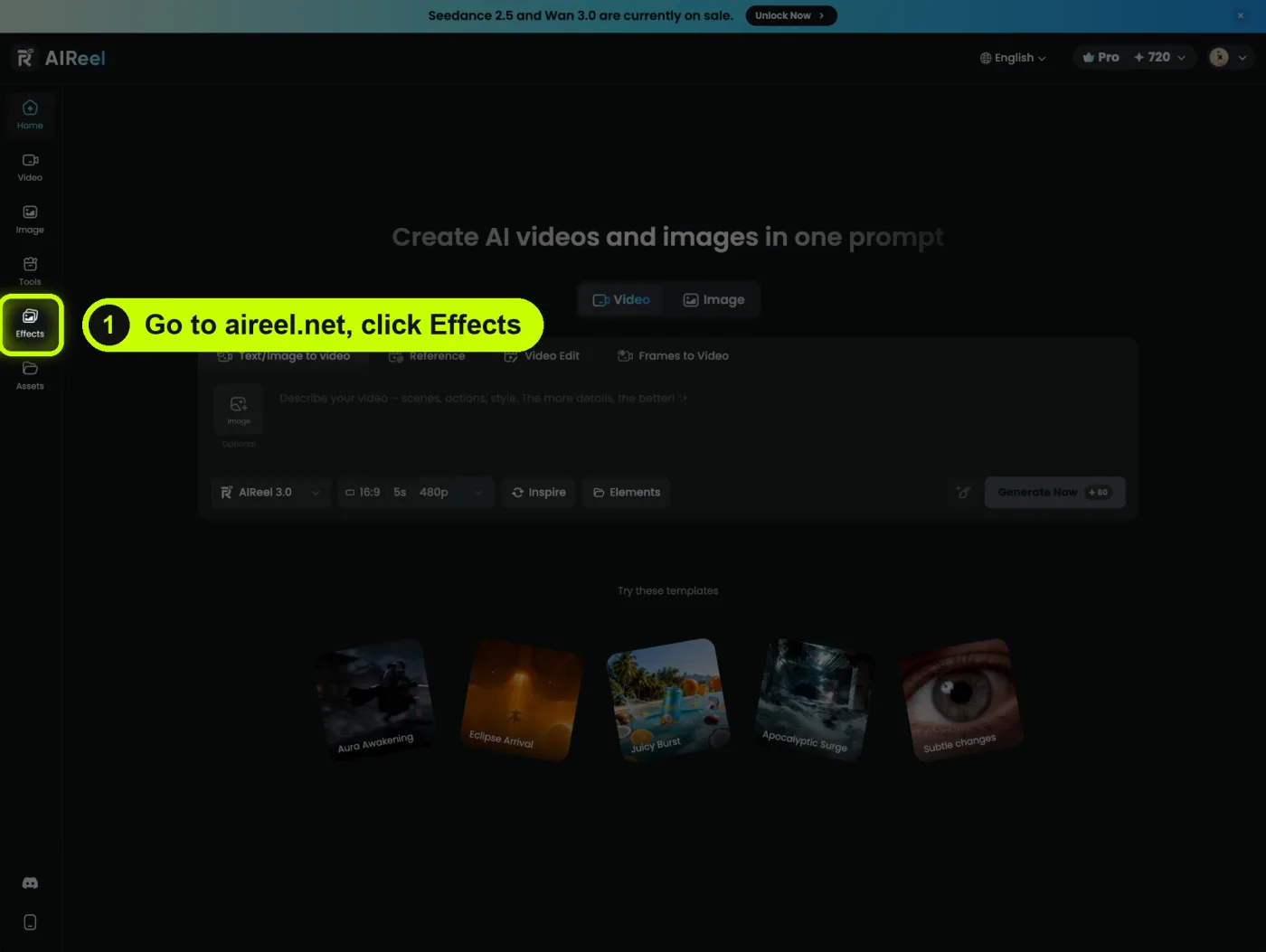
Open AIReel and click Effects
Go to aireel.net. In the menu on the left, click Effects.
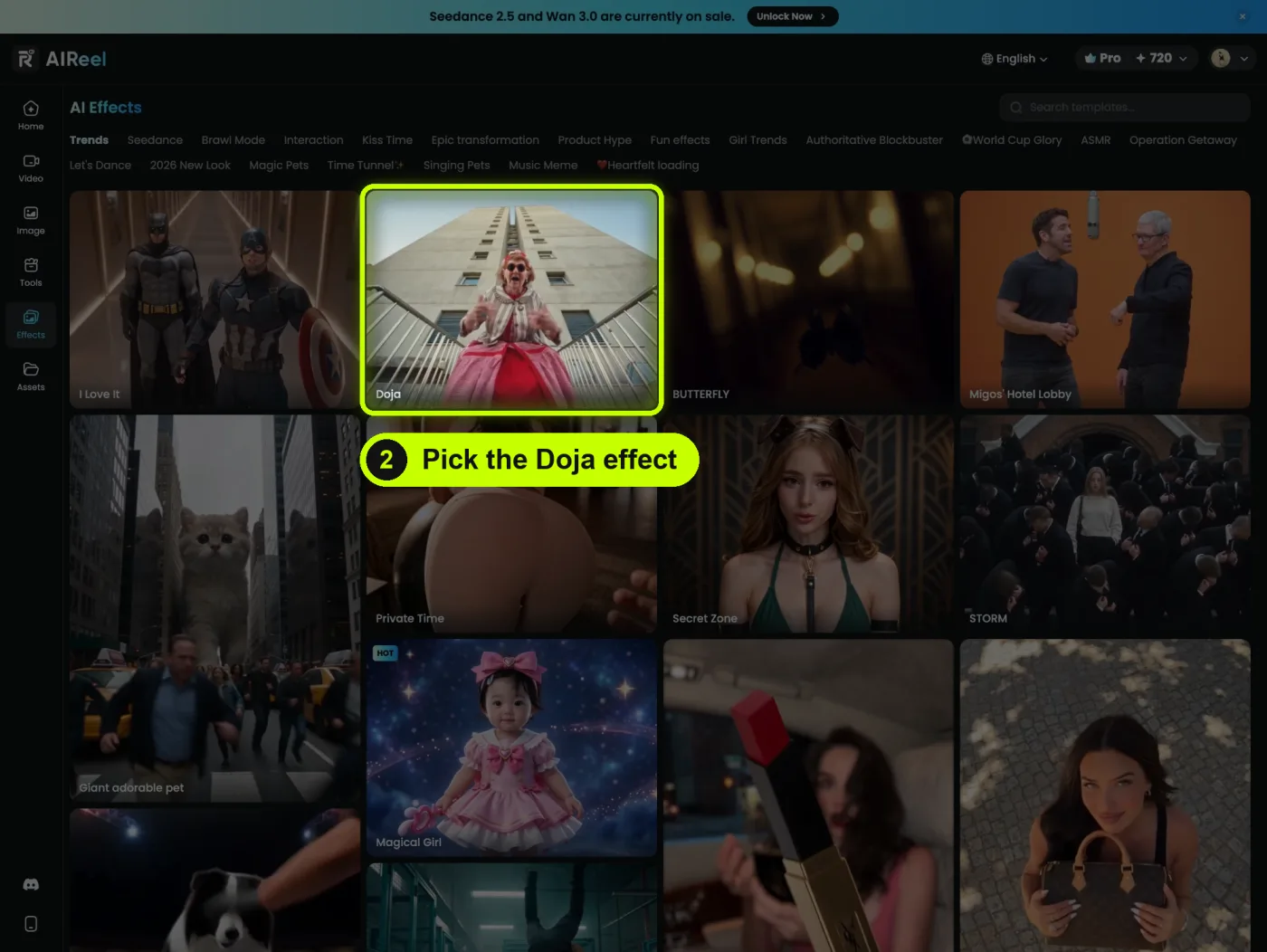
Pick the Doja effect
You see a wall of effects. Click the one called Doja. It is in the Trends tab, near the top.
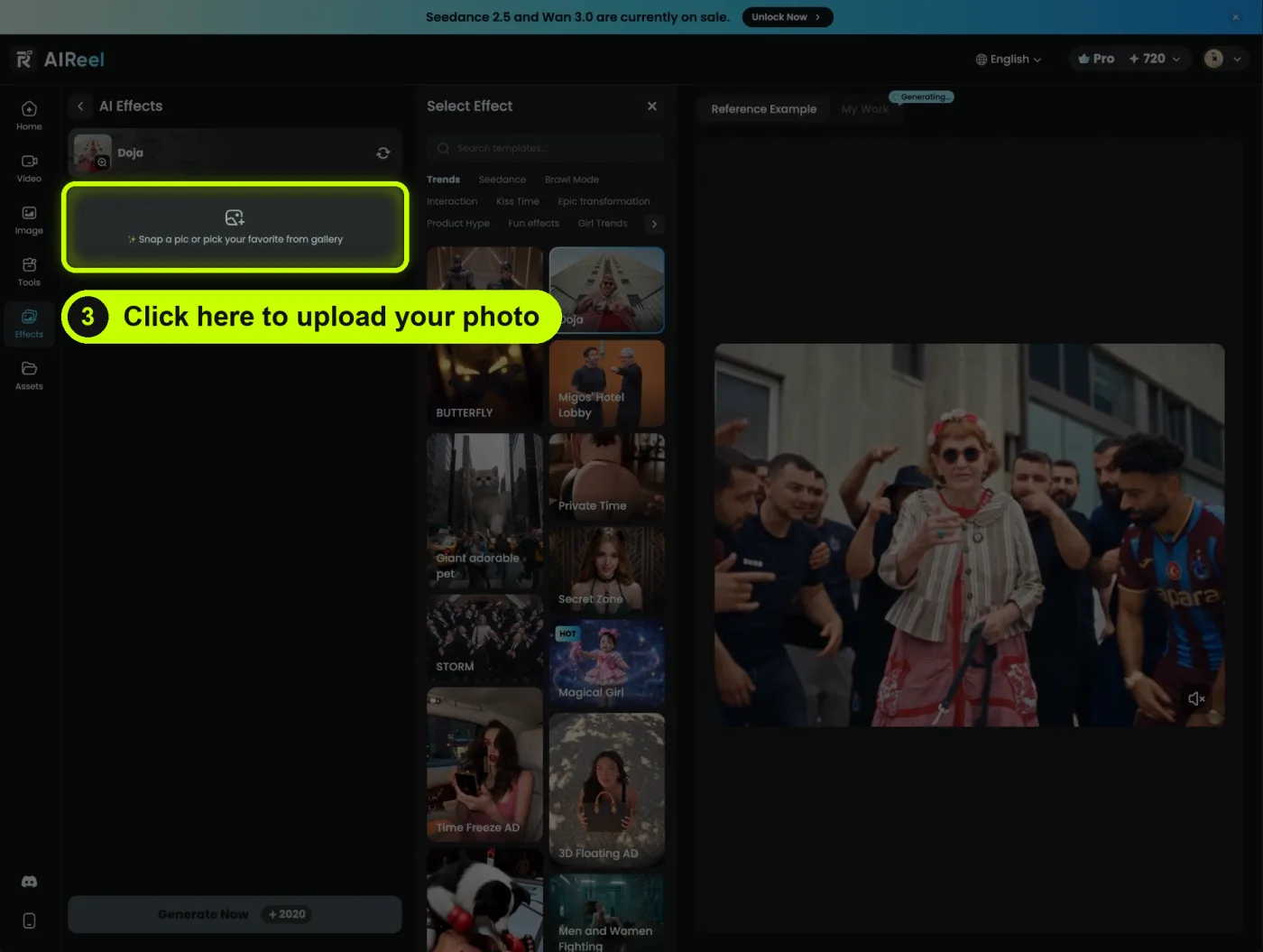
Upload your photo
Click the box that says Snap a pic or pick your favorite from gallery. Choose one photo. A clear photo of one person, face and body in view, works best.
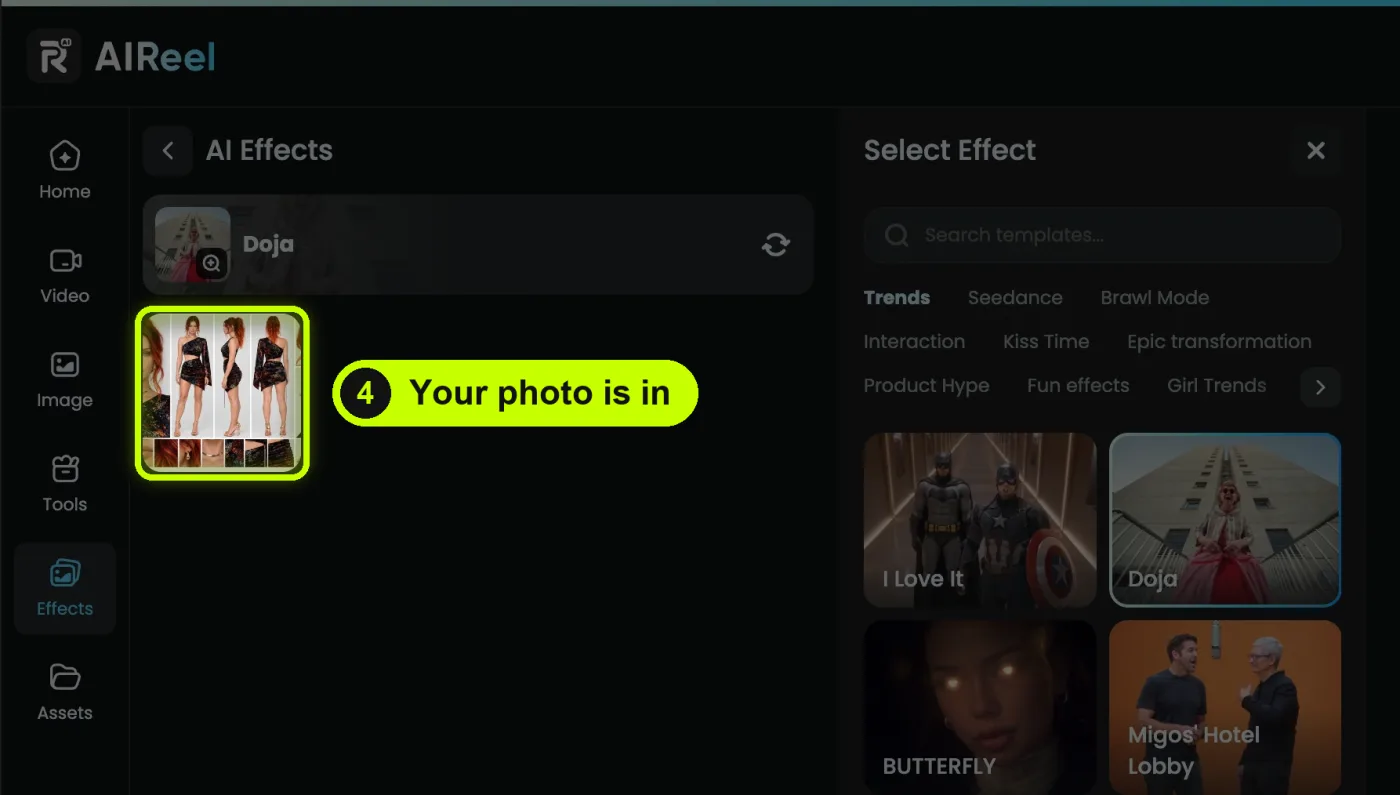
Check your photo is in
Your photo now shows under the effect name. If it is the wrong one, click it and pick another.
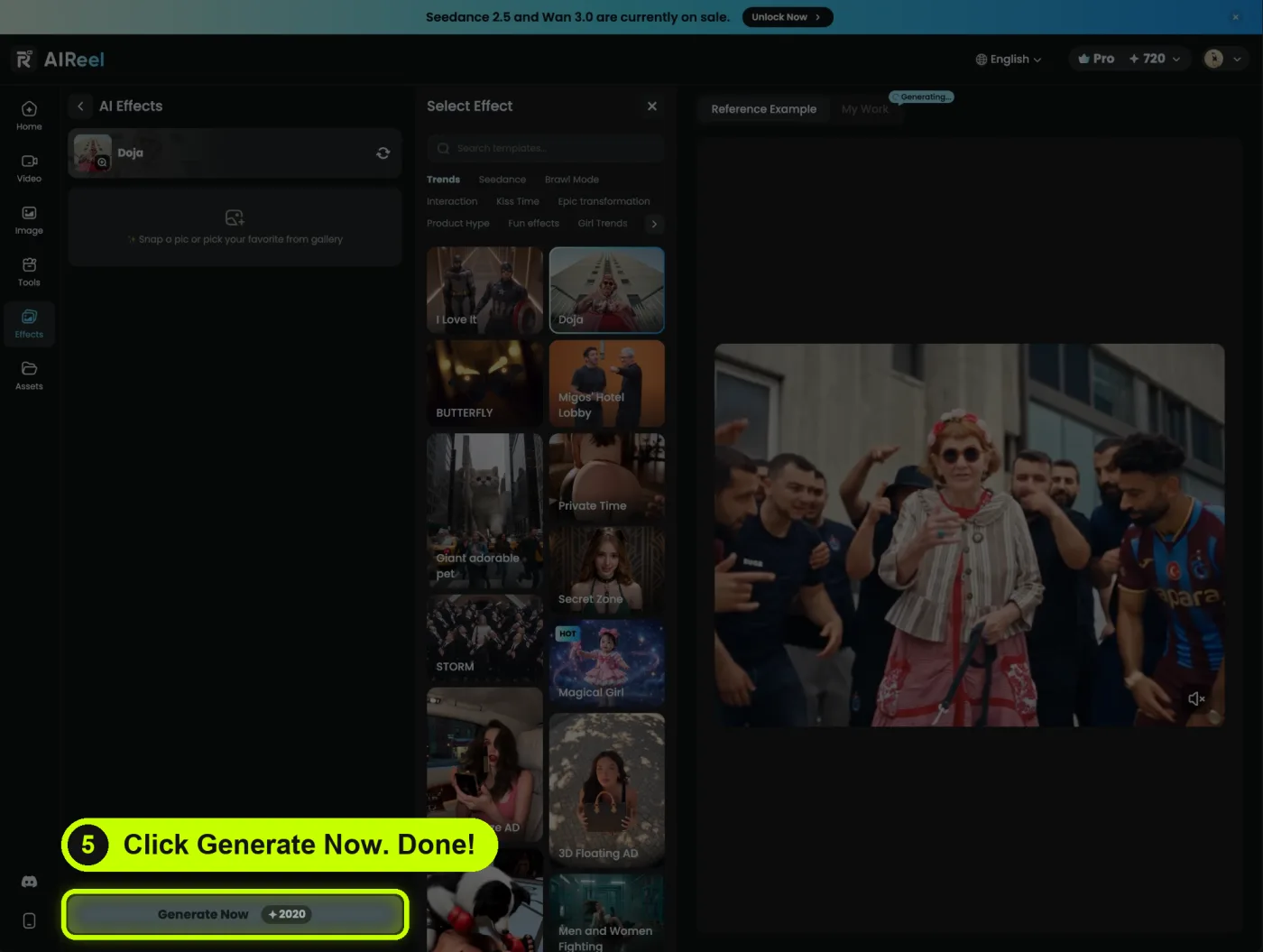
Click Generate Now
Click Generate Now at the bottom. The button shows how many credits it costs. Your video appears under My Work when it is ready. Done.
Good to know
- Do I need to write a prompt? No. The effect already knows what to do. You only give it a photo.
- Can I put myself in it? Yes. Upload a photo of yourself.
- Can I use a photo of a friend? Only with their permission.
- Is it free? You can sign up for free. The effect uses credits, and the button shows how many before you click.
AIReel is a partner of this site. The link tells them you came from here. You pay nothing extra.