APT AI Trend — Make the Video From Two Photos
APT AI trend with no prompt: open the APT. effect on AIReel, add two full-body photos and press Generate. Screenshots for every step.
15% off AIReel with my code
You do not need a prompt for the APT AI trend. AIReel has it as a ready effect called APT. You open the effect, add two photos, and press a button.
The video has two people in it, so the effect asks for two photos. The video above was made this way. Every screenshot below shows the exact place to click, in green.
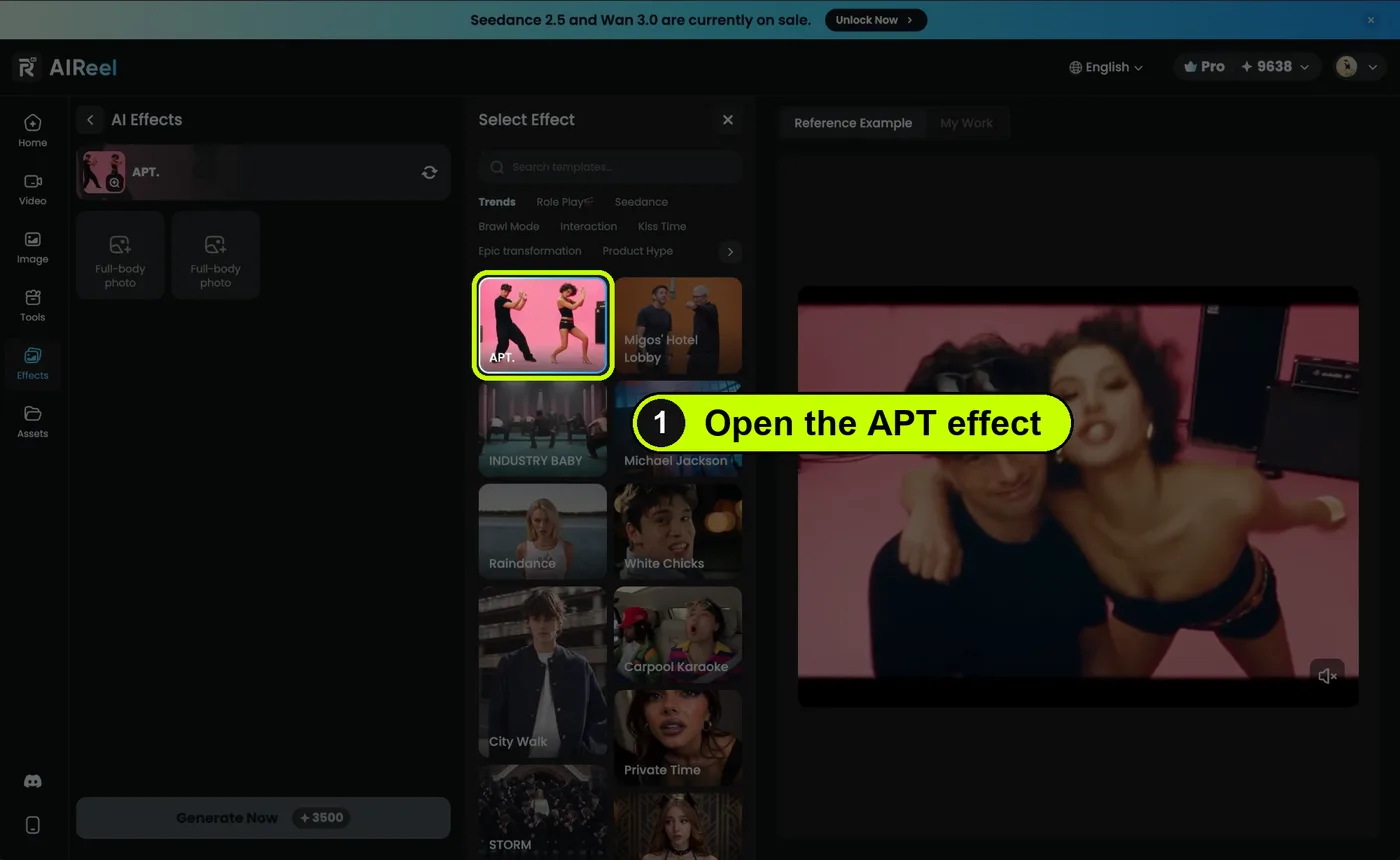
Open the APT. effect
Click the button on this page. It opens the APT. effect on AIReel straight away. The APT. card is picked in the Trends tab, in the first row.
If you land on the AIReel home page instead, click Effects in the menu on the left, then click APT.
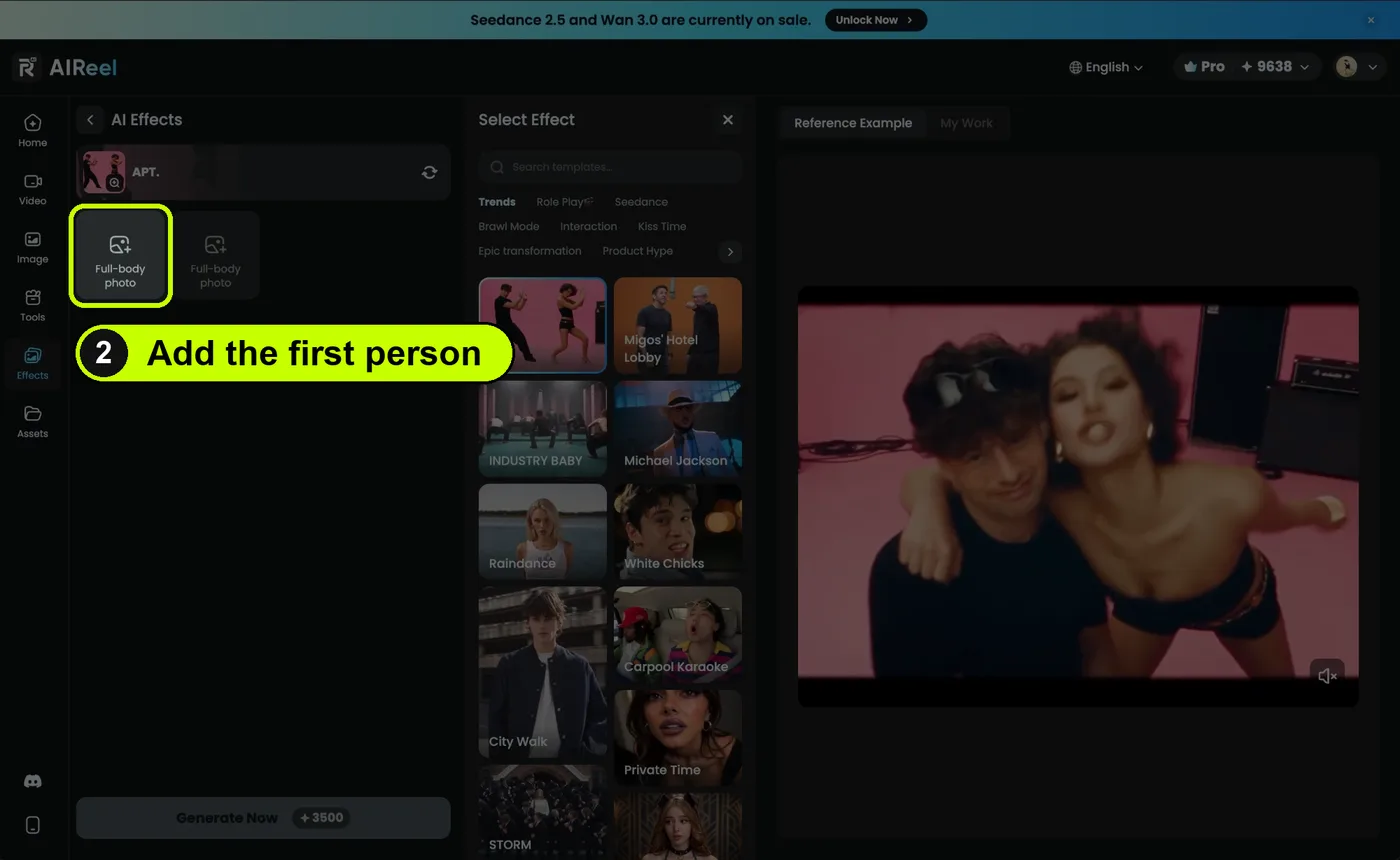
Add the first person
Click the first box that says Full-body photo. Choose a photo of the first person. The whole body should be in the photo, from head to feet.
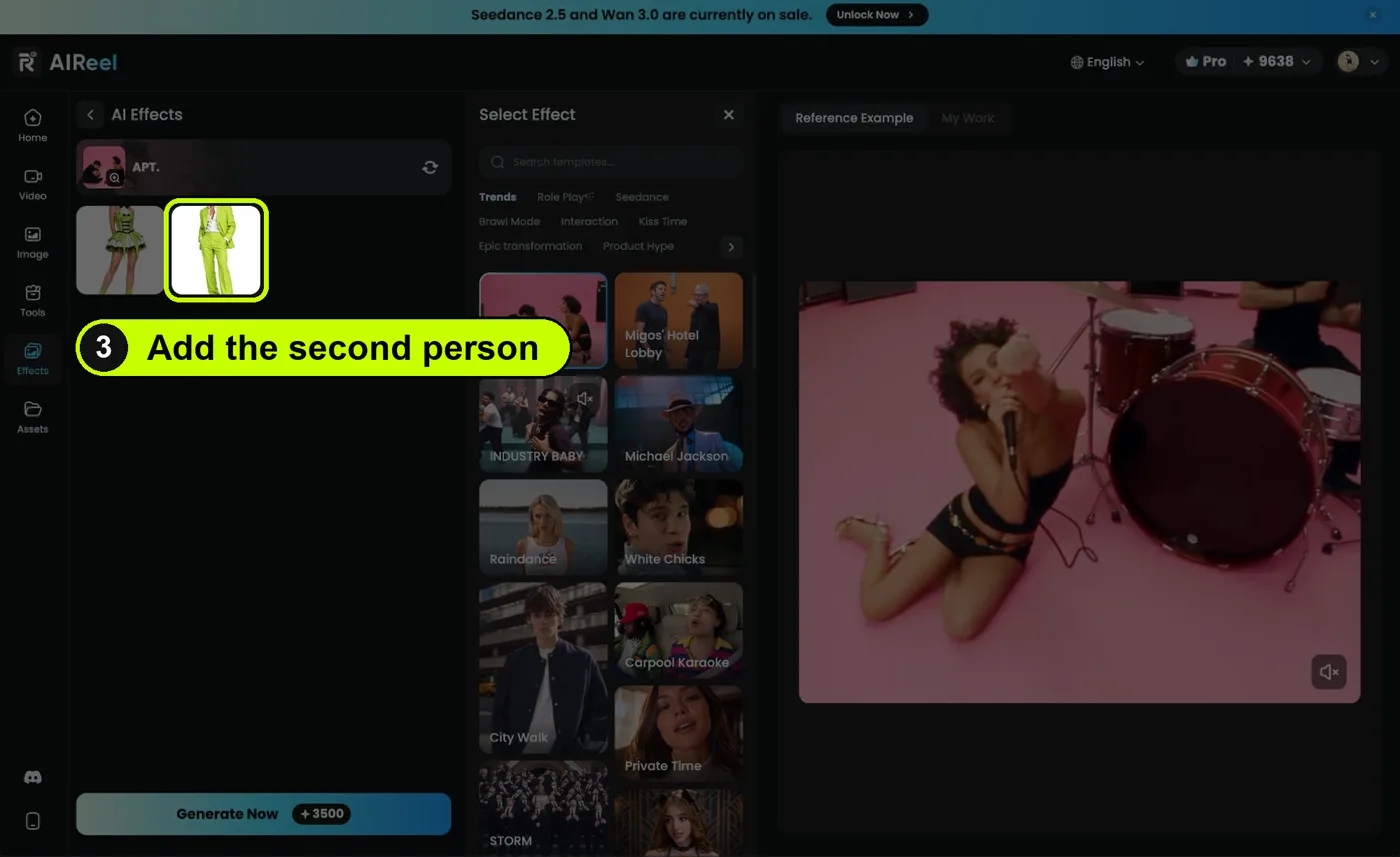
Add the second person
Click the second Full-body photo box. Choose a photo of the second person, again from head to feet. Both photos now show under the effect name.
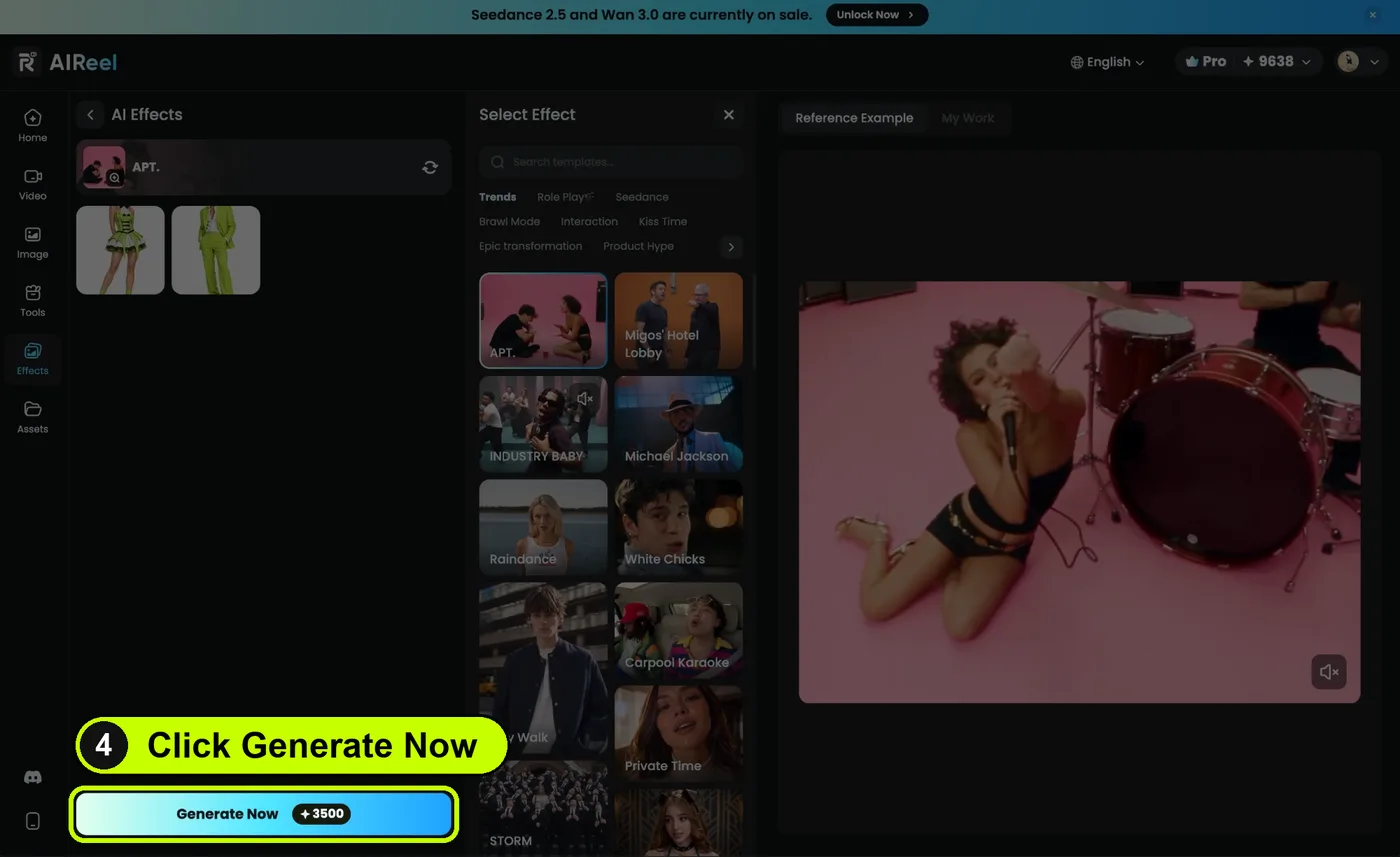
Click Generate Now
When both photos are in, the Generate Now button at the bottom turns on. Click it. The button shows how many credits it costs. Your video appears under My Work when it is ready. Done.
Good to know
- Do I need to write a prompt? No. The effect already knows the scene, the dance and the camera. You only give it two photos.
- Why two photos? The video has two people in it. Each box is one person.
- What photo works best? One person per photo, standing, with the whole body in view. A plain background helps.
- Can I put myself in it? Yes. Use your own photo in one of the boxes.
- Can I use a photo of a friend? Only with their permission.
- Is it free? You can sign up for free. The effect uses credits, and the button shows how many before you click.
AIReel is a partner of this site. The link tells them you came from here. You pay nothing extra.